

If you have ever downloaded a budgeting tool and quit after a week, the problem is rarely motivation. It is usually that the setup felt complicated, the categories did not match real life, and you had no “first month” routine to build momentum.
This beginner-friendly plan is designed for anyone who wants a simple free budget app experience: minimal setup, quick daily check-ins, and one weekly review that actually changes your results.
What you need before you start (10 minutes)
A budget works best when it reflects your real cash flow and obligations, not an idealized version of your month. Before you touch categories, gather:
- Your last 30 to 60 days of transactions (bank, credit card, cash notes).
- Your fixed bills and due dates (rent, utilities, subscriptions, insurance).
- Your debt minimums (credit cards, student loans, car payment).
- Your pay schedule (weekly, biweekly, twice a month, irregular).
If you are using a finance app that supports account connectivity, linking your accounts can reduce manual entry and help you stay consistent. If you prefer manual tracking at first, that is fine. The goal of month one is consistency, not perfection.

The first-month rhythm (the habit that makes budgeting work)
For month one, keep the routine simple:
- Daily (2 to 3 minutes): Check yesterday’s spending and categorize anything uncategorized.
- Weekly (15 to 25 minutes): Review totals, adjust categories, and plan the next 7 days.
- Monthly (30 to 45 minutes): Set next month’s starting budget based on what you learned.
This cadence aligns with how many people actually make spending decisions: small daily choices, plus a weekly moment to course-correct.
A beginner-friendly 30-day plan (week by week)
Use this as your checklist. If you miss a day, do not “start over.” Just resume.
| Week | Focus | What you do in your app | Time cost |
|---|---|---|---|
| Week 1 | Capture reality | Link accounts (optional), create a starter category list, categorize transactions daily | 2 to 3 min/day + 20 min setup |
| Week 2 | Create your first budget | Set spending targets, choose a simple method, add alerts or reminders | 20 to 30 min |
| Week 3 | Bills and debt control | Add bill due dates, track minimums, plan for irregular expenses | 20 to 30 min |
| Week 4 | Review and simplify | Compare planned vs actual, reconcile if available, edit categories, set next month’s plan | 30 to 45 min |
Week 1: Track spending without judgment
In the first week, your “budget” is data collection. Many beginners fail because they try to restrict spending before they understand it.
Day 1 setup: pick a starter category list
Keep categories broad. You can always add detail later, but too much detail creates friction.
A practical starter list:
- Housing
- Utilities
- Groceries
- Dining and coffee
- Transportation
- Insurance
- Health
- Debt payments
- Subscriptions
- Shopping
- Entertainment
- Gifts and giving
- Savings
- Miscellaneous
Your only goal this week: everything is categorized.
If your app supports it, turn on alerts that help you notice issues early, like unusual spending spikes or large transactions. If you are unsure what alerts to use, start with just one: “notify me when a category hits 80% of budget” (you will set the budget in Week 2).
Helpful reference: The CFPB budgeting resources include simple guidance for getting started without overcomplicating the process.
Week 2: Build a starter budget you can actually follow
Now that you have a week of real transactions, you can create a budget that matches your life.
Pick one budgeting style for month one
Do not overthink this. Choose one of these and stick with it for 30 days:
- Simple percentage guardrails (like 50/30/20): Best if you want a quick framework.
- Category caps: Best if you want straightforward limits (example: Dining $200, Shopping $100).
- Zero-based budgeting: Best if you want every dollar assigned, especially if cash flow is tight.
You can switch later. The point is to create a first version.
Turn your Week 1 reality into targets
A useful beginner rule is to change only a few categories at a time. For example, keep housing and utilities at current levels (unless you know they are changing), then focus on 1 to 3 “swing categories” where behavior changes matter most (often dining, shopping, and subscriptions).
Here is a simple template to set planned vs actual:
| Category | Planned (month) | Actual (month) | Difference | Notes |
|---|---|---|---|---|
| Housing | ||||
| Utilities | ||||
| Groceries | ||||
| Dining | ||||
| Transportation | ||||
| Debt payments | ||||
| Savings | ||||
| Miscellaneous |
Add one guardrail that prevents “budget surprise”
Most beginners blow up a budget because of irregular expenses. In Week 2, add a category called “Irregular” or “Sinking funds” and start small.
Even $25 to $100 a month helps smooth things like car maintenance, annual fees, school costs, or medical copays.
If you want a quick, credible benchmark for emergency savings goals, the FDIC consumer guidance is a good starting point (and you can scale your goal to your reality).
Week 3: Bills, debt, and due dates (where apps save you the most stress)
Week 3 is about making sure your budget connects to your calendar.
Add your bills with due dates
Whether you pay manually or autopay, list bills so you can see what is coming. Include:
- Fixed bills (rent, insurance, internet)
- Variable bills (electric, gas, water)
- Subscriptions (streaming, apps)
- Debt minimums
If your app supports bill reminders and customizable alerts, use them for due dates and low balances.
Plan for debt without forcing unrealistic paydowns
A simple first month approach:
- Make sure every minimum payment is covered.
- If you have extra, pick one additional payment category (example: “Extra debt payment”) and fund it with a small, repeatable amount.
The first win is consistency. Once you can reliably hit your plan, you can optimize payoff strategy.
Add a “Next 7 days” check during your weekly review
During your weekly review, look forward, not backward:
- What bills hit before your next paycheck?
- Do you need to reduce discretionary spending this week to avoid overdrafting?
- Are you about to double-count a large expense (for example, a credit card payment plus the underlying spending)?
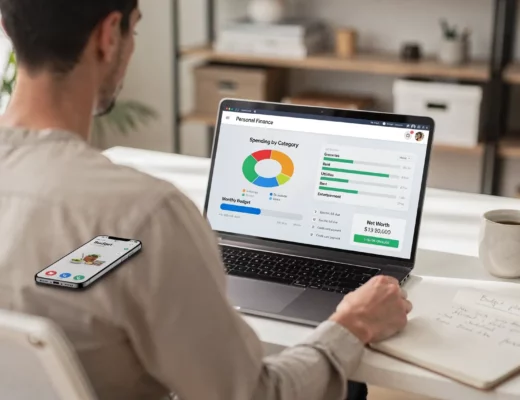
This is where a personal finance dashboard helps: you want a single view of accounts, upcoming bills, and spending progress.

Week 4: Review, simplify, and set up next month
By Week 4, you have enough data to make your budget easier.
Do a planned vs actual review
Ask three questions:
- Which categories were consistently off (not just one-time spikes)?
- What surprised you (annual renewal, forgotten subscription, medical cost)?
- What worked (a category you kept under control without feeling deprived)?
Then adjust.
Simplify categories before you add new ones
If you have multiple categories that always move together, merge them. Example: “Dining,” “Coffee,” and “Delivery” can become one “Eating out” category for now.
More categories do not create more control. Better review habits do.
If your app offers account reconciliation, use it once
Reconciliation (matching app balances to bank statements) can be a powerful trust-builder. If your balances look off, you are more likely to abandon budgeting.
Set next month’s first draft budget
Use this simple rule: next month’s plan should be based on this month’s actuals, plus only a few intentional changes.
Common first-month mistakes (and how to avoid them)
Trying to “optimize” before you can “repeat”
If your system is too complex to do on a busy day, it will not last. Month one is about a repeatable workflow.
Setting targets with no connection to cash flow
A budget is not just category limits, it is timing. If bills are due before income arrives, you need reminders, a buffer, or different payment dates.
Forgetting irregular expenses
Irregular costs are not emergencies. They are predictable, just not monthly. A small sinking fund category helps you stop feeling like budgeting “doesn’t work.”
Confusing credit card spending with credit card payments
Your spending happens when you buy groceries or gas. Your card payment is how you settle it. The right approach depends on how your app tracks cards and accounts, but the key is consistency and understanding what your reports are showing.
What to look for in a simple free budget app
If you are still choosing a tool, prioritize features that reduce effort and increase clarity:
- Fast expense tracking: Easy categorization and the ability to correct categories quickly.
- Budgeting tools: Category budgets or a method that fits your style.
- Bill and debt tracking: Due dates, reminders, and visibility into obligations.
- Reports that answer real questions: Spending by category, trends over time, and cash flow.
- Alerts and insights: Notifications that prevent missed bills or overspending.
- Broad account connectivity (optional): Helpful if you want less manual work.
A tool like MoneyPatrol is built around these basics (expense tracking, budgeting tools, bill and debt tracking, income management, investment tracking, credit score monitoring, alerts, reconciliation, and detailed reports) with an all-in-one dashboard that connects to thousands of financial institutions.
Frequently Asked Questions
How long should budgeting take each day? Most beginners can succeed with 2 to 3 minutes per day to categorize transactions, plus a 15 to 25 minute weekly review.
What if my income is irregular (freelance, tips, commissions)? Budget using a conservative baseline month (your lower-earning average), prioritize essentials and minimum debt payments, and send extra income to a buffer or sinking fund.
Do I need to connect my bank accounts to a budget app? No. Connecting accounts can save time and reduce missed transactions, but many people start manually for a few weeks to build awareness.
What is the easiest budgeting method for beginners? Category caps are usually the easiest because they are simple limits. If you prefer structure, a percentage framework can also work well for month one.
Why do my numbers look “wrong” when using credit cards? It is often because spending and payments are being viewed in different places in the app or report. Focus on consistent categorization of purchases, then learn how your app displays card payments.
Start your first month with MoneyPatrol
If your goal is to keep budgeting simple and actually stick with it, start with a tool that makes daily tracking and weekly reviews easy. MoneyPatrol is a free personal finance and budgeting app that helps you track expenses, manage income, monitor accounts, and stay on top of bills, debt, and goals from one dashboard.
Create your account and begin Week 1 today at MoneyPatrol.


 Our users have reported an average of $5K+ positive impact on their personal finances