
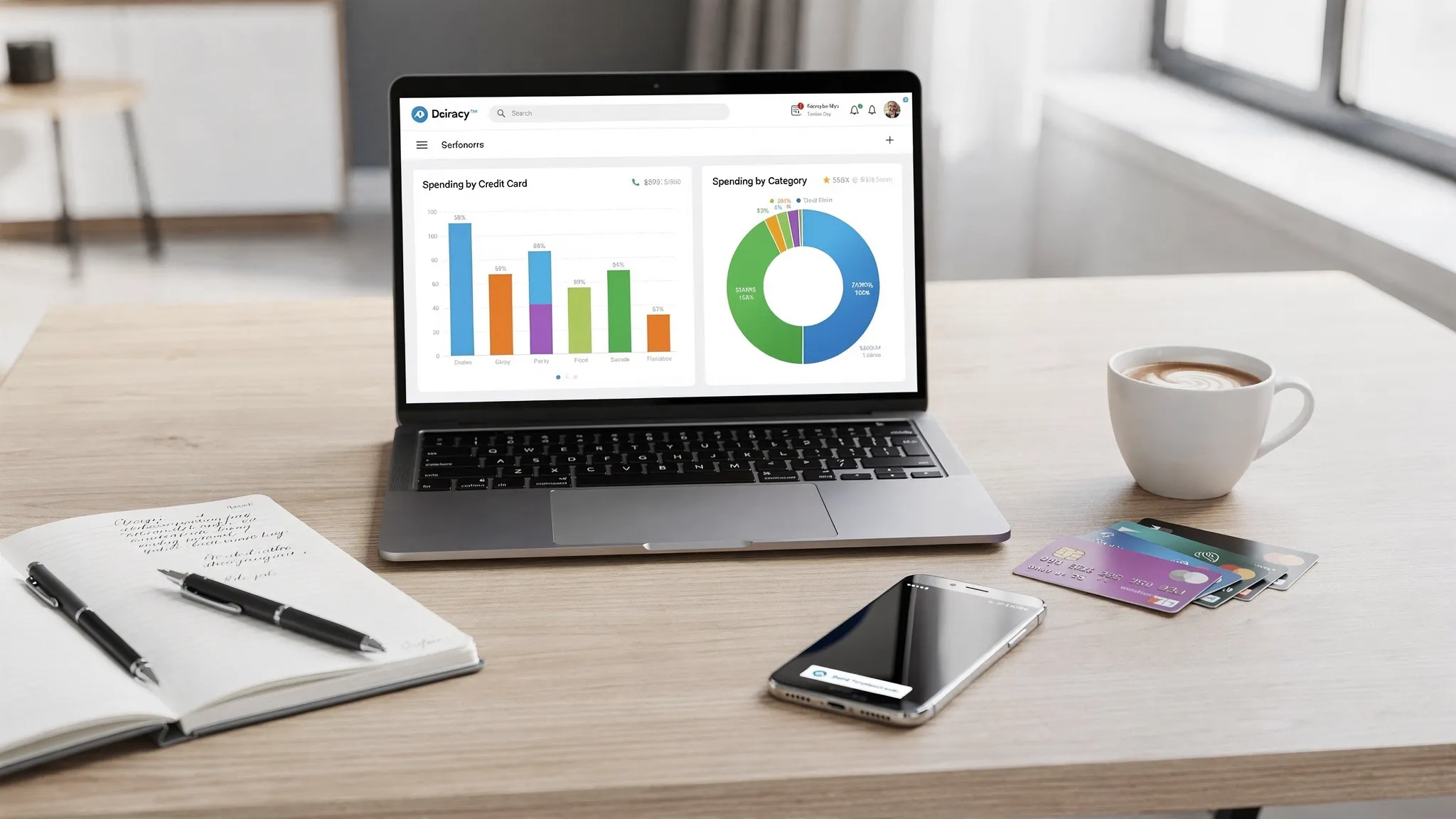
If you use more than one credit card, a normal “total spending” view is not enough. You need two angles at the same time:
- Spending by card (Which card is driving the balance, interest risk, or utilization?)
- Spending by category (What are you actually spending money on, and where can you cut back?)
A good credit card budget app ties those two views together, so you can answer practical questions like: “Is Card A mostly groceries and gas, while Card B is dining and subscriptions?” and “Which categories are consistently blowing up my budget, regardless of which card I use?”
Why tracking by card and category changes your budget results
Budgeting fails most often when your data is too blended to act on. Credit cards make that worse because they:
- Separate the moment you buy from the moment you feel the cash impact.
- Hide spending inside dozens (or hundreds) of small transactions.
- Split habits across multiple cards, each with its own due date, credit limit, and reward structure.
When you track by card, you see behavior patterns tied to specific accounts (for example, a “fun spending” card that slowly grows a balance). When you track by category, you see lifestyle patterns (for example, dining out creeping up across all cards).
Put together, these views help you make targeted changes instead of vague ones.
Common situations where “by card + by category” matters most
1) You are trying to stop revolving a balance
If you carry a balance month to month, the highest impact action is reducing new charges in the categories that push you past what you can pay in full.
Tracking by category shows where to reduce, and tracking by card shows which balance is getting worse.
If you want a credible overview of how credit card costs work (APR, fees, payoff mechanics), the Consumer Financial Protection Bureau has consumer-friendly guidance.
2) You are optimizing rewards without overspending
Rewards are great, but only if you are paying statement balances on time and in full. Tracking by card helps you verify whether you are actually using the right card for the right purchase types, and tracking by category helps you see if “rewards chasing” is inflating discretionary categories.
3) You share expenses (partner, family, roommates)
It is common to put shared expenses on one card for simplicity. A budget app that can show a clean breakdown by category makes it easier to estimate splits, and a breakdown by card makes it easier to keep “shared” separate from “personal.”
4) You run personal and side income through different cards
Even a small side hustle gets messy when expenses are scattered. Tracking by card helps you keep the separation, tracking by category helps you understand profitability drivers (software, ads, supplies, travel).
What to look for in a credit card budget app
Not every budget app handles multi-card households well. Here are the features that make tracking by card and category genuinely useful.
| Feature | Why it matters for credit cards | What “good” looks like in practice |
|---|---|---|
| Bank and card connectivity | Automatic transaction import prevents gaps and undercounting | Connects to many institutions, updates consistently |
| Reliable categorization | Categories are the language of your budget | Editing categories is fast, and the app learns your patterns |
| Budgets by category | You need guardrails, not just reports | Monthly category targets with clear over/under tracking |
| Reporting filtered by account (card) | This is the “by card” lens | You can view spending and trends for one card or all cards |
| Alerts and reminders | Credit cards punish forgetfulness | Spend alerts, bill reminders, and unusual activity cues |
| Debt and bill tracking | Balances and due dates drive interest and credit impacts | You can monitor balances and keep payment timing visible |
| Reconciliation tools | Imported data is not always perfect | You can correct duplicates, missing items, or miscategorized charges |
MoneyPatrol positions itself as an all-in-one personal finance app with expense tracking, budgeting tools, bill and debt tracking, customizable alerts, account reconciliation, and detailed financial reports, which are the building blocks you want for this use case.
A simple setup that makes your credit card budget “stick”
Most people overcomplicate budgeting. For credit cards, you get better results with a short, repeatable workflow.
Step 1: Connect every credit card you actively use
If you skip a card, your category totals become misleading and your budget feels “wrong.” Connect the cards you use for:
- Daily spending
- Subscriptions and recurring bills
- Travel and occasional big purchases
- Business or side income
MoneyPatrol supports connectivity to thousands of financial institutions, which is important if you have a mix of big banks and smaller issuers.
Step 2: Normalize your categories (keep them few and actionable)
A useful category set is not the same as an “accounting perfect” category set.
Aim for categories that you can actually change:
- Groceries
- Dining
- Gas and transit
- Utilities
- Subscriptions
- Shopping
- Travel
- Health
- Other (temporary bucket)
Then, during the first couple of weeks, re-categorize anything that clearly landed wrong. This one-time cleanup is what makes future reporting accurate.
Step 3: Set budgets for the categories that drive overspending
You do not need a budget for every category on day one. Start with the categories that usually blow up:
- Dining
- Shopping
- Travel
- Subscriptions
Then add more as your system stabilizes.
Step 4: Add alerts that catch problems early
A credit card budget works best when it is proactive.
Helpful alerts include:
- Category spend threshold alerts (example: dining hits 75% of budget)
- Large transaction alerts
- Reminder alerts for bills and due dates
MoneyPatrol includes customizable alerts and reminders, so you can set guardrails that match your real behavior.
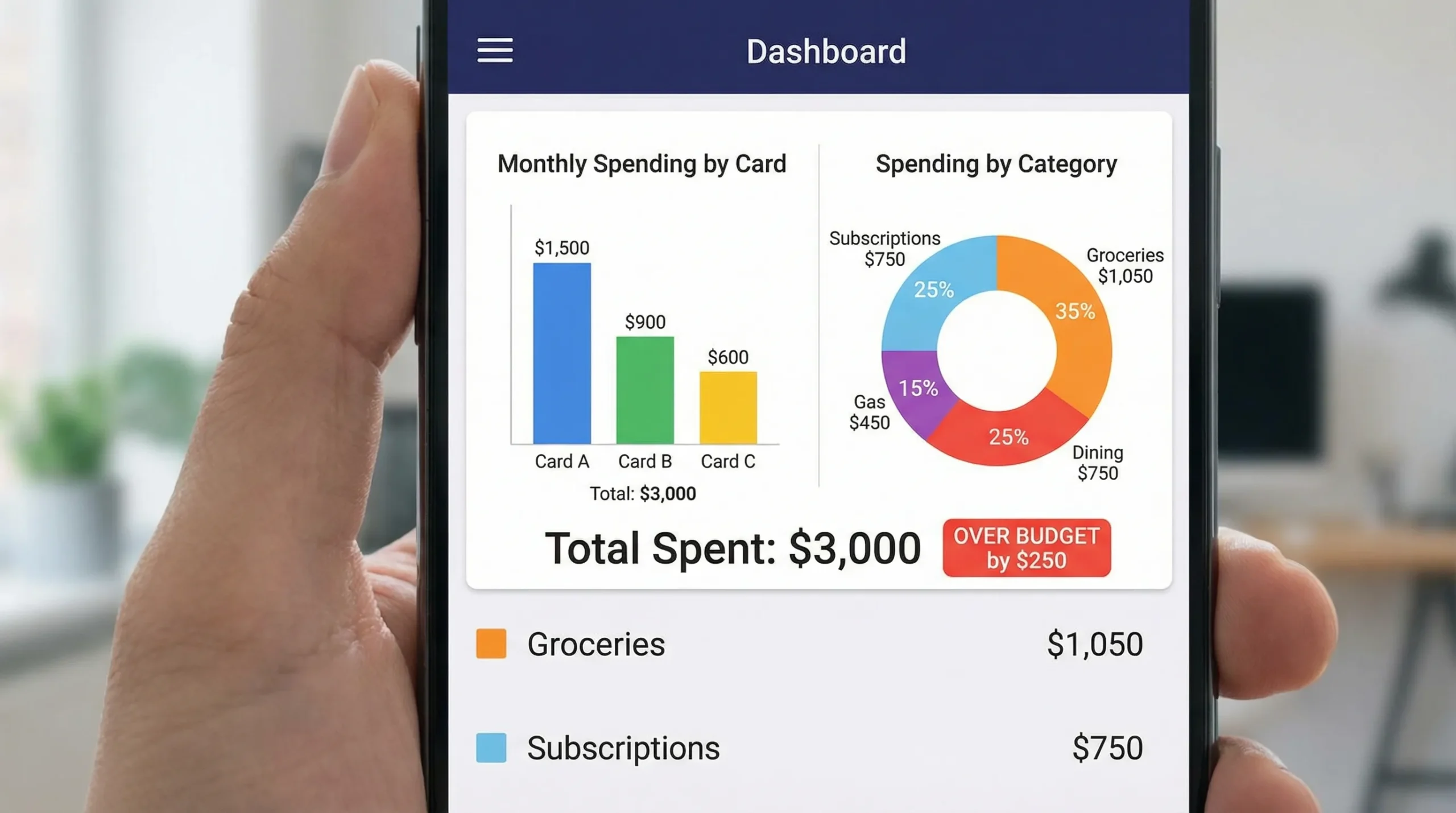
How to track spending by card and category in MoneyPatrol (practical workflow)
Without assuming a specific screen layout, here is a workflow that fits MoneyPatrol’s stated feature set (dashboard, budgeting, reports, alerts, reconciliation).
1) Use the dashboard to get the “what changed?” view
Start with a quick scan of your overall spending trend, then drill down:
- If total spending is up, check which category moved.
- Then check which card carried most of that category spend.
This turns budgeting into diagnosis, not guilt.
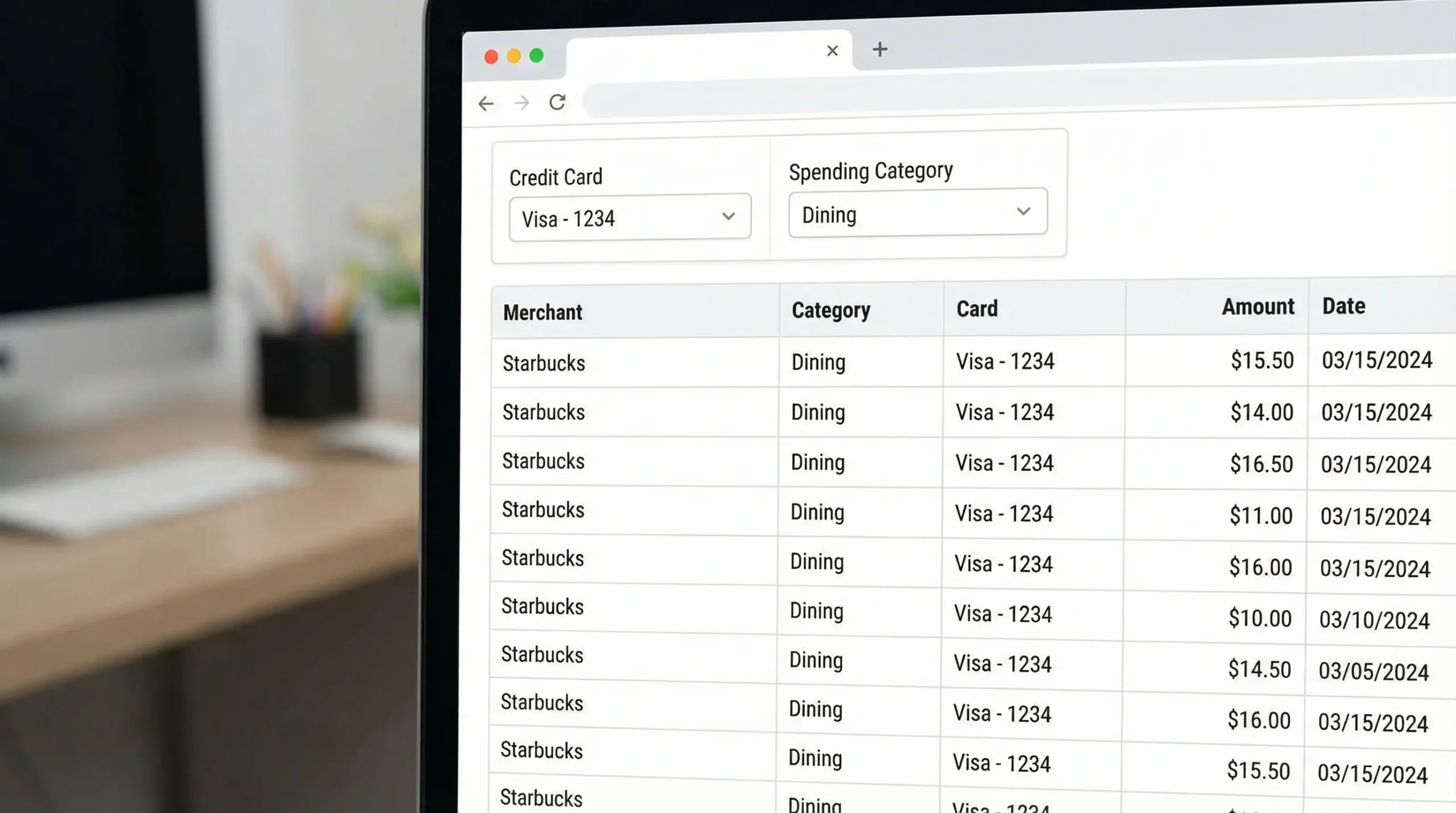
2) Review expenses with an “account then category” filter
A strong pattern for multi-card users is:
- Pick a card (example: your travel card).
- Review the last 2 to 4 weeks of transactions.
- Fix categories that are wrong.
Once the card-level view is clean, category-level reporting becomes trustworthy.
MoneyPatrol’s expense tracking plus detailed financial reports are built for this kind of review loop.
3) Put your budget categories in charge, not your card limits
A credit limit is not a budget. Your budget is defined by income, goals, and cash flow.
Use category budgets to decide what you can spend, then use the by-card view to ensure:
- One card is not quietly accumulating the “extra” spending.
- You are not missing a payment because spending spread across cards blurred the due dates.
4) Use bill and debt tracking to connect spending to payoff reality
Budget apps become powerful when they connect spending behavior to payment outcomes.
If one card is consistently growing a balance, look at the categories driving it. Often, it is not the big purchases, it is the recurring and habitual ones (dining, subscriptions, impulse shopping).
A helpful model: assign each card a job
If you like systems, give each card a primary purpose. This makes “by card” reporting instantly meaningful.
Here is an example mapping you can adapt:
| Card “job” | Categories you try to keep on that card | Why it helps |
|---|---|---|
| Essentials card | Groceries, gas, utilities | Keeps must-pay spending visible and stable |
| Discretionary card | Dining, entertainment, shopping | Makes it obvious when lifestyle spending rises |
| Travel card | Flights, hotels, ride share | Easier trip budgeting and review |
| Subscriptions card | Streaming, software, memberships | You can audit recurring charges quickly |
You can still use whichever card you want, but the “job” framework makes it easier to see when spending drifts.
Mistakes that break credit card budgets (and how to avoid them)
Confusing refunds with reduced spending
Refunds often land days later and can distort category totals. In your monthly review, sanity-check categories with negative lines or unusually low totals.
Ignoring annual fees and interest charges
Annual fees, late fees, and interest are real spending. Categorize them clearly so they do not get lost inside “Other.” If fees are rising, it is a signal to revisit card choice and payment habits.
Letting subscriptions hide across multiple cards
Subscriptions are one of the easiest ways to overspend without noticing.
A quick tactic is to put most subscriptions on one designated card, then run a by-card review monthly and cancel anything you forgot you were paying for.
For broader guidance on recurring charges and how to spot them, the FTC’s consumer advice is a reliable place to start.
Not reconciling categories for the first month
Auto-categorization is helpful, but it is not perfect. A short “cleanup period” early on is what makes your reports accurate long-term.
MoneyPatrol includes account reconciliation, which is useful when you want your spending totals and categories to reflect reality.
A realistic cadence: daily, weekly, monthly
You do not need to track every hour. You need a schedule that keeps you ahead of due dates and prevents category creep.
Daily (1 minute)
Check alerts and any unusually large transactions. The goal is not to micromanage, it is to catch surprises early.
Weekly (10 minutes)
Review:
- Top categories for the week
- Any category approaching budget limits
- Any card where spend is spiking
Do quick re-categorization fixes while transactions are fresh in your memory.
Monthly (20 to 30 minutes)
Close the month with a simple review:
- Category totals vs budget
- Spending by card (which account carried which categories)
- Any recurring charges to cancel or renegotiate
Then adjust next month’s category budgets based on what you learned.
Choosing a “next best action” from your data
Once you can see spending by card and by category, the best next step usually becomes obvious. Common high-impact actions include:
- Lowering one category budget slightly (instead of trying to “spend less” everywhere)
- Moving subscriptions to one card to simplify auditing
- Setting a spend alert for the category that always creeps
- Paying mid-month on the card that tends to run hot, to reduce utilization swings
If your goal includes credit health, remember that payment history and utilization are often discussed as key factors in scoring models. For a general overview of credit score basics, the CFPB’s credit reports and scores resources are a solid reference.
If you want a free credit card budget app that supports this approach
MoneyPatrol is designed as a free personal finance and budgeting app with expense tracking, budgeting, bill and debt tracking, customizable alerts, account reconciliation, and detailed reporting. If your main goal is to track spending by card and category, that combination is what makes the workflow above practical.
You can learn more about the app approach here: best free budgeting app. If you want background on the philosophy behind the platform, see the message from the founder.
The key is consistency: connect all cards, keep categories clean, review weekly, and let alerts prevent problems before they hit your statement balance.


 Our users have reported an average of $5K+ positive impact on their personal finances
