

If you want more control over your money in 2026, you do not need another complicated system. You need a simple habit: capture what you spend, compare it to a plan, and adjust before the month is over. A personal expense tracker app free helps you do that consistently, because it reduces friction (automatic syncing, categorization, reminders, and reporting) and keeps everything in one place.
This guide is a practical playbook for getting real value from a free expense tracker, not just a bigger pile of transactions.
What to expect from a free personal expense tracker app (and what matters most)
A good free expense tracker should help you answer four questions quickly:
- Where is my money going? (spending by category, merchant, and time)
- What is coming up? (bills, due dates, subscriptions, upcoming cash flow)
- Am I on track? (budgets vs actuals, alerts when you drift)
- What should I do next? (insights, reminders, and clear reports)
MoneyPatrol is built around that “all-in-one view” idea, combining expense tracking, budgeting, bill and debt tracking, income management, investment tracking, credit score monitoring, alerts, account reconciliation, and detailed reports in a single personal finance dashboard.
The best ways to use any expense tracker app are the same: set it up for accuracy, review it on a schedule, and use the data to make decisions.
Step 1: Set it up once, so it stays accurate
Most people quit tracking because the data looks wrong, or it takes too long to fix. Spend 30 to 60 minutes upfront to make your app work for you.
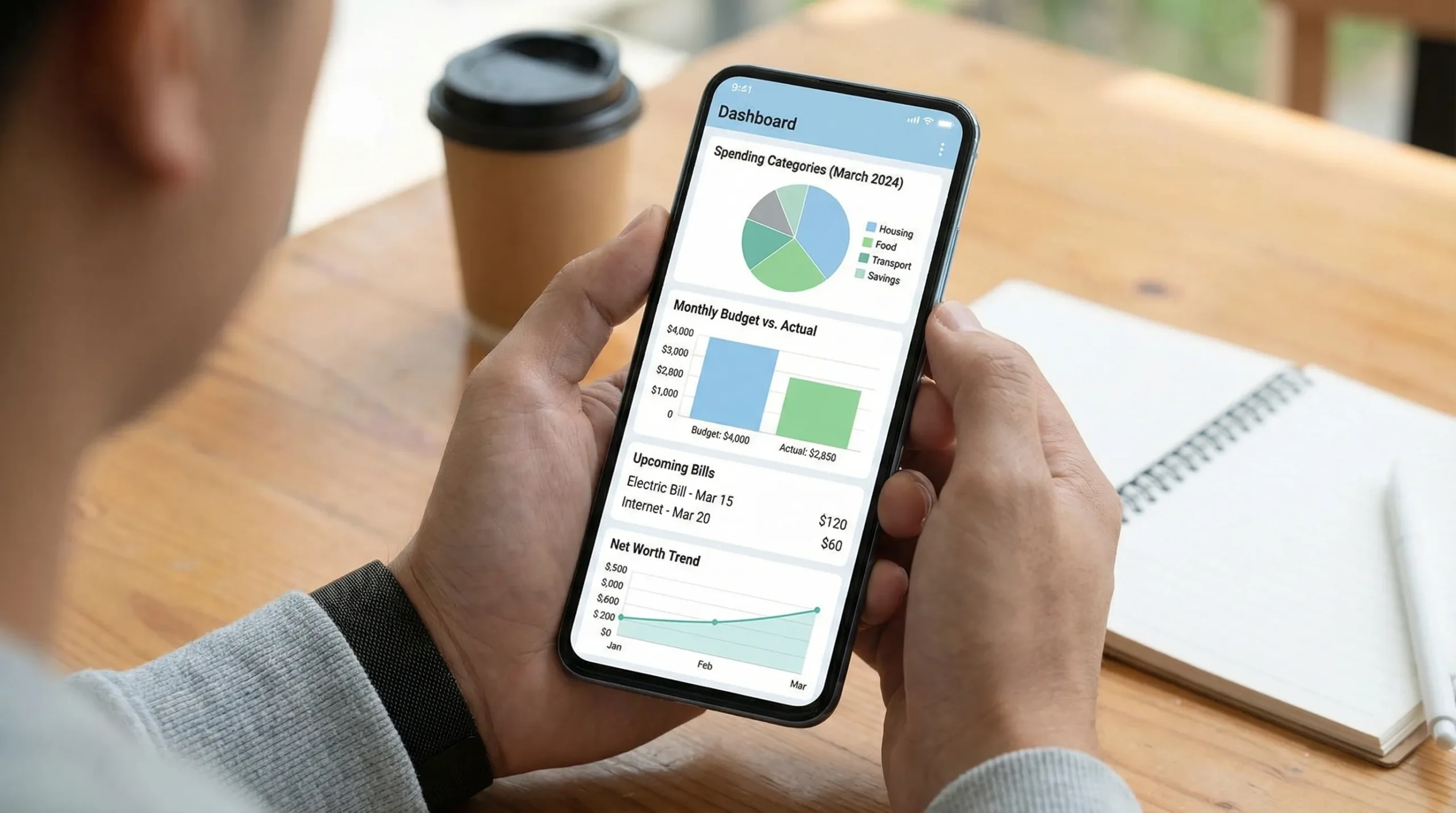
Connect accounts (or choose a hybrid approach)
If your tracker supports bank connectivity, link the accounts that represent the truth of your life:
- Checking and savings
- Credit cards you actually use
- Loans (student loans, auto, mortgage) if available
- Investment accounts if you want net worth tracking
If you prefer privacy or you use a lot of cash, you can still succeed with manual entry, but you will need a tighter weekly routine (more on that below).
Standardize your categories, then stop changing them
Categories are the backbone of useful reporting. The biggest mistake is making categories too specific (and then giving up when categorization becomes a chore).
A simple structure that works for most households:
- Housing
- Utilities
- Groceries
- Dining
- Transportation
- Insurance
- Health
- Debt payments
- Subscriptions
- Shopping
- Travel
- Giving
- Kids or family
- Miscellaneous (use sparingly)
After you pick your set, keep it stable for at least 90 days. Trend lines become meaningful only when you are comparing apples to apples.
Clean up the first 2 to 4 weeks of transactions
Your initial data import is where most mislabeling happens (duplicate merchants, transfers categorized as spending, reimbursements counted as expenses). Fixing this early makes everything else easier.
Focus on:
- Transfers vs spending: Moves between accounts should not look like expenses.
- Refunds and reimbursements: Make sure they reduce the right category.
- Merchant rules: If your app allows it, set rules for frequent merchants (Amazon, Costco, your utility provider).
Add your cash spending (without making it painful)
Cash is where budgets go to die because it disappears from the dashboard.
Try one of these low-friction methods:
- Weekly cash “true-up”: One weekly manual transaction called “Cash spending” categorized as Miscellaneous, then refine later only if needed.
- Two cash categories: “Cash groceries” and “Cash everything else.” Simple, but still informative.
A quick setup checklist
| Setup task | Why it matters | Target time |
|---|---|---|
| Link core accounts | Reduces manual work and missed transactions | 10 to 20 minutes |
| Choose 12 to 15 categories | Makes reports readable and actionable | 10 minutes |
| Fix transfers, refunds, duplicates | Prevents false “overspending” signals | 10 to 20 minutes |
| Add a simple cash method | Keeps totals honest | 5 minutes |
Step 2: Turn tracking into a system, not a journal
Tracking alone is historical. The “best way” to use an expense tracker is to pair it with a plan that can change your choices mid-month.
Build a budget that matches how you actually spend
Budgets fail when they are fantasy. Start with last month’s spending and set targets that are slightly better, not perfect.
A practical budget setup:
- Fixed bills: rent or mortgage, insurance, loan payments, internet
- Variable essentials: groceries, fuel, utilities
- Flexible spending: dining, shopping, entertainment
- True expenses (sinking funds): car repairs, annual subscriptions, gifts, travel
Sinking funds are a cheat code. If you pay for car maintenance twice a year, you still “spend” on it every month. Put a monthly line item in your budget so it stops becoming an emergency.
Use bill tracking to reduce late fees and decision fatigue
Even if you autopay, bill tracking is valuable because it protects cash flow and prevents surprise overdrafts.
To make bill tracking actionable:
- Set due dates for every recurring bill
- Add reminders a few days before due dates
- Track minimum payment and payoff plan for debts
MoneyPatrol supports bill and debt tracking plus customizable alerts and reminders, which is exactly what you want for a “set it once, then stay on top of it” workflow.
Track income like a budget category (especially if it varies)
Expense tracking gets you only half the story. If your income changes (commission, freelance, seasonal work), create a simple system:
- Record each pay event
- Tag or categorize income sources
- Compare income vs expenses weekly
When income is variable, your “safe spending” number is not your bank balance, it is your bank balance minus upcoming bills and planned essentials.
Step 3: Make your app proactive with alerts and guardrails
Most people look at their spending after it is too late. Alerts fix that.
Use alerts for three situations:
1) Budget drift
Set alerts when you hit a percentage of a category budget (for example, 70 percent). This gives you time to adjust.
Good categories for drift alerts:
- Dining
- Shopping
- Groceries (because it is easy to creep)
- Entertainment
2) Cash flow risk
If your tracker supports it, enable reminders and alerts for:
- Low balance thresholds
- Upcoming bills
- Large or unusual transactions
These guardrails are especially useful if you use multiple accounts or split expenses with a partner.
3) Subscription creep
Subscription creep is a modern budget killer. One or two small charges are fine, but five to ten of them quietly erode your flexibility.
Once per month, filter for:
- Recurring monthly charges
- Annual renewals coming due
- Trials you forgot to cancel
Then decide deliberately: keep, downgrade, or cancel.
Step 4: Do a weekly “money reset” (10 minutes)
A free expense tracker app becomes powerful when you review it consistently. You do not need daily work, you need a short weekly check-in.
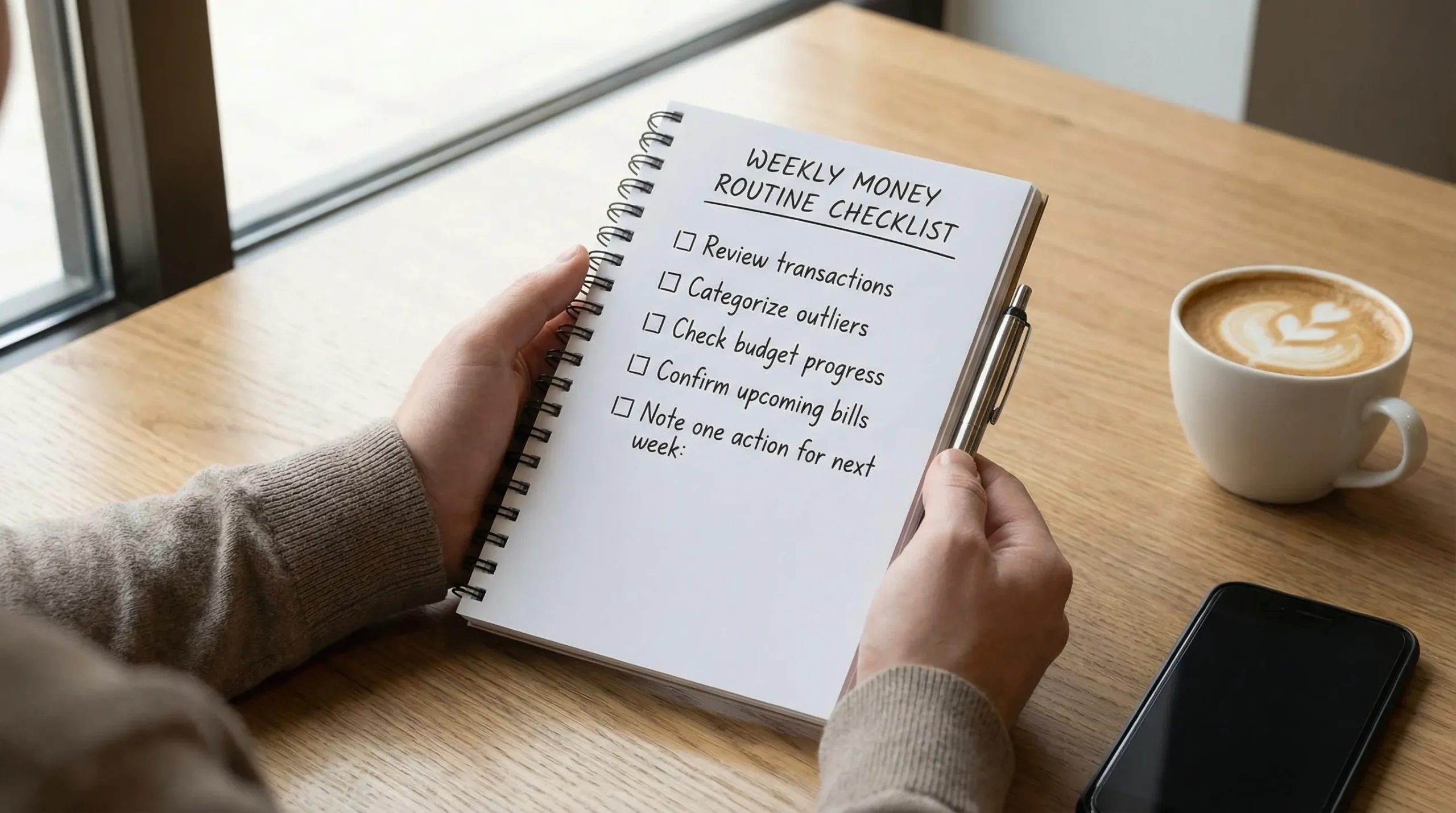
Here is a weekly routine that works even for busy schedules.
| Weekly reset step | What you do | Why it works |
|---|---|---|
| Review new transactions | Scan for errors, duplicates, and surprises | Stops “bad data” from piling up |
| Categorize outliers | Fix the few that are wrong | Keeps reports accurate |
| Check budget vs actual | Look for 1 to 2 categories drifting | Creates time to adjust behavior |
| Confirm upcoming bills | Make sure due dates match your cash flow | Prevents late fees and stress |
| Pick one action | Example: reduce dining, cancel a subscription, move money to savings | Turns insight into behavior |
If your app includes account reconciliation, use it during your weekly reset or at least monthly. Reconciliation helps you trust the dashboard, which is the difference between “tracking” and “management.”
Step 5: Use reports for decisions, not just curiosity
Reports should answer “what should I change?” not “what happened?”
Here are the highest-leverage reports to use each month:
Spending trends by category
Look for:
- Categories that are trending up for 3 months in a row
- One-time anomalies (travel, medical) that should not define your baseline
- “Leakage” categories like dining and shopping
Income vs expenses (your monthly margin)
Your margin is what you have available for goals: emergency fund, debt payoff, investing.
A small positive margin is still a win, because it is a starting point you can improve.
Net worth tracking
If your tracker supports investment tracking and account aggregation, net worth is one of the clearest progress indicators. It can also reveal hidden problems, like a debt balance that is not moving.
Credit score monitoring (use it as a signal, not a grade)
Credit score monitoring is most useful as an early warning system:
- Sudden drops can signal high utilization or a reporting issue
- Improvements often correlate with paying down revolving balances
Do not obsess over small weekly changes. Look for direction over time.
Step 6: Tie tracking to goals (so you stay motivated)
Goals give your tracking a purpose beyond “being responsible.”
Emergency fund: make it automatic
A widely cited benchmark is having enough cash to handle a surprise expense. The Federal Reserve’s Survey of Household Economics and Decisionmaking has repeatedly highlighted that a meaningful share of adults would struggle to cover an unexpected $400 expense with cash or its equivalent.
That is exactly why expense tracking matters: it finds money you can redirect.
A simple approach:
- Create a monthly “Emergency fund” budget line
- Set an automatic transfer for payday
- Track progress in your dashboard
Debt payoff: track the behavior, not only the balance
Balances change monthly. Behaviors change weekly.
In your tracker:
- Monitor interest charges
- Track extra principal payments as their own category
- Watch “trigger” categories (shopping, dining) that compete with debt goals
Investing: focus on consistency
If you track investments, the goal is not to micromanage performance. It is to ensure you are contributing consistently and staying aligned with your risk tolerance.
Expense tracking supports investing by protecting margin.
Step 7: Get more value if you are a power user (optional)
Most people can stop at the steps above and get excellent results. If you like automation, spreadsheets, or building your own workflows, you can go further.
Export, audit, and automate carefully
If your finance workflow touches other tools (for example, you move data into a spreadsheet, a database, or a personal dashboard), testing matters. Even small changes to a data pipeline can break calculations or duplicate entries.
For developers who want to validate multi-step integrations, an open-source API testing tool like DevTools for multi-step API tests in CI can help you verify that your data flows behave correctly across requests and environments.
Keep automation simple, and prioritize security and privacy when handling financial data.
Common mistakes that make people quit (and how to avoid them)
Over-categorizing
If you have 40 categories, your reports will be noise. Start simple, then add only if it changes your decisions.
Ignoring cash and shared expenses
If you split bills or use cash, build a lightweight method for capturing it. Perfection is not required, consistency is.
Only looking monthly
Monthly reviews are useful, but weekly reviews change outcomes because you can still adjust.
Treating the budget as a restriction
A budget is a plan for what you value. The goal is not to spend nothing, it is to spend deliberately.
Putting it all together with MoneyPatrol
A personal expense tracker app is “free” only if it saves you time and helps you make better choices. The best ways to use one are straightforward: set up your accounts and categories once, enable reminders and alerts, and do a short weekly reset so your budget stays real.
If you want an all-in-one place to track expenses, budgets, bills and debt, income, investments, credit score, and reports, you can explore MoneyPatrol at moneypatrol.com.


 Our users have reported an average of $5K+ positive impact on their personal finances
