

A money budget app should help you do three things quickly: see what is happening across accounts, decide what you want your money to do next, and get warned before small mistakes become expensive ones.
If you have ever opened a budgeting tool and felt overwhelmed by categories, rules, and graphs, this guide is for you. Below is a practical, fast setup workflow to set goals, build budgets, and turn on alerts with minimal friction, plus a simple routine that keeps the system working.
What “fast” should look like in a money budget app
Speed is not just about clicking fewer buttons. It is about getting to clarity faster.
A solid money budget app helps you:
- Track spending automatically (so you are not manually logging every coffee).
- Group spending into meaningful categories (so insights are actionable).
- Build a budget that matches real cash flow (so it is sustainable).
- Set goals with timelines (so saving is not vague).
- Use alerts and reminders (so you catch issues early).
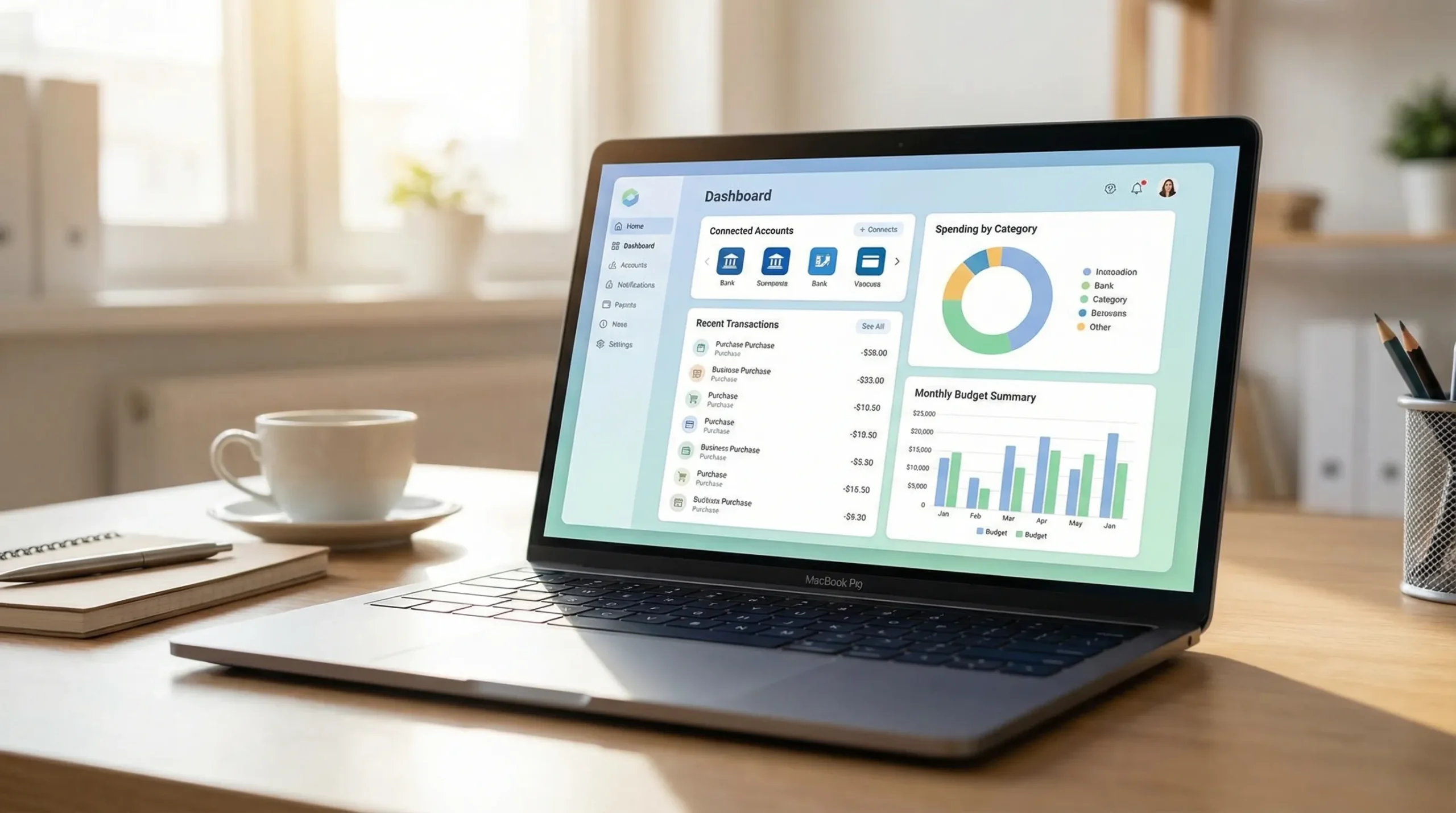
MoneyPatrol is built around that all in one approach, with expense tracking, budgeting, bill and debt tracking, income management, investment tracking, credit score monitoring, alerts, and reporting in a single dashboard.
Step 1: Get your baseline in 10 minutes (accounts + last 30 to 90 days)
Budgets fail when they are based on what you hope to spend, not what you actually spend.
Start by building a baseline:
-
Connect the accounts that drive your monthly reality: checking, credit cards, and any primary savings account. If you invest regularly, add investment accounts later, after you have spending and bills stable.
-
Review the last 30 to 90 days of transactions to spot:
- Your top 5 categories by total spend
- Big recurring charges (rent, insurance, subscriptions)
- Irregular but predictable costs (car maintenance, gifts, annual renewals)
This baseline becomes your first draft budget. You can refine it later, but you should not skip it.
Step 2: Set 2 to 3 goals that actually drive behavior
Goals work best when they are specific, measurable, and connected to your month to month decisions.
A useful rule: pick one safety goal, one progress goal, and optionally one lifestyle goal.
Safety goal: emergency fund (start small, make it automatic)
Even a starter emergency fund reduces reliance on high interest debt. The Federal Reserve’s periodic surveys on household finances have repeatedly shown many households would struggle with an unexpected expense, which is exactly what an emergency buffer is designed to absorb. See the Fed’s report: Economic Well-Being of U.S. Households.
Practical target options:
- Starter: $500 to $1,000
- Next level: one month of essential expenses
- Longer term: three to six months (common guidance, varies by income stability)
Progress goal: pay down one debt aggressively
Debt payoff becomes much easier when you commit to a single “focus debt,” while still paying minimums on everything else.
You can use either approach:
- Avalanche: highest interest rate first (mathematically fastest).
- Snowball: smallest balance first (often psychologically easier).
Lifestyle goal (optional): a sinking fund for something you want
A sinking fund prevents “fun spending” from turning into credit card float. Examples: travel, holidays, home upgrades, a new laptop.
The key is to set a monthly amount and a deadline. Your money budget app should make it easy to see progress and adjust.
Step 3: Choose a budgeting method you can stick with
Most people do not need a complicated system. They need a system they will follow.
Here is a quick comparison of three common frameworks you can implement in almost any money budget app.
| Budget method | Best for | How it works | Watch-outs |
|---|---|---|---|
| Zero-based | People who want maximum control | Every dollar is assigned a job (bills, goals, spending) | Requires more active review, especially at first |
| 50/30/20 | People who want a simple starting point | Needs, wants, and savings/debt targets | Categories can be fuzzy, and high cost areas may need different ratios |
| Pay-yourself-first | People focused on saving goals | Savings and debt payments happen first, spending fits what is left | If fixed bills are high, you may need deeper bill trimming |
If you are starting from scratch, use your baseline and begin with a hybrid:
- Lock in fixed bills
- Set savings and debt payments (goals)
- Let everything else compete for the remaining amount
Step 4: Build your first budget in 15 minutes (simple category architecture)
A common mistake is creating 40 categories. That slows decision making and increases miscategorization.
Aim for 10 to 15 categories total in your first month, then expand only if you have a clear reason.
A clean starter structure:
- Housing
- Utilities
- Groceries
- Dining and coffee
- Transportation
- Insurance
- Health
- Subscriptions
- Shopping
- Kids and family (if relevant)
- Debt payments
- Savings goals
- Miscellaneous buffer
Your “misc buffer” is not a failure category. It is a pressure valve that keeps your plan realistic while you learn.
Tip: Separate “groceries” from “dining” early
This single split tends to create fast insight, because grocery spending is easier to optimize than restaurant spending, and both can be managed differently.
Step 5: Set alerts that prevent the most common money mistakes
Alerts are where a money budget app shifts from reporting the past to protecting your future.
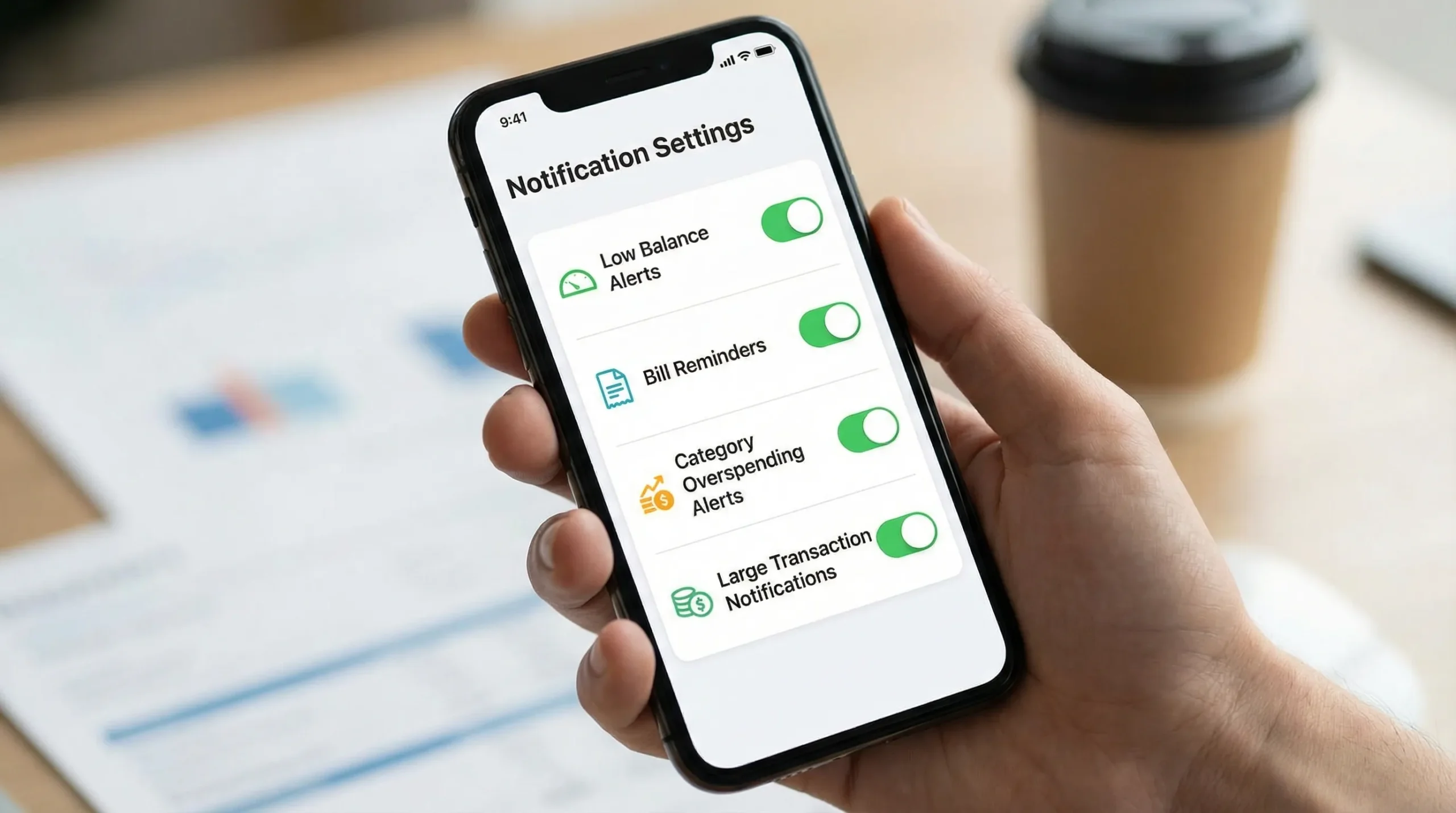
In MoneyPatrol, alerts and reminders are a core feature. In any app, prioritize alerts that reduce fees, prevent missed payments, and catch overspending before it becomes debt.
The highest value alerts to set first
| Alert type | What triggers it | Why it matters | Good default |
|---|---|---|---|
| Low balance | Account drops below a threshold | Prevents overdrafts and declined payments | 1 to 2 weeks of essential expenses (or your personal comfort level) |
| Bill due reminder | Upcoming due date | Prevents late fees and credit score damage | 7 days before, plus 1 day before |
| Overspending by category | Category crosses budget amount | Stops drift before month end | Notify at 80% and 100% |
| Large transaction | Charge over a set amount | Fraud and “how did that happen?” prevention | Any transaction over $200 to $500 (adjust for income) |
| Income deposit missing | Expected paycheck not seen | Cash flow protection | Check after your normal pay window |
Make alerts actionable, not noisy
If everything triggers an alert, you will ignore all alerts.
A good rule is to start with 3 to 5 alerts, use them for two weeks, then add one at a time.
Step 6: Add bills and debt tracking so your plan matches reality
Your budget is only as accurate as your fixed obligations.
Set up:
- Bills: rent or mortgage, utilities, insurance, subscriptions
- Debt: credit cards, personal loans, student loans, auto loans
Then use reminders and due date visibility to avoid late payments.
If you are also working on credit health, avoid missed payments first. Payment history is a major factor in widely used credit scoring models. The Consumer Financial Protection Bureau has a helpful overview of credit reports and scores.
Step 7: Use a weekly money check-in (10 minutes)
Fast setup is great, but habits keep the budget alive.
Once a week, do a short check-in:
- Confirm new transactions are categorized correctly
- Look at top categories versus budget
- Review upcoming bills for the next 7 to 14 days
- Adjust one thing (move money, cut a category, or raise a realistic budget line)
This is also where account reconciliation and accuracy matter. If your app supports account reconciliation, use it periodically to keep reports trustworthy.
Common pitfalls (and quick fixes)
“My budget is perfect on paper, but I still run out of money”
This usually means your budget is missing one of these:
- Annual or semiannual bills (car insurance, memberships)
- Irregular essentials (medical, repairs)
- Underestimated food and transportation
Fix: Create a small “irregular essentials” category and fund it monthly.
“I overspend in the same category every month”
That is not a discipline problem, it is often a planning problem.
Fix options:
- Increase the budget line to a realistic level and reduce somewhere else
- Add an 80% alert so you change behavior mid-month
- Split the category (for example: “Dining” into “Work lunches” and “Weekend dining”) only if you will act on it
“I hate constant notifications”
Fix: Keep only alerts tied to real consequences (fees, missed bills, fraud, overspending). Turn off the rest.
What to look for in reports and insights (so you improve each month)
Once your budget and alerts are running, reports become your optimization tool.
Focus on:
- Monthly trend by category: are you moving in the right direction?
- Cash flow: are you consistently spending more than you bring in?
- Net worth: are assets rising and debts falling over time?
MoneyPatrol includes detailed financial reports and a personal finance dashboard, which are especially useful once you have a full month of clean data.
Frequently Asked Questions
What is the best money budget app setup for beginners? Start by connecting your main spending accounts, reviewing the last 30 to 90 days, then create 10 to 15 categories, 2 to 3 goals, and 3 to 5 high value alerts.
How many budgeting categories should I use? Most people do best with 10 to 15 categories in month one. Add more only when a split changes your decisions, not just your labels.
Which alerts should I turn on first in a budgeting app? Low balance, bill due reminders, category overspending thresholds (80% and 100%), and large transaction alerts offer the biggest protection with minimal noise.
How often should I check my budget app? A 10 minute weekly check-in is enough for most people. Daily tracking is optional, but weekly review keeps categories accurate and prevents end-of-month surprises.
Can a money budget app help with bills, debt, and credit? Yes, especially if it supports bill and debt tracking, reminders, and credit score monitoring. The biggest immediate win is avoiding missed payments and late fees.
Try a faster way to budget with MoneyPatrol
If you want an all in one money budget app that supports expense tracking, budgets, bill and debt tracking, income management, investment tracking, credit score monitoring, alerts, and detailed reports, explore MoneyPatrol.
To learn more about the product and the philosophy behind it, you can also read the message from the founder and the overview of why it is positioned as a free budgeting app.


 Our users have reported an average of $5K+ positive impact on their personal finances
