

Most “manage my finances” plans fail for a simple reason: they rely on willpower instead of a repeatable routine. The app matters, but the daily workflow is what keeps your budget accurate, your bills on time, and your goals moving.
Below is a practical, time-boxed workflow you can run in any manage my finances app, with specific examples of how to do it in MoneyPatrol (free).
What a daily workflow is supposed to do (and what it is not)
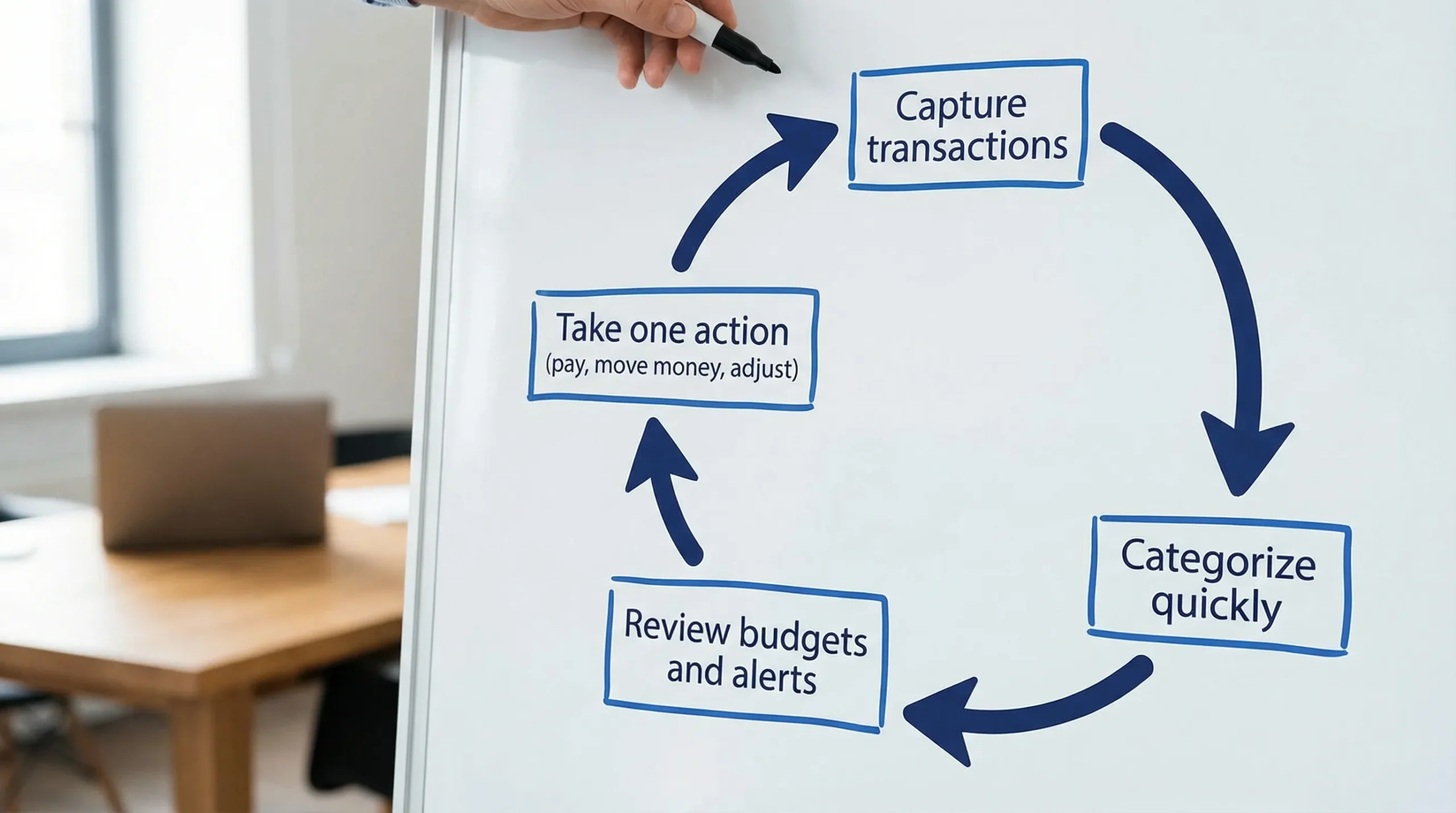
A good workflow is not a long budgeting session every night. It is a short loop that keeps your data clean and turns insights into actions.
Your workflow should:
- Capture spending and income with minimal friction
- Prevent surprises (late fees, overdrafts, missed payments)
- Make “where did my money go?” answerable in minutes
- Create a dependable weekly and monthly review rhythm
If you want a benchmark, the CFPB emphasizes tracking spending and adjusting habits as core budgeting behaviors. That is exactly what the routine below operationalizes.
One-time setup (30 to 60 minutes) that makes daily use effortless
If your app is not set up well, daily check-ins feel like cleanup. Do this once, then your routine becomes mostly review and decision-making.
Step 1: Connect the accounts that reflect real life
To manage finances effectively, you need a complete picture:
- Checking and savings
- Credit cards
- Loans (student, auto, mortgage)
- Investment accounts (if you track net worth)
MoneyPatrol supports connectivity to thousands of financial institutions and pulls everything into a single dashboard. If you prefer manual tracking for a particular account, keep it consistent and reconcile it weekly.
Step 2: Standardize categories so you do not re-label the same spending forever
The goal is not perfect categorization, it is consistent categorization.
A simple category structure that works for most households:
- Fixed essentials (rent, utilities, insurance)
- Variable essentials (groceries, gas)
- Lifestyle (dining, entertainment)
- Financial goals (debt payoff, savings, investing)
If you split hairs (for example, three different “food” categories) you will spend your daily time reclassifying instead of learning.
Step 3: Turn on the right alerts (the ones that prevent expensive mistakes)
Alerts should protect you from:
- Low balance or unusual spending
- Upcoming bills
- Large transactions
- Fees, interest charges, or missed payments
MoneyPatrol includes customizable alerts and reminders. Start conservative, then add alerts as you notice blind spots.
Step 4: Add bills and minimum debt payments (so your plan is realistic)
A budget that ignores due dates is not a budget, it is a wish.
Make sure your app reflects:
- Recurring bills and their due dates
- Minimum debt payments
- Paydays (and expected income)
MoneyPatrol supports bill and debt tracking, which helps you see upcoming obligations alongside spending.
Step 5: Decide your “default budget” rule
Pick one simple framework so your budget decisions are fast:
- A percentage rule of thumb (like 50/30/20)
- A zero-based style plan (every dollar assigned)
- A “fixed first” approach (fixed bills and goals, then flexible spending)
The best rule is the one you will actually review weekly.
Here is a quick setup checklist you can follow.
| Setup item | Why it matters | Done when… |
|---|---|---|
| Accounts connected | Prevents missing transactions | You see checking + all cards in one view |
| Categories cleaned up | Enables usable reports | You rarely need to recategorize repeats |
| Alerts enabled | Stops preventable fees | You get notified before problems hit |
| Bills and debts entered | Makes cash flow realistic | You can see what is due before payday |
| Paydays and income set | Keeps budgets aligned to reality | Your plan matches when money arrives |
The daily workflow (10 minutes total)
Think of your daily routine as three short passes: scan, correct, decide.
1) Morning scan (2 minutes): check for anything that can hurt you today
Open your app and look for:
- New alerts and reminders
- Low balances
- Any unusually large transactions
- Bills due soon
In MoneyPatrol, this is where the dashboard and alerts do most of the work. Your job is to confirm what requires action.
Good actions to take immediately:
- Schedule a payment (or confirm autopay)
- Move money to avoid a low-balance issue
- Flag a transaction you do not recognize (then follow your card issuer’s process)
For identity theft and unauthorized charges, the FTC’s identity theft guidance is a reliable reference for what to do next.
2) Midday capture (1 minute): stop “cash leak” spending from disappearing
This step is optional, but powerful if you spend on-the-go.
Do one tiny action:
- Add a quick note to a transaction (business meal, shared expense, reimbursable)
- Save a receipt if you need it later
The objective is future-you proofing. A single note today can save 20 minutes of confusion during weekend review.
3) Evening tidy and decision (7 minutes): make the numbers true
This is the part that makes your app trustworthy.
In your app, review the newest transactions and do three things:
- Confirm or fix categories for any miscategorized items
- Split transactions only when it changes decisions (for example, a big Costco run)
- Check your remaining budget for the week (not just the month)
Then make one small decision:
- If you are over in a category, decide what you will reduce tomorrow
- If you are under, decide if you will allocate extra to a goal (debt, savings, investing)
MoneyPatrol’s detailed financial reports are more useful when your day-to-day categorization is accurate. The “tidy” step is what unlocks that value.
Here is what the time-box can look like.
| Daily moment | Time | What you do | Outcome |
|---|---|---|---|
| Morning | 2 min | Review alerts, balances, due bills | Avoid fees and surprises |
| Midday | 1 min | Note receipts or unusual spending | Easier weekly review |
| Evening | 7 min | Categorize, spot trends, choose 1 action | Budget stays accurate |
The weekly workflow (30 minutes): your “money date” that keeps everything aligned
Daily check-ins keep things clean. Weekly review is where you actually improve.
Pick a consistent time (Sunday evening or Friday morning) and run this 30-minute checklist.
Review 1: Reconcile and correct (10 minutes)
- Confirm your accounts match what you expect
- Look for duplicates, missing items, or pending transactions that changed
- Resolve anything that throws off totals
MoneyPatrol offers account reconciliation, which helps you keep totals accurate, especially if you mix connected accounts with any manual entries.
Review 2: Bills and cash flow for the next 7 to 14 days (10 minutes)
- What is due before the next paycheck?
- Are you relying on a credit card float?
- Are any bills variable (utilities) that need a cushion?
This is where bill tracking and reminders pay off, because you are planning ahead rather than reacting.
Review 3: Budget adjustments (10 minutes)
Make only a few adjustments, otherwise you will endlessly tweak:
- Reallocate money from categories you did not use
- Top up categories that will predictably run hot (groceries, gas)
- Make a specific plan for one problem area (for example, dining out)
If you want a behavioral edge, write down what caused the worst overspend. Patterns matter more than perfection.
The monthly workflow (45 to 60 minutes): the “why” behind your numbers
Monthly review is where you connect daily behavior to long-term outcomes.
1) Review your reports and trends
In MoneyPatrol, use detailed financial reports to answer:
- What increased month over month?
- Which categories are stable and which are volatile?
- Did your spending align with priorities?
2) Check net worth direction (even if you do not obsess over the number)
If you track investments and debts, look at direction:
- Did total debt go down?
- Did cash reserves rise?
- Are you contributing to investments as planned?
A single month is noisy. The point is to confirm the trend is moving the right way.
3) Credit score check (optional, but useful quarterly)
MoneyPatrol includes credit score monitoring. Use it like a smoke alarm, not a daily scoreboard.
If you see a change you cannot explain, verify your credit reports via the official source: AnnualCreditReport.com (the federally authorized site in the US).
4) Set next month’s “one goal”
Choose one priority that will make the biggest difference:
- Pay off a specific debt tranche
- Build a $500 starter emergency buffer
- Cut one recurring subscription
- Cap a problem category with a clear weekly limit
Why most finance apps fail for people (and how to make yours work)
Even a great manage my finances app can fail if the workflow breaks. Here are common failure points and fixes.
Failure: You only open the app when something is wrong
Fix: Make the daily scan tiny and non-negotiable (2 minutes). The goal is not budgeting, it is awareness.
Failure: Categorization becomes a time sink
Fix: Simplify categories and accept “good enough.” If your reports tell the right story, you are done.
Failure: Bills surprise you even though you “have a budget”
Fix: Make weekly cash flow review part of the routine. A budget without bill timing is incomplete.
Failure: You track spending but do not change anything
Fix: Require one action per day (or at least per week). A finance app is a decision support tool, not a diary.
Failure: Your data is incomplete
Fix: Connect accounts you actually use, and reconcile weekly. Partial data creates false confidence.
What to look for in a “manage my finances app” if you want a workflow, not just a tracker
When people search “manage my finances app,” they often mean “help me stay consistent.” These capabilities make that possible:
- Unified dashboard so you are not juggling multiple logins
- Alerts and reminders to prevent fees and missed payments
- Bill and debt tracking so your plan includes obligations
- Reporting that shows trends you can act on
- Reconciliation to keep totals accurate over time
MoneyPatrol is designed around this all-in-one approach: expense tracking, budgeting tools, bill and debt tracking, income management, investment tracking, credit score monitoring, alerts, reconciliation, and reports.
Putting it all together in MoneyPatrol (simple starting plan)
If you want a clean start without overhauling your life, do this for 14 days:
- Connect your primary checking account and your most-used credit card
- Turn on alerts for low balance and upcoming bills
- Do the 2-minute morning scan every day
- Do the 7-minute evening tidy at least 5 days per week
- Do one 30-minute weekly review
At the end of two weeks, your data will be clean enough that reports and insights actually mean something, and your routine will feel automatic.
If you want to try it, start with MoneyPatrol here: moneypatrol.com.


 Our users have reported an average of $5K+ positive impact on their personal finances
