

Choosing a free app for expense tracking can feel like a loophole in the personal finance world. If an app can categorize spending, send alerts, and generate reports, why pay at all?
The reality is that “free” and “paid” often differ less on the basics and more on what happens after the basics: automation depth, data portability, support, customization, and how the company sustains the product. This guide breaks down what you typically get in a free expense tracker vs a paid one, what tradeoffs matter most, and how to decide based on your use case.
What counts as “expense tracking” (and what doesn’t)
Expense tracking is more than typing purchases into a list. Most people are looking for a system that can:
- Capture transactions (manual entry, import, or bank sync)
- Categorize spending (groceries, dining, subscriptions)
- Show trends (month over month, category breakdowns)
- Flag issues (unusual spend, low balance, upcoming bills)
- Support decisions (budgets, goals, debt paydown)
Where apps vary is in the quality and speed of these steps. For example, two apps might both “categorize transactions,” but one learns your patterns and applies rules reliably, while another needs constant cleanup.
What you typically get with a free expense tracking app
Many free apps cover the core workflow well enough for day-to-day visibility. Common free-tier strengths include:
Core tracking and categorization
Most free tools allow you to record expenses and view summaries. You can usually expect:
- Manual expense entry and basic categories
- Simple charts (pie charts, monthly totals)
- Basic budgets or spending targets
- Search and filters for transactions
Basic reminders and recurring items
Some free apps include lightweight reminders, such as bills due soon or recurring subscription detection (features vary widely by app).
Standard exports (sometimes limited)
Free plans may offer CSV export or limited reporting, but it is common to see restrictions such as fewer report types, limited history, or export behind an upgrade.
Common limitations in free plans
This is where “free” tends to diverge:
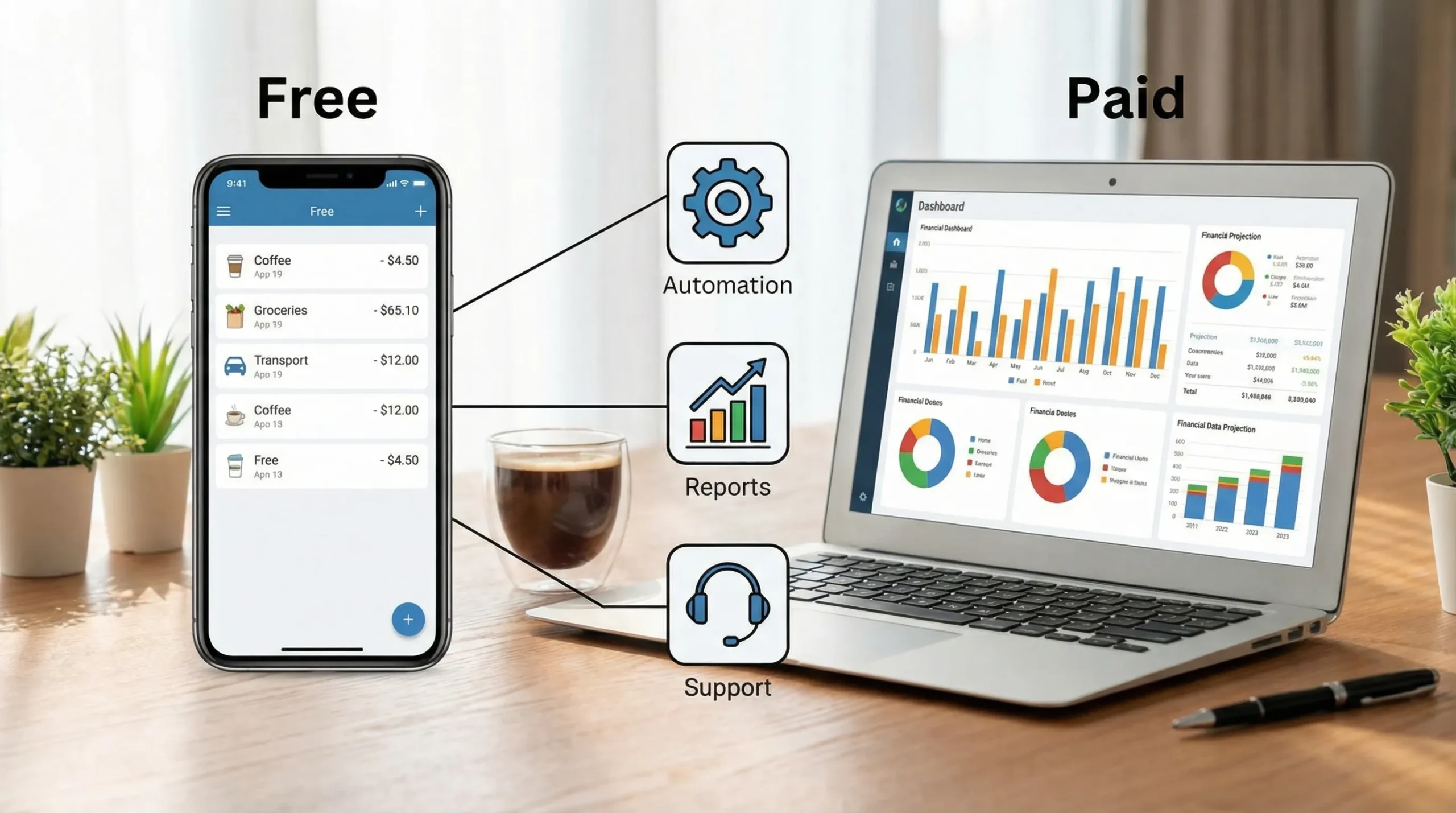
- Automation limits: fewer bank connections, slower syncing, or fewer categorization rules
n- Data history caps: only the last 3 to 12 months, depending on the provider - Fewer advanced reports: limited drill-down, net worth trends, or custom reporting
- Support constraints: community-only support or slower response times
- Monetization tradeoffs: ads, upsells, or data-driven recommendations
Not every free app has all these constraints, but it is helpful to assume at least one will apply and verify before you commit.
What paid expense tracking apps usually add (what you’re paying for)
Paid apps generally justify the price by reducing your manual work, increasing accuracy, and adding decision-grade insights.
Better automation and cleanup tools
Paid plans often invest more in the parts users feel every day:
- Faster and more reliable bank syncing
- Smarter categorization and merchant cleanup
- Custom rules (for example, “always categorize this merchant as Utilities”)
- Better handling of refunds, split transactions, and transfers
Deeper reporting and planning
This is one of the biggest differences once you move beyond “where did my money go?” into “what should I do next?” Paid features can include:
- More report types (cash flow, trends, comparisons)
- Custom categories and tags
- Goal tracking and what-if scenarios
- Multi-year history and richer exports
Fewer compromises in the experience
Depending on the company, paying may also remove ads, reduce upsell prompts, and provide better support.
The decision factors that matter most (free vs paid)
Instead of comparing app feature lists line by line, compare based on the friction points that actually affect your finances.
| Decision factor | Free app: what to expect | Paid app: what to expect | The question to ask yourself |
|---|---|---|---|
| Setup time | Quicker start, fewer options | More configuration, more control | Do I want “start today” or “tailor it” upfront? |
| Categorization accuracy | Good enough, may need frequent fixes | Fewer fixes, better rules | How much cleanup will I tolerate weekly? |
| Automation (bank sync) | May be limited or less reliable | Usually stronger, more connections | Is automation a must-have or a nice-to-have? |
| Reporting depth | Basic charts and summaries | Advanced reports and exports | Do I need detailed insights or just visibility? |
| Support | Limited or slower | Often faster, more direct | If something breaks, how quickly do I need help? |
| Privacy and monetization | Varies, may rely on ads/upsell | Varies, may rely on subscription | How is the app funded, and am I comfortable with it? |
| Switching cost | Easy to start, harder to leave | Often better export options | If I switch later, can I take my data with me? |
A quick note on privacy
Regardless of free or paid, you should check the app’s privacy and security posture. In the US, consumer guidance from the FTC on protecting personal information is a good starting point for understanding what to look for in financial apps (data sharing, account security, and safe practices).
The hidden “costs” of free apps (beyond money)
A free plan can be the best deal in personal finance, but it can also create costs that do not show up on a receipt.
Time cost
If you spend 20 to 30 minutes every week re-categorizing and fixing duplicates, you are paying with time. Some people prefer that tradeoff, others do not.
Decision quality cost
Basic reports might tell you you spent $600 dining out last month, but not whether that was driven by a weekly habit, travel, or a few big events. If insights are too shallow, you can miss the “why,” and the “why” is what changes outcomes.
Switching cost
Many users try multiple apps before sticking with one. The longer you use a tool, the more painful it becomes to switch if:
- Exports are limited
- Historical reports are locked
- Rules and categories cannot be migrated
If you think you might upgrade later, prioritize apps that make your data portable.
When a free expense tracking app is enough
A free app is often the best fit if:
- You want to build the habit first (consistency beats complexity)
- Your finances are straightforward (one income stream, fewer accounts)
- You mainly need spending visibility, not advanced planning
- You are comfortable doing occasional manual cleanup
In other words, free works when your goal is clarity and control, not optimization.
When paying makes sense
Paying is usually justified when the app materially changes your behavior or saves significant time.
Consider upgrading if:
- You manage many accounts (checking, savings, credit cards, investments)
- You need more reliable automation and fewer sync headaches
- You want advanced reporting for decisions (cash flow planning, goal timelines)
- You are dealing with debt payoff strategies and need tighter tracking
- You share finances with a partner and need clearer oversight (depending on the app)
A helpful rule of thumb: if better tracking helps you avoid even one late fee, reduce one overdraft event, or consistently cut a high-spend category, a paid plan can quickly pay for itself.
What if your “expense tracking” is partly business-related?
Personal expense tracking and business finance tracking overlap for freelancers and small business owners, but they are not the same job.
- Personal tracking focuses on budgets, bills, and household cash flow.
- Business workflows often require invoicing, client management, multi-company views, team access controls, and formal reporting.
If you are trying to manage invoices and company administration alongside your personal budget, it may be cleaner to pair a personal finance app with a dedicated invoicing tool, such as an online invoicing and company management system, rather than forcing one app to do both imperfectly.
Where MoneyPatrol fits in the free vs paid conversation
MoneyPatrol positions itself as a free, comprehensive personal finance and budgeting app designed to bring your financial picture into one place. If your goal is to track expenses without immediately paying for a subscription, it is worth evaluating tools like this that aim to cover more than just transaction lists.
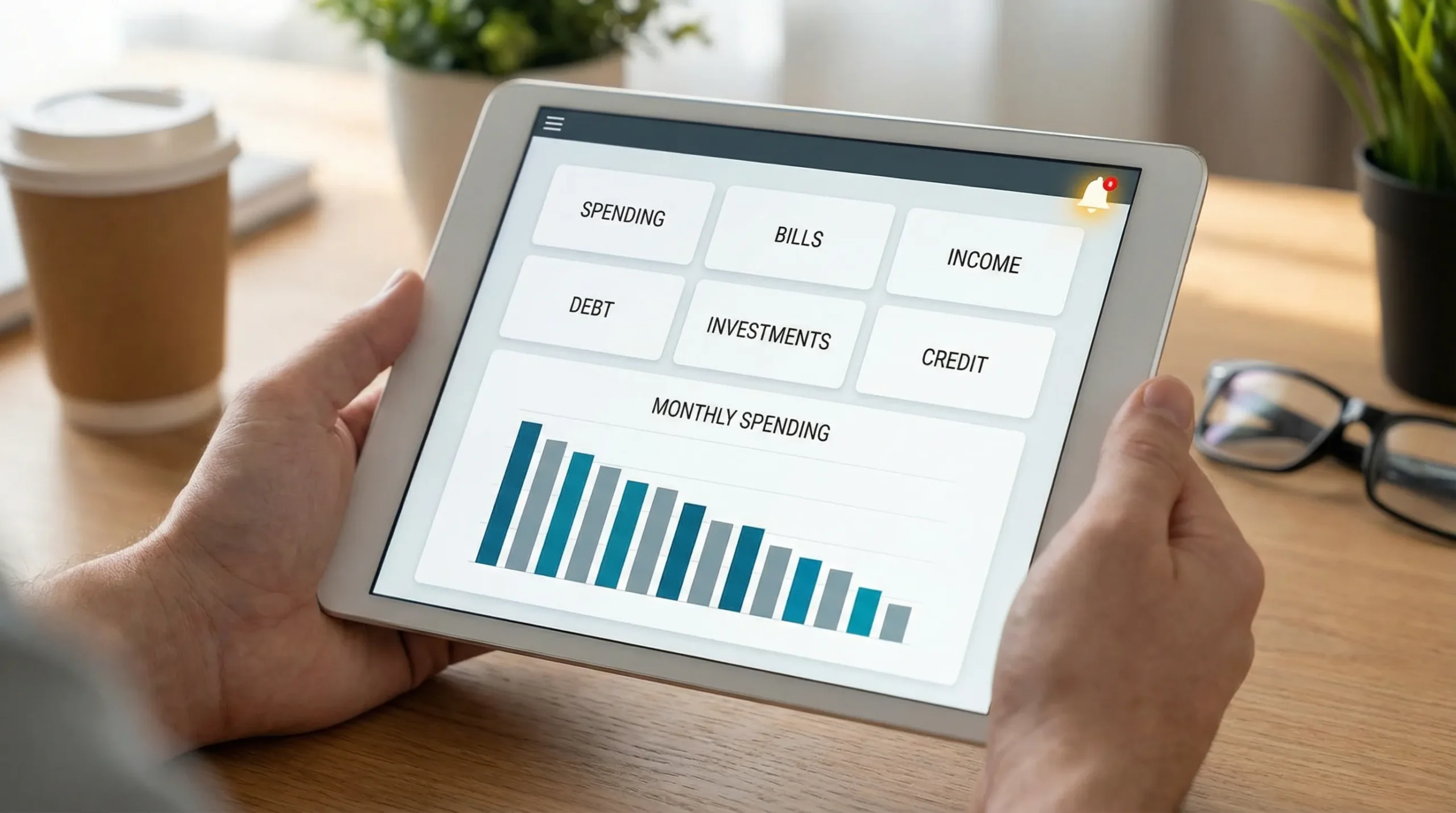
Based on MoneyPatrol’s described capabilities, it includes:
- Expense tracking
- Budgeting tools
- Bill and debt tracking
- Income management
- Investment tracking
- Credit score monitoring
- A personal finance dashboard
- Customizable alerts and reminders
- Account reconciliation
- Detailed financial reports
- Connectivity to thousands of financial institutions
The practical advantage of an “all-in-one” approach is that expense tracking becomes part of a broader system: you can connect spending to bills, cash flow, debt, and goals without stitching together multiple apps.
If you want a deeper walkthrough focused specifically on budgeting, you can also read MoneyPatrol’s guide on the best free budgeting app. And if you are trying to build a sustainable routine, their product rules page is a useful reminder that even the best app only works when you review and act consistently.
A simple checklist to choose the right option
If you are deciding between a free app for expense tracking and a paid alternative, ask:
- Will I actually review transactions weekly, or will I ignore the app unless it is automated?
- Do I need advanced reports, or do I just need to stop overspending in 1 to 2 categories?
- How important is it that I can export everything cleanly if I switch later?
- What is my tolerance for ads, upsells, and promotional prompts?
- Do I need bills, debt, investments, and credit in the same dashboard?
Answering those five questions usually gets you to a confident choice faster than comparing feature lists.
Frequently Asked Questions
Is a free app for expense tracking actually safe? Safety depends on the specific provider, not just whether it is free or paid. Review the app’s security practices, privacy policy, and account protection options (like strong passwords and multi-factor authentication if available).
Do paid expense trackers categorize transactions better? Often, yes, because paid plans may offer more powerful rules, learning, and cleanup tools. But some free apps also categorize well, so it is worth testing with your own transactions for a couple of weeks.
What features should I prioritize first as a beginner? Prioritize consistent tracking, clear categories, and a weekly review workflow. Fancy reports matter less than building the habit of checking spending and making one adjustment per week.
Can I start free and upgrade later without losing data? Sometimes. It depends on whether the app supports full exports and how it handles historical data. Before committing long-term, confirm you can export transactions and reports in a usable format.
Do I need an expense tracker if I already use my bank’s app? Bank apps are useful, but they often cover only one institution. A dedicated expense tracker can unify multiple accounts, provide broader reporting, and connect spending to budgets, bills, and goals.
Try a free expense tracking workflow that scales
If you want to start with a free app for expense tracking but still have room to grow into budgeting, bills, debt, and longer-term goals, MoneyPatrol is built for that “start simple, expand later” path.
Explore the platform at MoneyPatrol and aim for one habit that drives results: review your transactions and alerts on a consistent schedule so your tracking turns into action.



 Our users have reported an average of $5K+ positive impact on their personal finances
