

Most budgeting apps can show you a pile of transactions. The difference between “I track my spending” and “I make better decisions” is whether your financial budgeting software turns that data into reports you will actually look at, understand, and act on.
In this guide, you will learn which reports matter (and why), what to review weekly vs monthly, and how to set up reporting so the numbers are trustworthy.
What makes a budgeting report genuinely useful?
A report is “useful” when it answers a specific money question and suggests a next step. In practice, the best reports share five traits:
- Actionable: The report makes it obvious what to do next (cut a category, move a bill date, increase a payment).
- Timely: It updates often enough to catch problems early, not after the month is over.
- Trusted: Categories are accurate, duplicates are handled, transfers are not counted as spending, and balances reconcile.
- Comparable: You can compare month over month, against a budget, or against a target.
- Filterable: You can drill into a specific account, merchant, category, date range, or tag without exporting to a spreadsheet.
If a report looks pretty but does not change your decisions, it is noise.
The core financial reports most people actually use
Different goals require different views, but most households end up relying on a small set of “workhorse” reports.

Budget vs actual (the reality check)
Best for: Staying within spending limits, stopping “budget drift,” deciding what to adjust.
What it should show:
- Planned budget by category
- Actual spend by category
- Variance (over or under) and percent used
- Remaining amount for the period
How you use it:
- If you are consistently over in one category (for example dining out), decide whether the budget is unrealistic or the behavior needs a change.
- Reallocate intentionally. A budget is a plan, not a punishment.
Cash flow (the “can I afford this?” report)
Best for: Preventing overdrafts, timing bill payments, planning savings, handling irregular income.
What it should show:
- Income vs expenses by week or month
- A running balance trend
- Upcoming obligations (bills and planned transfers)
A good cash flow report helps answer: “If I do X, will I still be okay before the next paycheck?” That is different from “Am I spending too much overall?” You need both.
Spending by category and by merchant (where money really goes)
Best for: Finding leaks, negotiating recurring costs, spotting fraud faster.
Look for features that make this report practical:
- Drilldown from category to merchant
- Recurring-merchant view (subscriptions and repeats)
- Trend line across multiple months
This report is where most “easy wins” live: unused subscriptions, convenience spending, and quietly increasing bills.
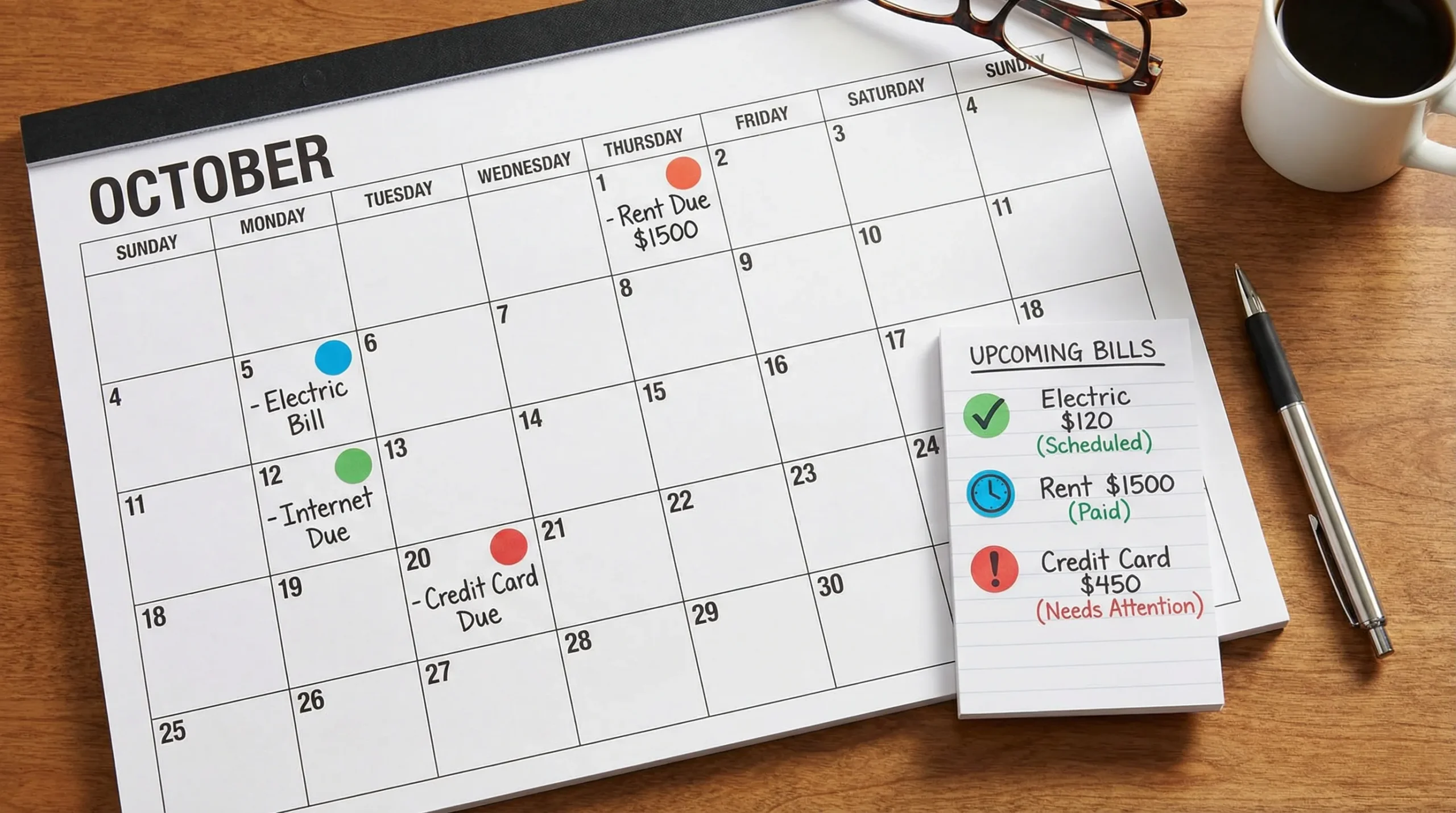
Bills and due dates (late fee prevention)
Best for: Paying on time, reducing stress, avoiding credit score dings.
Your bill report should be more than a list. Ideally it supports reminders or alerts so you are warned before a due date or when a bill amount jumps.
For general guidance on getting organized with bills and expenses, the Consumer Financial Protection Bureau’s resources can be a solid starting point, see the CFPB’s budgeting tools and worksheets.
Debt tracking and payoff progress (momentum and prioritization)
Best for: Staying motivated, reducing interest, choosing a payoff strategy.
Useful debt reporting usually includes:
- Balance trend by debt
- Total monthly payments
- Interest paid over time (if available from your inputs)
- Payoff progress toward a target date or target balance
Even without advanced payoff calculators, a clear progress report can prevent the common trap of “I’m paying every month but nothing changes.”
Net worth and investments (the long-term scoreboard)
Best for: Measuring wealth building, staying consistent, avoiding overreacting.
A net worth report that you will actually use is simple:
- Assets minus liabilities over time
- A trend line (monthly points are enough)
- Optional breakdown (cash, investments, property, debt)
Investment tracking is most useful when it is contextual, meaning it sits next to cash flow and debt so you can make tradeoffs (invest more vs pay down debt faster) based on your full picture.
Credit score monitoring (trend, not obsession)
Best for: Catching issues early, planning for a loan or refinance.
Credit reporting should focus on:
- Score trend
- Major changes or alerts
- Context on why scores may move
For credit fundamentals straight from a regulator, the FTC’s credit scores guide explains what scores are and why they change.
The “report stack”: what to check, and when
You do not need daily deep dives. Most people stick with budgeting when the cadence is light and consistent.
| Report | Question it answers | Best cadence | Typical action |
|---|---|---|---|
| Cash flow | Will I run short before next income? | Weekly (or after payday) | Move bill dates, adjust transfers, pause discretionary spend |
| Budget vs actual | Where am I over or under plan? | Weekly + end of month | Reallocate categories, set caps, adjust the budget |
| Spending by merchant | What repeat purchases are creeping up? | Monthly | Cancel subscriptions, negotiate bills, switch providers |
| Bills and due dates | What needs attention soon? | Weekly | Pay, schedule, or set reminders |
| Debt progress | Am I getting traction? | Monthly | Raise payments, change strategy, refinance research |
| Net worth | Is my overall direction improving? | Monthly or quarterly | Adjust savings rate, rebalance priorities |
| Credit score trend | Any surprises? | Monthly | Dispute errors, reduce utilization, plan applications |
If your software supports alerts, use them for time-sensitive items (bill due, unusual spending, low balance). Use reports for reflection and decisions.
How to set up reporting so it is accurate (and worth your time)
Reports fail when the underlying data is messy. A few setup moves make every report more reliable.
Get categories right (especially the “big three”)
Most budgets break because of three areas: housing, food, and transportation. If your categories lump everything into “Other,” your reports will not be actionable.
Aim for categories that match decisions you can make. For example, splitting “Food” into “Groceries” and “Dining out” is often more useful than having 20 micro-categories.
Make sure transfers are not counted as spending
Transfers between accounts should not inflate your expense report. Many people think they overspent when the real issue is that transfers are being misclassified.
Review uncategorized and duplicate items regularly
Even the best bank connections can produce duplicate pending and posted transactions, or leave a few items uncategorized.
A quick weekly review keeps your end-of-month reports clean.
Reconcile when something looks off
If a balance or report seems wrong, reconciliation is the fastest way to restore trust. Whether your tool calls it “reconciliation” or “matching,” the point is the same: confirm your records align with the account.
Separate “one-time weird” from real trends
Refunds, insurance reimbursements, annual fees, and large one-time purchases can distort reports. The solution is not to ignore reporting, it is to tag and filter intelligently so your trend views stay meaningful.
A 20-minute monthly review routine (using reports, not willpower)
If you want a repeatable system, do this once a month. Put it on your calendar.
Step 1: Trust check (3 minutes)
Scan for:
- Uncategorized transactions
- Duplicates
- Any category that looks wildly wrong
Fixing a few items prevents “garbage in, garbage out.”
Step 2: Budget vs actual (7 minutes)
Look at your top 5 categories by spend.
Ask:
- What went over, and why?
- Was it a one-time event or a pattern?
- What do I change next month, the budget or the behavior?
Step 3: Cash flow and bills (5 minutes)
Check the next 2 to 4 weeks.
- Are there any tight spots?
- Any big bills landing at the same time?
Adjust bill timing where possible, and schedule what you can.
Step 4: One strategic move (5 minutes)
Choose one action with leverage:
- Cancel or downgrade one subscription
- Increase one debt payment
- Raise one automatic transfer to savings
- Set one alert for a category that keeps creeping up
This is how reporting becomes progress.
If you like reading personal reflections on major life transitions that affect finances, retirement, and priorities, you might enjoy this perspective-driven blog: factual personal insights from Raw Life Thoughts. It can be a useful reminder that money systems work best when they match real life.
How to evaluate financial budgeting software reporting (before you commit)
When you are comparing tools, focus less on “how many charts” and more on whether the reports fit your decisions.
Reporting capabilities that matter most
| Capability | Why it matters | What to look for |
|---|---|---|
| Filters | Lets you isolate the story | Account, category, merchant, date range, tags |
| Drilldowns | Turns insights into specifics | Tap a category to see transactions and merchants |
| Alerts and reminders | Prevents costly misses | Bill due reminders, unusual spend alerts, low balance alerts |
| Export options | Helps with taxes and deeper analysis | CSV or downloadable reports |
| Reconciliation support | Keeps reports trustworthy | Ability to confirm balances and fix mismatches |
| Multi-account view | Real life is spread across accounts | Checking, credit cards, loans, investments |
A quick “reports test” you can run
Before you decide, see if the software can answer these questions quickly:
- “What are my top 10 merchants last month?”
- “Am I over budget in any category right now?”
- “What bills are due in the next 14 days?”
- “How has my net worth changed over the last 6 months?”
- “What changed compared to the previous month?”
If you cannot answer those without wrestling the interface, the reports will not get used.
Where MoneyPatrol fits for reporting-focused budgeting
MoneyPatrol is designed as an all-in-one personal finance and budgeting app with a personal finance dashboard, detailed financial reports, and connectivity to thousands of financial institutions. If you want budgeting reports that tie together day-to-day spending with bills, debt, income, investments, and even credit monitoring, that “single dashboard” approach can reduce the friction that makes many people quit.
Notably for report quality, MoneyPatrol includes account reconciliation, customizable alerts and reminders, and reporting across the main money pillars (expenses, budgeting, bills and debt, income, investments, and credit score monitoring). That combination tends to matter more than flashy visuals because it supports both accuracy and action.
Frequently Asked Questions
What reports should financial budgeting software include at a minimum? Budget vs actual, cash flow, spending by category and merchant, bills and due dates, and a basic net worth report. Debt and credit score tracking are strong bonuses if they fit your goals.
How often should I review budgeting reports? Most people do best with a weekly check (cash flow, bills, budget pacing) and a monthly review (spending trends, debt progress, net worth).
Why do my reports look wrong even though transactions are syncing? Common causes include transfers being counted as spending, duplicates (pending vs posted), uncategorized transactions, or missing accounts. A quick cleanup plus reconciliation usually fixes the issue.
Are charts enough, or do I need exportable reports? Charts are great for quick decisions. Exportable reports are helpful for taxes, reimbursements, and any time you want deeper analysis or to share data with a partner or accountant.
Will credit score monitoring inside a budgeting app hurt my credit? Monitoring is typically a “soft inquiry” and does not hurt your score. If an app offers credit monitoring, confirm it is for monitoring and education, not a hard pull tied to a credit application.
Try reports that lead to real decisions
If you want financial budgeting software that pulls your accounts into one place and turns them into practical reports, you can start with MoneyPatrol’s free app and build your weekly and monthly review around its dashboard, alerts, and detailed reporting.
Explore MoneyPatrol here: moneypatrol.com and focus on the reports you will actually use: budget vs actual, cash flow, bills, and trend views that drive your next move.



 Our users have reported an average of $5K+ positive impact on their personal finances
