

Most people don’t fail at budgeting because they “can’t do math.” They fail because the process feels abstract, time-consuming, and easy to abandon after a busy day.
That’s where budgeting apps for beginners shine. A good app reduces friction by importing transactions, organizing them into categories, reminding you about bills, and giving you a clear snapshot of where your money is going.
This guide gives you a simple, realistic first-week plan. The goal is not to build a perfect budget in seven days. The goal is to build a small, repeatable system that keeps working when life gets messy.
What to look for in budgeting apps for beginners
If you’re just starting out, “more features” is not the same as “more helpful.” In week one, prioritize tools that help you build clarity and consistency.
Here’s what matters most:
- Fast setup: You should be able to get to a usable dashboard quickly, even if you fine-tune later.
- Expense tracking that fits your style: Automatic bank sync is convenient, but manual entry can be useful for cash spending or mindfulness.
- Simple categories and editing: You’ll need to re-categorize transactions in the first week.
- Budgeting tools: The app should let you set category limits (even if you start with only a few).
- Bill reminders and alerts: Beginners often miss bills or forget subscriptions. Reminders prevent expensive mistakes.
- Reports that answer basic questions: “How much did I spend on food?” “What changed this month?”
- Account reconciliation: A way to verify balances and catch duplicates or missing transactions.
A quick security note: If you connect financial accounts, use an app that clearly explains its security practices and privacy policy. The FTC’s guidance on protecting personal information is a solid baseline for what to look for.

A simple first-week plan (about 15 to 30 minutes a day)
The biggest mistake beginners make is trying to overhaul everything at once. Instead, set up the basics, then practice a small daily habit.
Use this plan as written, or adjust the days to fit your schedule.
| Day | Focus | What “done” looks like | Time |
|---|---|---|---|
| Day 1 | Set up and connect | Accounts added, starting cash tracked, dashboard makes sense | 20 to 30 min |
| Day 2 | Categories and “true expenses” | Simple category list, a place for irregular costs | 20 min |
| Day 3 | Bills and due dates | Bill reminders set for the next 30 days | 15 to 25 min |
| Day 4 | Your first starter budget | 3 to 5 category limits set, not overly strict | 20 to 30 min |
| Day 5 | Daily habit | 2-minute check-in, transactions categorized | 5 to 10 min |
| Day 6 | Clean-up and reconcile | Fix mis-categorizations, confirm balances | 15 to 25 min |
| Day 7 | Weekly review and next step | One insight found, one change planned for next week | 20 to 30 min |
Day 1: Set up your app so it reflects real life
Start by getting your money “map” into the app.
Focus on the accounts that drive day-to-day decisions:
- Checking account(s)
- The credit card(s) you regularly use
- Savings account(s)
If you use cash, add a simple cash account too (even an estimated starting amount is fine). Beginners often miss cash spending, then wonder why the numbers feel off.
Keep it simple today. Don’t add every investment account, store card, or obscure loan unless it affects your weekly decisions.
Day 2: Create beginner-proof categories (and plan for irregular costs)
In week one, you want categories that are:
- Easy to understand
- Easy to maintain
- Close to how you naturally think about spending
A practical starter set looks like this:
| Category group | Examples | Why it matters |
|---|---|---|
| Housing | Rent, mortgage, utilities | Usually the largest fixed cost |
| Food | Groceries, restaurants | Often the easiest “leak” to miss |
| Transportation | Gas, transit, parking | Highly variable week to week |
| Subscriptions | Streaming, apps, memberships | Small charges add up quietly |
| Health | Insurance, pharmacy, appointments | Unexpected spending happens here |
| Debt payments | Student loan, credit card payments | Protects your cash flow |
| Savings goals | Emergency fund, sinking funds | Turns “someday” into a plan |
| Fun money | Hobbies, coffee, entertainment | Prevents budgeting burnout |
Now add one beginner superpower: a category for true expenses (irregular but predictable costs). Examples include car repairs, annual insurance premiums, gifts, and travel.
If you don’t know what to budget there yet, start small. Even setting aside a little reduces the chance that “surprises” end up on a credit card.
Day 3: Add bills, minimum payments, and due dates
Bills are where budgeting apps can save you from late fees and stress.
Today, add:
- Rent or mortgage due date
- Utilities due dates (electric, water, internet)
- Credit card minimum payment due date
- Loan payments (student loans, auto loans)
Set reminders a few days before each due date so you have time to move money if needed.
If you’re not sure where to find due dates, check your last statement or your online account portal. Accuracy matters here more than perfection everywhere else.
Day 4: Set your first budget, but only for 3 to 5 categories
This is where beginners often overdo it. You do not need 25 categories with strict limits to “be a real budgeter.”
Pick just a few categories that drive outcomes:
- Groceries
- Restaurants (or “Eating out”)
- Transportation
- Subscriptions
- Fun money
Then set limits based on what you actually spend, not what you wish you spent.
If you have no baseline yet, use a temporary approach: set a limit that feels “slightly tighter than normal,” then refine it after the first weekly review.
A common starting framework is the 50/30/20 guideline (needs/wants/savings), which the CFPB discusses as a budgeting approach in its consumer resources. You can read more in the CFPB’s budgeting guidance. Treat it as a compass, not a strict rule.
Day 5: Build the 2-minute daily money habit
Budgets succeed because of small, consistent behavior.
Your only job today is to do a quick daily check-in:
- Open the app
- Review new transactions
- Fix categories that are wrong
- Add notes for anything unusual (example: “gas for road trip”)
This is also the day to turn on a few helpful alerts if your app offers them:
- Large purchase alerts
- Low balance alerts
- Reminder notifications for upcoming bills
Alerts are not there to shame you. They’re there to reduce “surprise spending” and help you make decisions while there’s still time to adjust.
Day 6: Clean up categories and reconcile your accounts
By now, you’ve probably seen:
- Duplicate categories (example: “Dining” and “Restaurants”)
- Misclassified purchases (example: a pharmacy purchase categorized as “Groceries”)
- A subscription you forgot about
Clean those up and do a basic reconciliation.
Reconciliation doesn’t need to be complicated. You’re simply checking whether:
- Your account balances in the app match what the bank shows
- Any transactions are missing or duplicated
Catching issues early builds trust in your numbers, which is what keeps beginners from quitting.
Day 7: Do a weekly review that takes 30 minutes, not 3 hours
A weekly review is where the app becomes a coaching tool.
Look for three things:
Spending reality: Which categories were higher than expected, and why?
One easy win: Something you can change without misery, like canceling a subscription, reducing takeout by one meal, or setting a tighter cap on impulse shopping.
One plan for next week: A specific adjustment, not a vague promise.
Example adjustments beginners can actually stick to:
- Move $20 from “Eating out” to “Groceries” because you want to cook twice this week.
- Set a reminder to pay a credit card minimum 3 days early.
- Create a “Snacks” subcategory if you keep buying convenience food.
If snacks are a repeat budget buster for you, you can also make the spending more predictable by buying in bulk occasionally. For example, a planned purchase like bulk beef jerky online can be easier to budget than frequent small convenience-store stops, especially if you’re trying to cut impulse spending on the go.
A few common first-week mistakes (and how to avoid them)
Beginners don’t need more willpower. They need fewer failure points.
Making the budget too strict
If your first budget feels like punishment, you’ll abandon it. Start with a “learning budget” that reflects reality, then tighten slowly.
Creating too many categories
More categories equals more maintenance. Start broad, then split a category only when it consistently helps you make better decisions.
Ignoring irregular costs
When annual bills hit, it can feel like your budget “didn’t work.” That’s usually a true-expenses problem, not a discipline problem.
Treating the app like a scoreboard
Checking your spending should help you make choices, not create guilt. The point is awareness and adjustment.
How MoneyPatrol supports a strong first week
MoneyPatrol is designed to help you do exactly what beginners need most in week one: see everything clearly, build consistent habits, and stay on top of bills.
Based on the features available in MoneyPatrol, you can use it to:
- Track expenses and categorize transactions
- Set up budgets and monitor progress
- Track bills and debt, with reminders and alerts
- Manage income and monitor accounts in one dashboard
- Reconcile accounts and review detailed financial reports
- Track investments and monitor your credit score in the same place
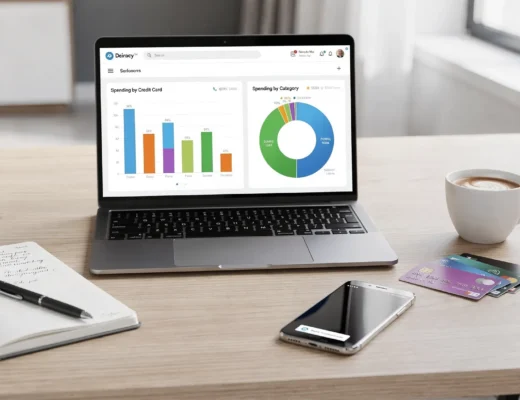
If you want to see what an all-in-one personal finance dashboard looks like before committing to a routine, you can explore MoneyPatrol directly from the official site.
Make week two easier than week one
If you follow the plan above, you’ll finish the week with something valuable: a budget that is based on your real behavior, plus a simple daily routine to keep it current.
For week two, keep the momentum by choosing just one upgrade:
- Add one new budget category (only if it helps)
- Increase your true-expenses contribution by a small amount
- Set a single savings goal and automate it if possible
Budgeting is not a one-time setup. It’s a lightweight weekly practice. With the right app and a calm first-week plan, it becomes manageable, and even empowering.


 Our users have reported an average of $5K+ positive impact on their personal finances
