

Most budgets don’t fail because you “lack discipline.” They fail because real life shows up: annual bills, uneven paychecks, price hikes, a surprise car repair, or a month where everything happens at once.
A good budget management app helps, but the app is only as effective as the budget system behind it. In this guide, you’ll learn how to build budgets that can bend without breaking, using buffers, “true expense” planning, and lightweight routines you can actually sustain.
Why budgets break (and what to fix first)
If you have ever created a budget that looked perfect on day one and collapsed by week two, you are not alone. Most “broken” budgets share a few predictable issues.
1) The budget ignores true expenses
True expenses are predictable, just not monthly. Think insurance renewals, holiday gifts, annual subscriptions, school costs, medical deductibles, and car maintenance. When they arrive, they feel like emergencies and blow up your categories.
2) Categories are too strict or too vague
Overly strict budgets create constant “fail” moments, while vague budgets (for example, one giant “spending” bucket) hide problems until it is too late.
3) Tracking is delayed
If you only review spending after the month ends, you are budgeting in the rear-view mirror. You need feedback while you can still adjust.
4) Bills and due dates are not integrated
A budget that does not connect to bill timing can look fine on paper but still cause cash flow stress and late fees.
5) The system relies on willpower
Willpower is a finite resource. Budgets that require daily manual work, perfect memory, and constant self-control are fragile.
The “don’t break” budget framework (works with any budget management app)
A resilient budget is less about perfection and more about designing for reality: variability, mistakes, and occasional bad months.
Principle 1: Start with a baseline you can maintain
Your first budget should be easy to follow, even if it is not optimized. In practice, that means:
- Fewer categories (you can refine later)
- Realistic spending targets based on recent history
- A built-in buffer (more on that below)
If you are brand new to budgeting, the CFPB budgeting resources are a helpful reference for the basics and terminology.
Principle 2: Pick a budgeting method that matches your life
Different methods work for different personalities and income patterns. The best one is the one you will keep using.
| Budgeting method | Best for | What can break it | How to make it resilient |
|---|---|---|---|
| 50/30/20 style (needs, wants, savings) | Beginners who want simplicity | High fixed costs (rent, debt) | Customize the ratios to your reality, track the “wants” category closely |
| Zero-based budgeting (every dollar has a job) | People who like detail and control | Time burden, constant tweaking | Automate categorization where possible, review weekly instead of daily |
| Pay-yourself-first | People who want savings to happen automatically | Oversaving leading to credit card use | Set a savings target that still leaves room for variable expenses |
| “Sinking funds” focus | Anyone with irregular or annual expenses | Forgetting to fund true expenses | Create recurring monthly contributions for annual bills |
You do not need to choose only one. Many people use a simple 50/30/20 structure plus sinking funds for true expenses.
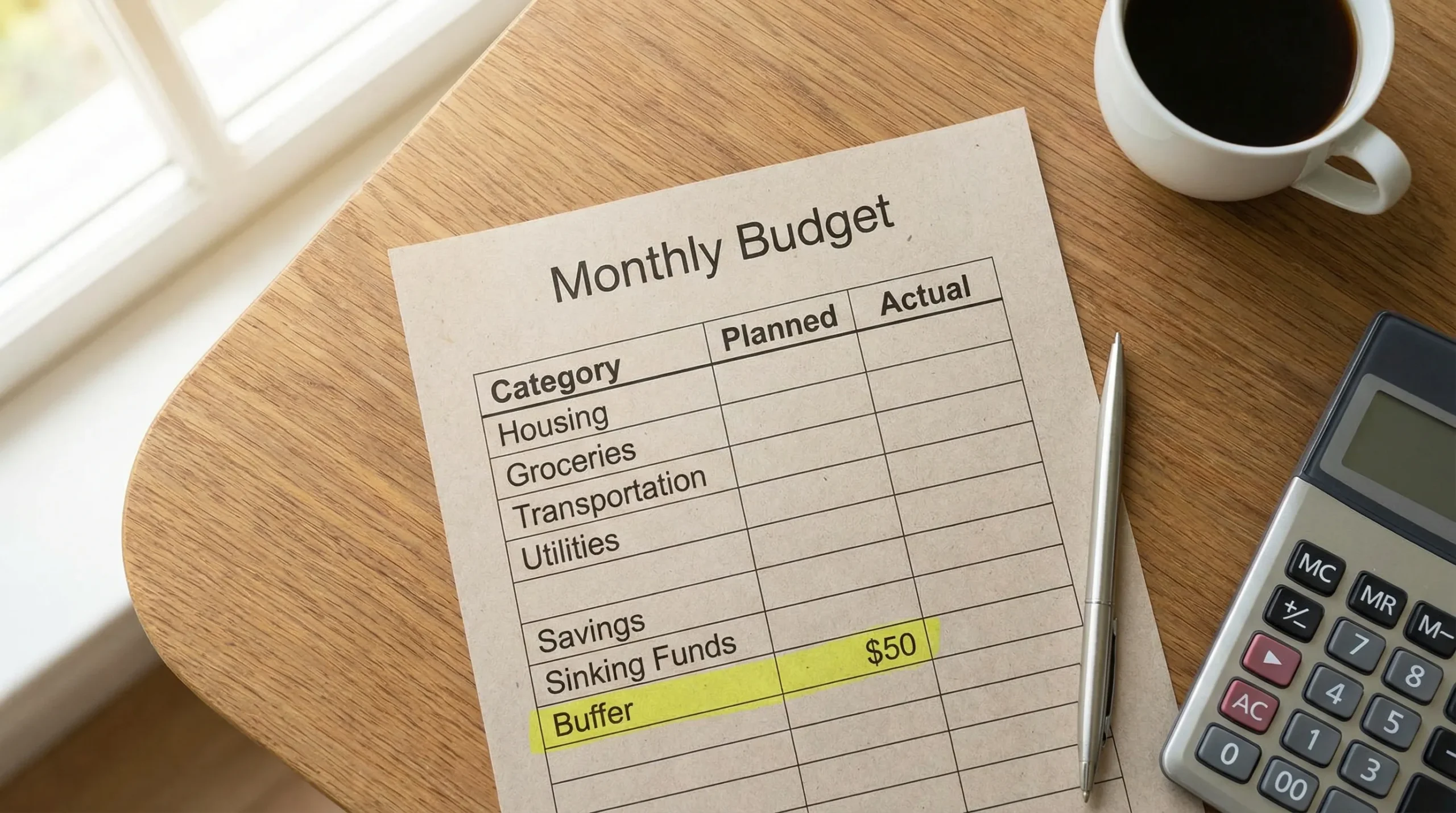
Principle 3: Build a buffer category (your budget’s shock absorber)
A buffer is money reserved for “life happens” moments that are not true emergencies.
Examples include a higher-than-usual utility bill, an unexpected co-pay, or a month where groceries cost more.
A buffer prevents one category overrun from turning into a full budget collapse.
Principle 4: Separate monthly bills from non-monthly bills
This is one of the fastest ways to stop surprise spending.
- Monthly bills: rent/mortgage, utilities, internet, phone
- Non-monthly bills: insurance premiums, annual memberships, car registration, holiday travel
Once you split them, the non-monthly group becomes a set of sinking funds: small monthly contributions that smooth out future spikes.
Principle 5: Budget for cash flow, not just totals
A monthly budget can still fail if bills land before paychecks. The fix is to align your plan with timing.
A budget management app is especially helpful here because bills, reminders, and account balances can be viewed together, so your plan reflects what is actually available this week, not just this month.
Principle 6: Use “rules” for variable categories
Variable categories (groceries, dining, fuel, shopping) are usually where budgets break.
Instead of trying to predict a perfect number, define a rule you will follow when things drift. Examples:
- If dining out hits 80% of the monthly target, switch to at-home meals for the rest of the week.
- If groceries run high, pause non-essential shopping until next payday.
This turns budgeting into decisions you can make in real time, not a scorecard.
Principle 7: Review weekly, reset monthly
A sustainable cadence beats constant monitoring.
A simple approach:
- Weekly: check spending vs budget, upcoming bills, and any unusual transactions
- Monthly: reset categories, adjust targets, and review reports for trends
Weekly reviews catch small problems before they become big ones.
What to look for in a budget management app (so the budget holds up)
A spreadsheet can work, but most people quit because it is too manual. A modern budget management app should reduce friction and help you course-correct quickly.
Here are features that directly support “don’t break” budgeting.
Expense tracking with clear categorization
The goal is not perfect categorization. The goal is visibility you trust.
Look for:
- Easy editing when a transaction lands in the wrong category
- Rules or learning over time (where available)
- The ability to view spending by category and merchant
Budgeting tools that support real-world categories
A good app makes it easy to:
- Create categories that match your life
- Add sinking funds for true expenses
- See budget vs actual without digging
Bill tracking and reminders
Budgets fail when due dates surprise you.
An app with bill tracking and reminders helps you anticipate cash flow needs, avoid late fees, and keep a realistic view of what is “spendable” right now.
Income management (especially for variable pay)
If your income fluctuates (freelancing, commissions, seasonal work), the budget needs to adapt.
Income management features help you:
- See income trends
- Separate income from “available to spend” until bills and goals are covered
Alerts that prevent overspending, not just report it
The most useful alerts are preventative:
- When a category approaches its limit
- When an unusually large transaction posts
- When a bill is coming due
Reconciliation and accurate balances
If balances and transactions do not match reality, you stop trusting the system.
Account reconciliation features help confirm that your budget is grounded in accurate data, especially if you monitor multiple accounts.
Reporting that helps you adjust with confidence
Reports should answer practical questions like:
- Which categories are consistently over budget?
- Are fixed costs creeping up?
- Is debt trending down?
- Is savings increasing over time?
How MoneyPatrol can support budgets that don’t break
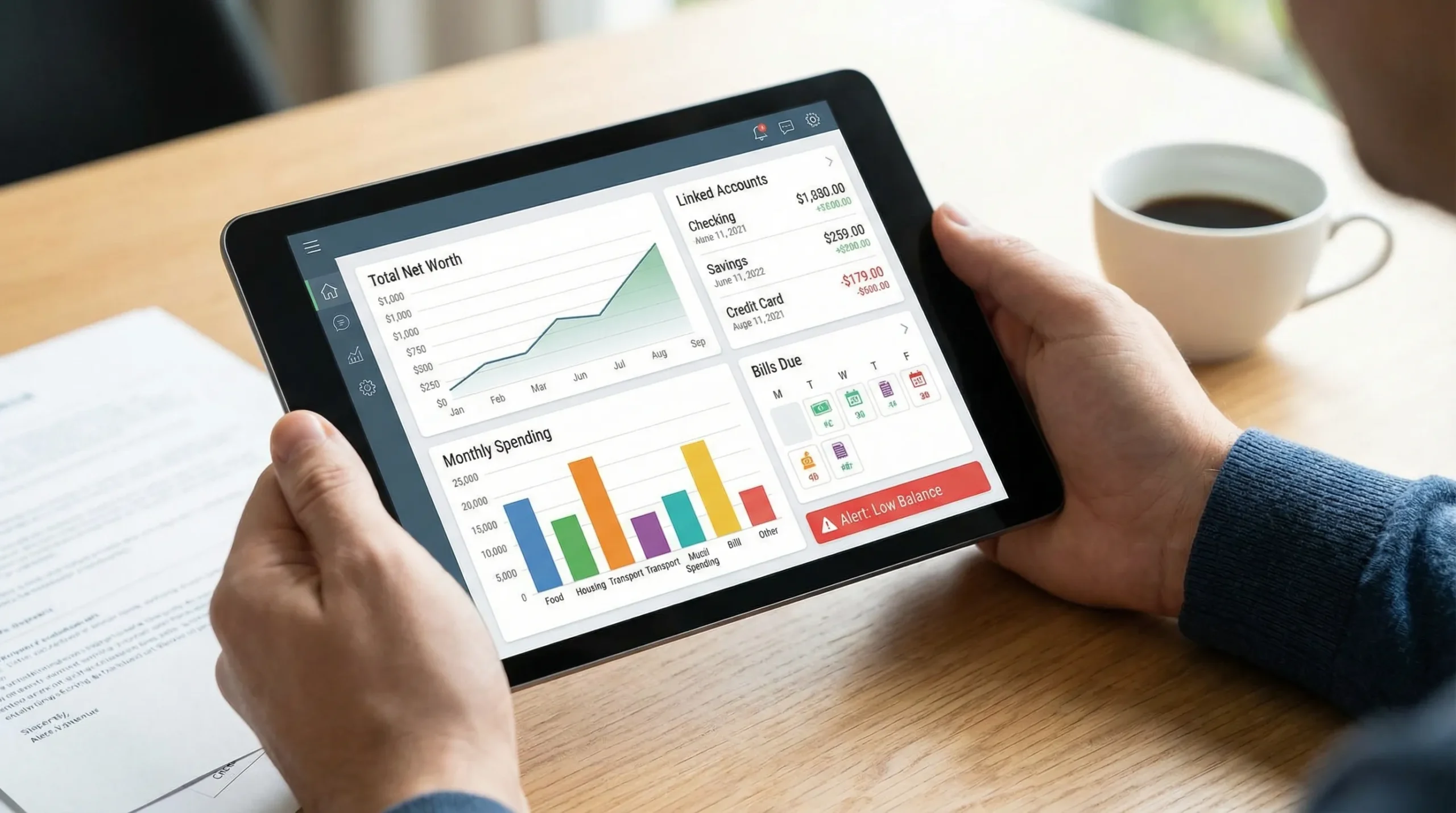
MoneyPatrol is positioned as a free, all-in-one personal finance and budgeting app that brings your accounts and budget into a single dashboard, with tools for expense tracking, budgeting, bill and debt tracking, income management, and detailed financial reports.
If you are trying to build a more resilient budget, a few MoneyPatrol capabilities map directly to the framework above:
| Budget problem | What to do | MoneyPatrol feature that can help |
|---|---|---|
| True expenses keep surprising you | Add sinking funds and track them monthly | Budgeting tools plus detailed reports to review category performance |
| You overspend without noticing | Add thresholds and check weekly | Customizable alerts and reminders, expense tracking |
| Bills cause cash crunches | Track due dates and plan around them | Bill and debt tracking, reminders |
| You cannot see the whole picture | Consolidate accounts and monitor trends | Personal finance dashboard, connectivity to thousands of institutions |
| Your numbers feel “off” | Verify transactions and balances | Account reconciliation |
The key is consistency: your app should make the weekly check-in easy enough that you actually do it.
A practical setup you can finish in under an hour
If budgeting has burned you before, keep the initial setup simple. You can refine over the next 2 to 3 months.
Set up your “core” categories first
Start with the categories that drive most outcomes:
- Housing
- Utilities
- Groceries
- Transportation
- Debt payments
- Savings
- Buffer
Then add a few lifestyle categories that matter to you (for example, dining, subscriptions, personal care). Avoid creating 30 categories on day one.
Add sinking funds for the next 3 true expenses
Pick three true expenses you know are coming.
Examples:
- Car insurance renewal
- Holiday gifts
- Annual subscription(s)
Fund them monthly. This alone prevents many budget blowups.
Turn on a small set of alerts
Alerts work best when they are specific and actionable. Consider starting with:
- Category threshold alerts for your top two variable categories
- Bill reminders for the most important due dates
- Large transaction alerts
Too many alerts create noise and get ignored.
Do a weekly “budget triage” review
Once a week, answer three questions:
- Are any categories trending over budget?
- Are there any bills due before the next paycheck?
- Are there any transactions that need recategorization or review?
This takes 10 minutes and prevents end-of-month panic.
Frequently Asked Questions
What is a budget management app? A budget management app helps you plan spending, track transactions, and monitor progress toward goals. Many apps also include alerts, reports, and bill reminders to help you adjust before you overspend.
Why do budgets fail even when I track expenses? Tracking alone is often backward-looking. Budgets usually fail because they ignore true expenses, lack a buffer, or do not account for bill timing and variable categories. A resilient budget needs both planning and real-time course correction.
How many budget categories should I have? Start with fewer than you think. Many people do well with 8 to 15 categories at first, then add detail only where it changes decisions (for example, splitting “food” into groceries vs dining out).
What is the difference between an emergency fund and a buffer? An emergency fund covers major disruptions (job loss, medical emergency). A buffer is for smaller, common surprises (price spikes, one-off costs) that would otherwise knock your budget off track.
Can a budget management app help with irregular income? Yes, especially if it includes income tracking, alerts, and clear visibility into upcoming bills. The goal is to budget based on what you have received, keep a cushion, and adjust categories as income varies.
Build a budget you can actually stick to
If you want your next budget to last longer than a few weeks, design it for reality: sinking funds for true expenses, a buffer category, and a weekly review rhythm.
MoneyPatrol is a free budget management app that brings expense tracking, budgeting, bill tracking, alerts, and financial reporting into one place. If you want to see how it fits your workflow, start here: MoneyPatrol.



 Our users have reported an average of $5K+ positive impact on their personal finances
