

Most “best personal money management app” reviews focus on features. In real life, the app that actually changes your finances is the one you can set up fast, keep accurate, and review consistently.
This 5-step setup is designed to get you from “I downloaded an app” to “I know exactly where my money went last month and what to do next” with minimal friction. The steps work for any modern personal finance app, and I’ll point out where MoneyPatrol’s strengths (all-in-one dashboard, alerts, reports, broad bank connectivity) can make each step easier.
Before you start: what “best” really means for money management
The “best personal money management app” is usually the one that:
- Connects to your real accounts reliably (checking, credit cards, loans, investments).
- Makes categorizing and correcting transactions easy.
- Supports budgets, bills, debt paydown, and goal tracking in one place.
- Surfaces the right alerts and reports so you take action.
- Fits your privacy and security comfort level.
Security matters because you are centralizing sensitive data. The Consumer Financial Protection Bureau (CFPB) has guidance on financial data sharing and what consumers should look for when granting access to their accounts, including understanding permissions and revoking access when needed (CFPB on consumer-authorized data sharing).
With that framing, here’s the setup that turns features into results.
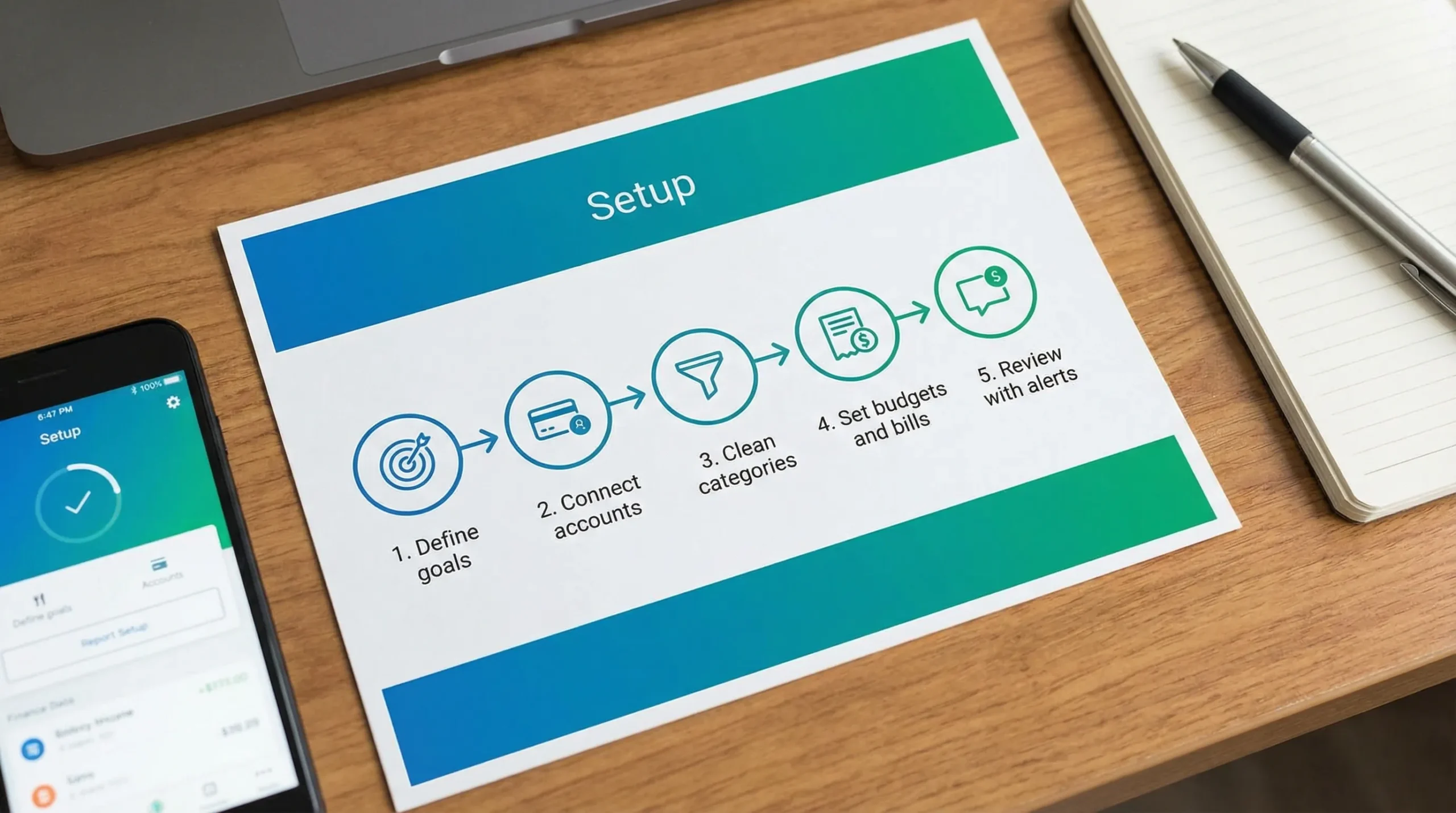
A 5-step setup you can finish in under an hour
| Step | Outcome you want | What you will configure |
|---|---|---|
| Step 1 | Clear scope and goals | Accounts to include, time horizon, rules for “what counts” |
| Step 2 | Accurate starting point | Account connections, balances, duplicates, pending transactions |
| Step 3 | Clean, trustworthy data | Categories, split rules, transfer rules, merchant fixes |
| Step 4 | A plan you can follow | Budgets, bills, debt tracking, savings goals |
| Step 5 | A habit loop | Alerts, reminders, weekly review, monthly closeout reports |
Step 1: Define what you are managing (and what you are not)
Most setups fail because the scope is fuzzy. If you are trying to manage everything, you often manage nothing.
Start by choosing a time horizon:
- Stabilize (next 30 days): stop overspending, avoid late fees, build a basic budget.
- Optimize (next 90 days): reduce recurring costs, improve cash flow, pay down debt.
- Grow (6 to 12 months): raise savings rate, invest consistently, improve net worth.
Then decide what accounts belong in your “personal money” dashboard.
A practical rule: include anything that affects your monthly cash flow (checking, credit cards, major subscriptions, loans). Investments can be added now or in Step 2, but do not let them slow down your first accurate month.
If you have mixed personal and side-hustle spending, create a boundary today. It can be as simple as: “Business expenses only on one card,” or “One checking account is for taxes and business-only.” This single decision makes Step 3 dramatically easier.
MoneyPatrol context: it’s built as an all-in-one dashboard (expenses, income, bills/debt, investments, credit score monitoring, alerts, reports), so you can keep this scope in one place instead of juggling separate apps.
Step 2: Connect accounts, then verify the starting numbers
Account linking is where accuracy begins. Connect your key accounts first:
- Checking and savings
- Primary credit cards
- Any loan you actively pay (student loan, auto loan, mortgage)
Then verify that the starting balances match your banks. A mismatch is not a small problem because it will make every net worth or cash flow report feel “off,” which is a fast path to abandoning the app.
Common issues to fix immediately
Duplicates: Sometimes the same institution connection gets added twice. If you see duplicate accounts, remove the extra connection before you categorize anything.
Pending transactions: Many apps show pending charges that later settle with different amounts (tips, gas stations, hotels). Do not “correct” pending transactions aggressively. Let them settle, then clean up.
Transfers: Transfers between your own accounts (checking to savings, card payments) should not look like spending. Most apps can recognize transfers, but it’s worth confirming now so your monthly spending totals are meaningful.
MoneyPatrol context: the platform emphasizes connectivity to thousands of institutions and an organized dashboard. Use that dashboard view to do your initial “does this match reality?” audit before you move on.
Step 3: Build a category system you will still like in 3 months
Categories are the foundation for insights. The trick is to keep them simple enough to maintain and specific enough to act on.
The 12-category approach (simple, actionable)
A strong default is:
- Housing
- Utilities
- Groceries
- Dining
- Transportation
- Insurance
- Health
- Shopping
- Subscriptions
- Travel
- Debt payments
- Savings and investments
You can always add detail later, but if you start with 40 categories, you will spend your life reclassifying transactions.
Fix the three patterns that break reports
1) Split transactions: Big-box stores are a classic problem. If one receipt includes groceries plus household items, your budget will look wrong unless you split it. Do this only for large, recurring distortions (for example, a $250 warehouse run).
2) Merchant naming: Some merchants show up with cryptic processor names. Standardize them once so future transactions auto-map cleanly.
3) Personal vs business: If you have a side business, create one category like “Business expenses (reimbursable)” and keep it separate. This helps at tax time and prevents your personal spending reports from being inflated.
If your side business ever involves excise tax obligations (for example, specific fuel, communications, or other regulated categories), keep those transactions isolated and consider using a dedicated filing tool. An IRS-authorized option to file Form 720 online can simplify the administrative side so your personal money system stays clean.
MoneyPatrol context: look for the app’s expense categorization tools, reconciliation capabilities, and detailed reports. Your goal is that next month’s transactions require minimal manual fixing.
Step 4: Turn tracking into a plan (budgets, bills, debt, and goals)
Now that the data is trustworthy, you can plan without guessing.
Start with a “Bills first” layout
Bills are predictable, so anchor your month with them:
- Rent or mortgage
- Utilities (use an average if they vary)
- Insurance
- Minimum debt payments
- Subscriptions you will keep
Then allocate to flexible categories (groceries, dining, shopping). Finally, fund goals (emergency fund, sinking funds, investing).
Budgeting that works even with irregular income
If your income fluctuates, budget from your lowest dependable monthly income, then treat extra income as a decision, not an accident. Send it intentionally to:
- Catch-up bills
- Debt principal
- Emergency fund
- Tax set-aside (if self-employed)
- Investing
MoneyPatrol context: budgeting tools, bill and debt tracking, income management, and financial reports are designed for exactly this. The setup win is connecting each budget line to a category that is already clean from Step 3.
Add one goal that creates momentum
Pick a goal that you can measure in 30 days:
- Reduce dining out by $150
- Pay an extra $50 toward a credit card
- Build a $500 starter emergency fund
Goals turn “tracking” into progress, which is what keeps you engaged.
Step 5: Set alerts and a review rhythm (the real secret)
The best app is the one you actually use. Usage is driven by reminders and a short, repeatable review.
Alerts that are worth turning on
| Alert type | Why it matters | How often to review |
|---|---|---|
| Large transaction | Catches fraud and “oops” spending fast | Same day |
| Low balance | Prevents overdrafts and late payments | Same day |
| Bill due reminders | Avoids fees and credit score hits | Weekly |
| Budget threshold (80% used) | Creates time to adjust, not regret | Weekly |
| Unusual category spike | Highlights subscription creep or lifestyle inflation | Weekly |
MoneyPatrol context: customizable alerts and reminders are one of the highest leverage features. The goal is not more notifications, it is fewer surprises.
A simple weekly review (10 minutes)
Pick a consistent time (Sunday evening or Monday morning). Do the same three checks every week:
- Accuracy check: scan new transactions and fix miscategorization.
- Cash check: confirm upcoming bills and current balances.
- Plan check: if a category is trending high, decide where the money will come from (not “hope it works out”).
Monthly closeout (20 minutes)
Once a month, run your reports and answer three questions:
- What did I spend more on than expected, and was it worth it?
- What can I cut or renegotiate next month?
- What is the single money move that improves next month (one bill change, one subscription cancel, one extra debt payment)?
MoneyPatrol context: detailed financial reports and the personal finance dashboard are built for this closeout. If you can’t explain last month in a few minutes, your categories or transfers likely need a quick tune-up.
Choosing MoneyPatrol for this setup (and what to check in any app)
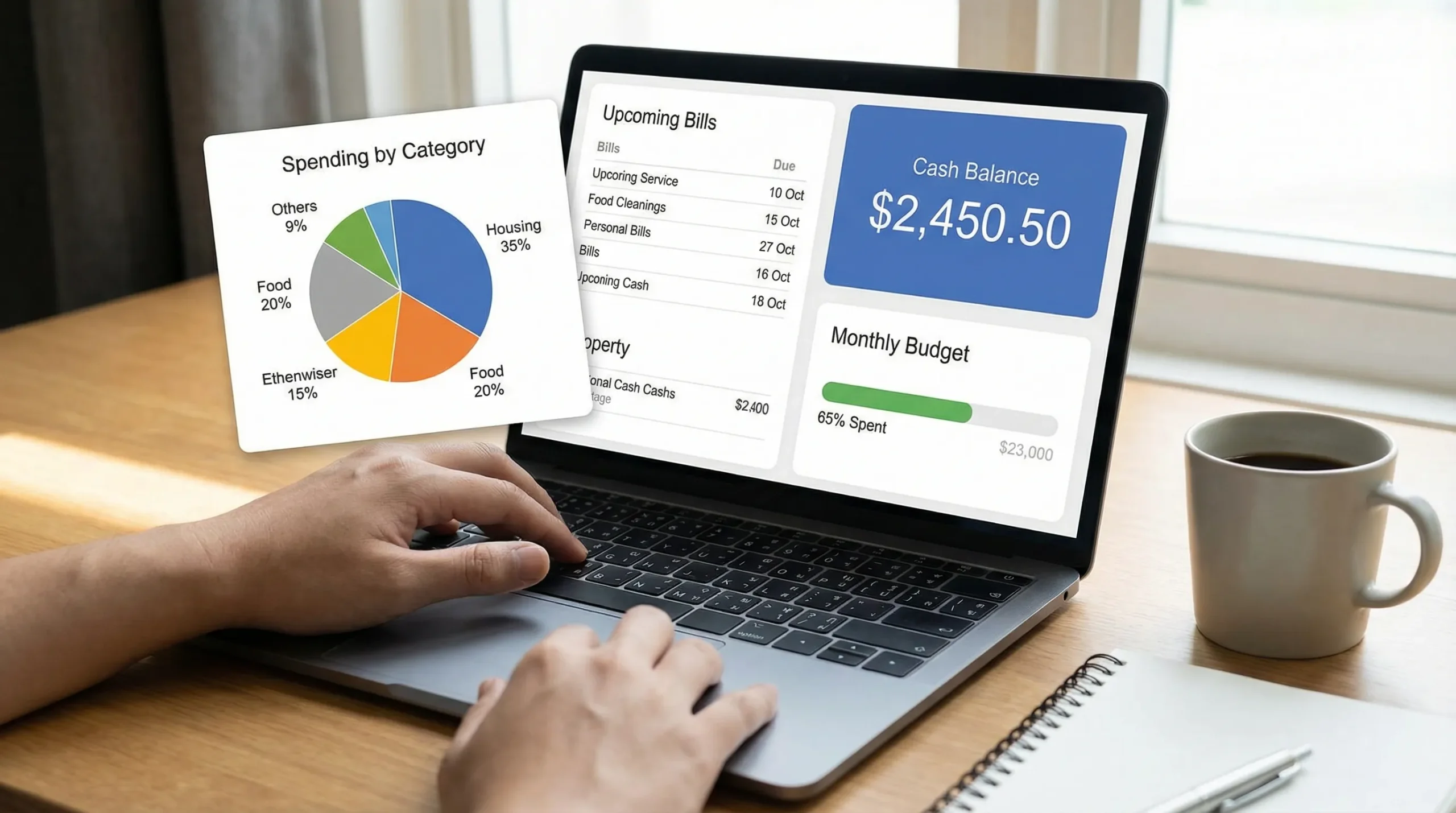
MoneyPatrol positions itself as a free, comprehensive personal finance and budgeting app with an all-in-one dashboard (expenses, budgets, bills and debt, income, investments, credit score monitoring, alerts, reconciliation, and reports). If your goal is to avoid managing five different tools, that “one dashboard” approach can be a practical advantage.
No matter which app you choose, validate these basics during your first week:
- Can you connect your main institutions consistently?
- Can you correct categories quickly (and do those corrections stick)?
- Do reports match your lived experience of the month?
- Can you set alerts that prevent late fees and overspending?
If you want to see how MoneyPatrol frames budgeting specifically, its guide on the best free budgeting app is a useful companion to this setup.
Your next move: commit to one accurate month
You do not need a perfect system. You need one accurate month of data and a repeatable review habit.
If you complete Steps 1 through 5 and keep weekly reviews for four weeks, you will have something most people never achieve: a clear picture of your cash flow, the true cost of your lifestyle, and the exact levers that improve your finances next month.


 Our users have reported an average of $5K+ positive impact on their personal finances
