
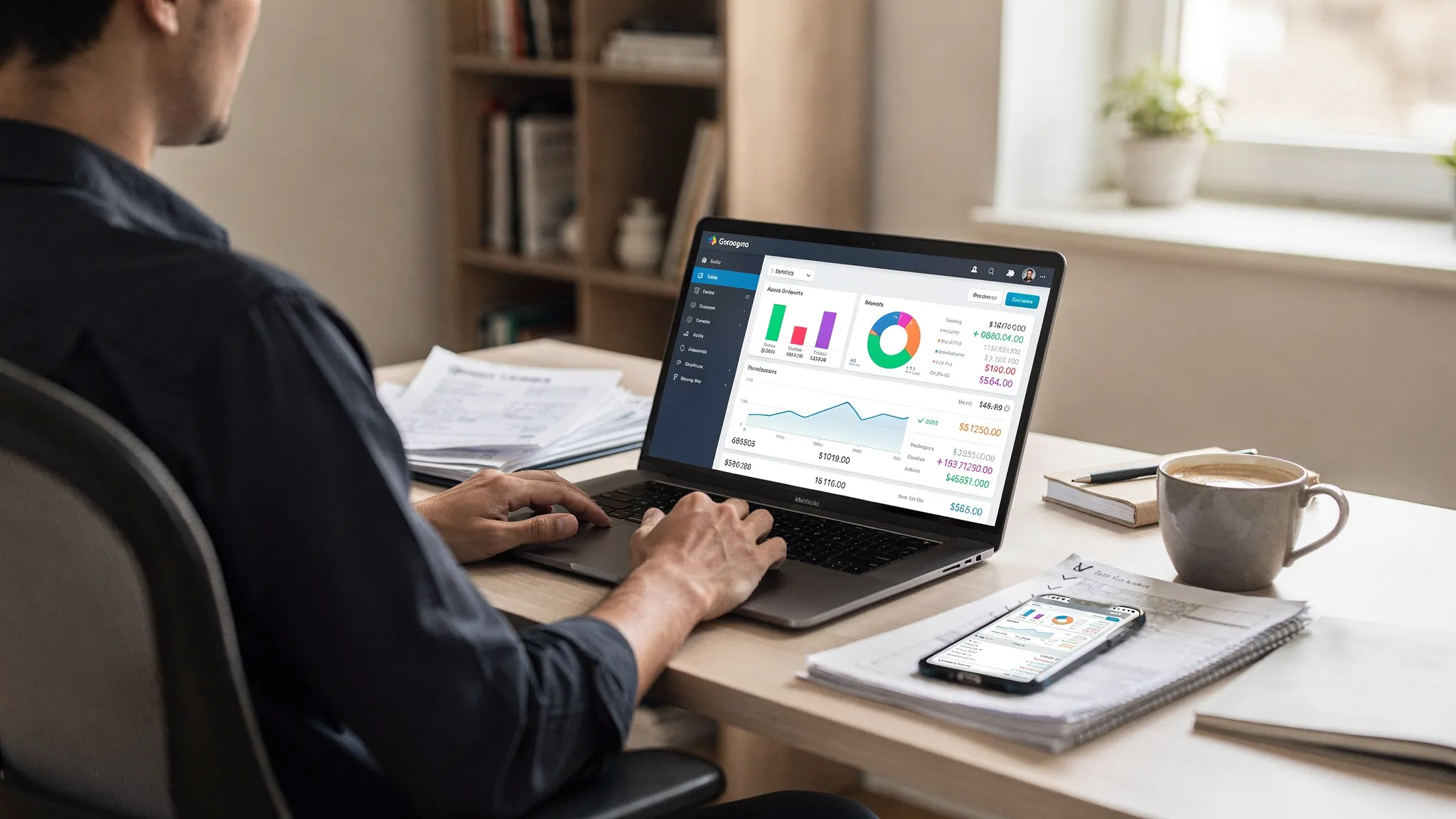
If you are comparing the best online budgeting software, two things matter more than fancy charts or trendy categories: security (who can access your money data, and how it is protected) and sync (whether your transactions arrive accurately, on time, without breaking your budget).
Most people only discover problems after weeks of use, when a connection fails, duplicates appear, or an account gets locked after “re-auth” loops. This checklist is designed to help you evaluate budgeting tools in minutes, not months.
What “online budgeting software” really does (and why it changes the risk)
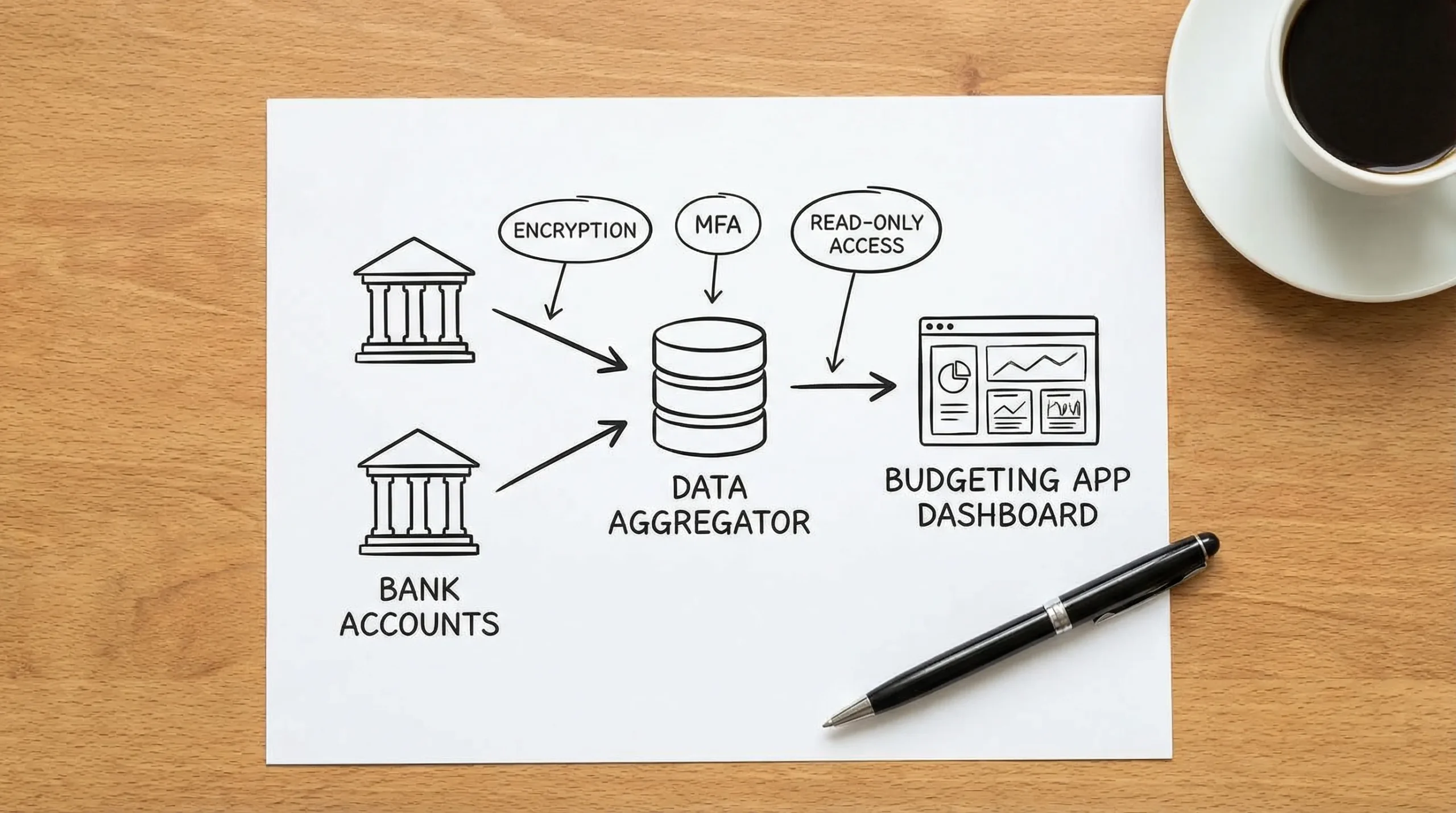
Online budgeting software usually connects to your financial institutions to pull balances and transactions automatically. That convenience comes with tradeoffs:
- Your data is stored and processed outside your bank.
- Connections often rely on third-party aggregators (the “plumbing” between your bank and the app).
- Accuracy depends on how the tool handles pending transactions, reversals, merchant name cleanup, and categorization rules.
So the right evaluation is not “Which app has the prettiest dashboard?” It is “Which app can securely and reliably keep my financial picture correct?”
Security checklist for online budgeting software
Security is not a single feature. It is a system of controls, policies, and user protections. Use the checklist below to judge whether an app is built like a financial product, not a casual consumer site.
1) Account access model: “read-only” vs “can move money”
A budgeting app generally should not need to initiate transfers or pay bills from your bank login. Many apps use connections intended for data access.
What to look for:
- Clear explanation of whether access is read-only (data retrieval) or includes money movement.
- Ability to revoke access quickly.
- Support for modern connection methods where available (for example, OAuth-style connections rather than sharing bank credentials).
2) Multi-factor authentication (MFA) and strong login protections
Your budgeting app login becomes a high-value target because it can expose your entire financial life.
What to look for:
- MFA support (authenticator app, security key support, or at minimum SMS as a fallback).
- Protections against credential stuffing (rate limiting, suspicious login alerts).
- Session controls (automatic timeouts, device management).
For context, NIST’s digital identity guidance discusses MFA and stronger authentication methods as a baseline approach for reducing account takeover risk (see NIST SP 800-63B).
3) Encryption in transit and at rest (and clear language about it)
Any serious financial app should encrypt data in transit (TLS/HTTPS) and encrypt sensitive data at rest.
What to look for:
- A security page or documentation that explicitly mentions encryption.
- A responsible disclosure or security contact.
- No vague claims like “bank-level security” without details.
4) Independent audits, security attestations, and operational maturity
Not every company will have a public SOC 2 report, but mature teams usually have at least some external validation or formal processes.
What to look for:
- SOC 2 Type II (ideal), ISO 27001, or documented security program.
- Clear incident response approach (what happens if there is a breach).
- Regular security updates, change logs, and a track record.
5) Privacy policy that tells you what happens to your data
Security controls protect data from attackers, privacy controls govern how the company itself uses data.
What to look for:
- Data sharing language that is specific (who, why, and how).
- Options to delete your data.
- Data retention timelines.
If the privacy policy is hard to understand or overly broad about “sharing with partners,” treat that as a decision factor.
6) User controls that prevent financial mistakes
Security also includes safeguards that prevent you from acting on bad information.
What to look for:
- Transaction-level audit trails and change history.
- Reconciliation tools (so you can verify balances vs your bank statement).
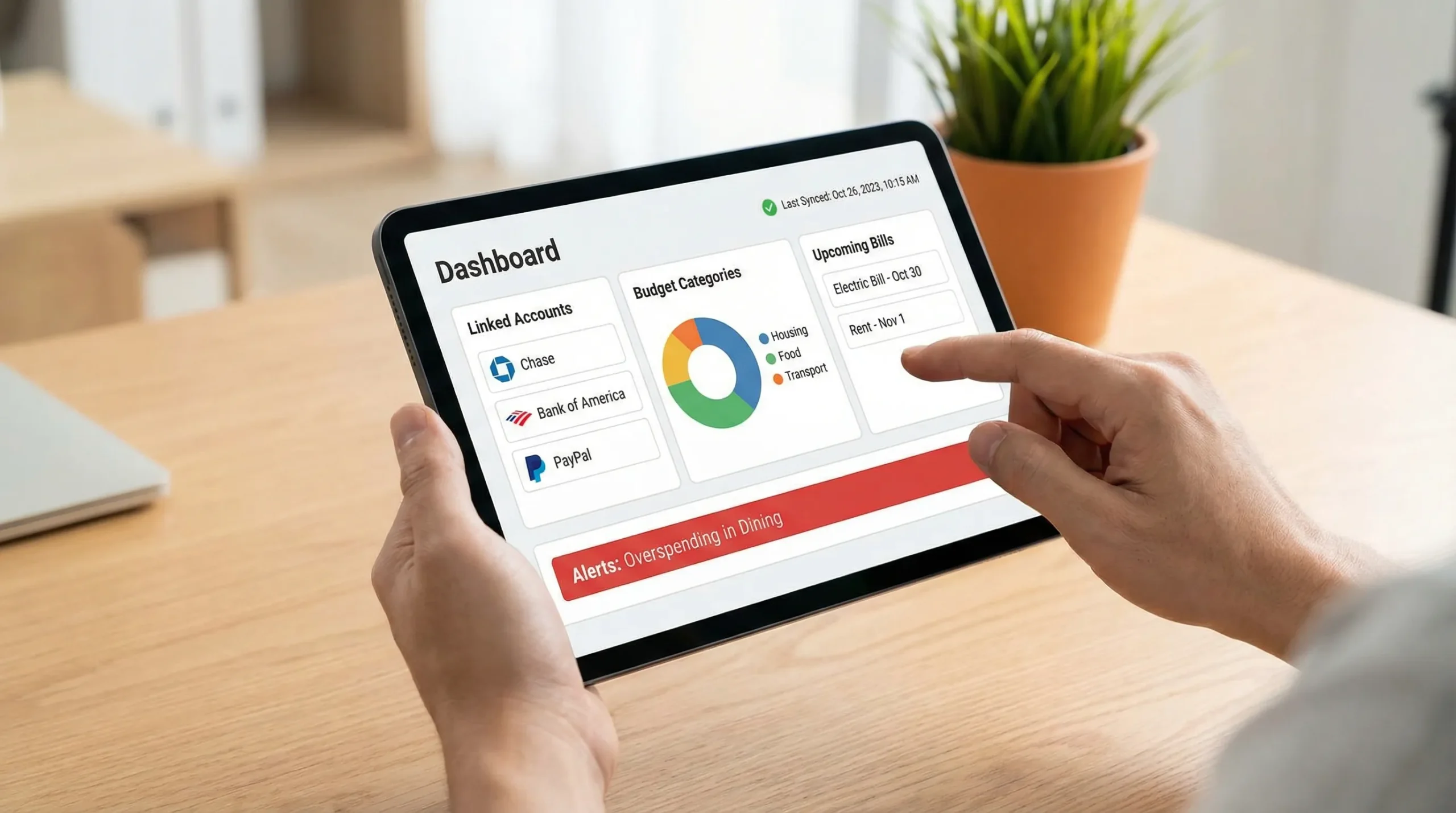
- Alerts for unusual spending, large transactions, or bills coming due.
Security evaluation table
Use this as a quick scoring sheet while you browse a vendor’s website and settings pages.
| Security item | What good looks like | Why it matters |
|---|---|---|
| MFA for app login | Authenticator app and/or security keys, device management | Reduces account takeover risk |
| Secure connections | OAuth-style connections where supported, no repeated credential prompts | Lowers credential exposure and lockouts |
| Encryption | Explicit TLS + encryption at rest | Protects against interception and data theft |
| Transparent privacy | Clear data use and sharing limits, deletion option | Prevents unexpected commercialization of your data |
| Operational trust signals | Security contact, disclosure process, external audits if available | Indicates security is managed, not improvised |
| Accuracy safeguards | Reconciliation, alerts, change history | Prevents decisions based on wrong numbers |
Sync checklist: the difference between “connected” and “correct”
A budgeting tool can be “connected” and still be unreliable. The best online budgeting software is the one that stays accurate during normal life events: paydays, refunds, disputed charges, card replacements, travel, and bank security updates.
1) Connection coverage (your real institutions, not a generic number)
Many tools advertise “connects to thousands of banks,” but your decision depends on whether it supports:
- Your primary checking and credit cards
- Your savings and HYSA
- Your loans (student loans, auto)
- Your investment accounts (if you track net worth)
During a trial, connect the accounts you actually use weekly. A perfect connection to an account you never use is irrelevant.
2) Refresh frequency and reliability
Ask two questions:
- How often does the app refresh transactions?
- What happens when a refresh fails?
What to look for:
- Clear “last updated” timestamps.
- Manual refresh option.
- Useful error messages (not just “something went wrong”).
3) Pending vs posted transactions (and how the app handles changes)
Some apps pull pending transactions, then the posted transaction arrives with a different amount or different merchant descriptor. This is common for restaurants, hotels, gas stations, and tips.
What to look for:
- A way to show pending transactions distinctly.
- Logic that avoids duplicates when pending becomes posted.
4) Duplicates, reversals, and refunds
Duplicates are not just annoying, they can cause you to cut spending unnecessarily or miss a bill.
What to look for:
- Duplicate detection.
- Clear handling of reversals and chargebacks.
- Refund matching that does not miscategorize refunds as income.
5) Categorization you can control
Auto-categorization is only helpful if it is predictable.
What to look for:
- Editable categories.
- Category rules (for example, “Always categorize MERCHANT X as Groceries”).
- Split transactions (one purchase allocated across multiple categories).
6) Reconciliation and “close the month” workflows
If you want trustworthy monthly reports, you need a way to confirm that what the app shows matches what your bank statements show.
What to look for:
- Account reconciliation tools.
- Monthly reporting that does not change unexpectedly due to late-arriving transactions.
7) Portability: export and reporting
Even if you love a tool today, you should be able to leave without losing your history.
What to look for:
- CSV export.
- Downloadable reports (spending by category, cash flow, net worth, debt payoff).
- Attachments/receipt storage export options if you use them.
Sync testing table (what to do in a 20 minute trial)
| Sync test | How to test quickly | Pass criteria |
|---|---|---|
| First import completeness | Compare last 30 days vs your bank app | No major gaps in transactions |
| Pending-to-posted behavior | Watch a pending transaction finalize | No duplicate after posting |
| Categorization control | Change a category and set a rule | Rule sticks on new transactions |
| Duplicates | Search for same amount/date/merchant repeats | App detects or makes cleanup easy |
| Refresh reliability | Force refresh twice in a row | Clear status and minimal errors |
| Statement match | Compare ending balance to bank | Balance aligns or reconciliation is available |
| Export | Download CSV or report | Export is easy and usable |
Vendor questions that reveal the truth fast
You do not need to interrogate support for hours. A few targeted questions expose whether “security and sync” are truly engineered.
Ask these security questions
- Do you support MFA for the app login, and what methods?
- Can I see a security overview that explains encryption and data access?
- How can I delete my data if I stop using the product?
- Do you have a security contact or disclosure process?
Ask these sync questions
- How do you handle pending vs posted transactions?
- What is your approach to duplicates and reversals?
- What should I do if a bank connection breaks, and how long does it usually take to restore?
Common red flags (even in popular apps)
Some warning signs are subtle, but consistent.
- The product markets “bank-level security” but provides no specifics.
- Login has no MFA option for the app itself.
- Connections frequently require re-entering bank credentials.
- Transactions appear days late with no “last updated” transparency.
- Reports change retroactively because historical transactions keep re-importing.
- Exports are limited, paywalled without clarity, or not available.
Matching the best online budgeting software to your situation
A “best” tool depends on your goals and complexity.
If you are budgeting as an individual or household
Prioritize:
- Stable bank sync and credit card handling
- Strong alerts and reminders
- Easy categorization and rules
- Exports for taxes or year-end review
If you are a freelancer or run a small business
You may need budgeting plus operational tooling, like invoicing, multi-entity management, and permissions. In that case, consider complementing your personal budgeting app with an invoicing and company admin platform such as Kontozz, especially if you want business reporting separated from household budgeting.
If you care most about net worth tracking
Prioritize:
- Investment account syncing consistency
- Clear handling of holdings vs transactions
- Long-term reporting that stays stable month to month
Where MoneyPatrol fits in this checklist
MoneyPatrol positions itself as a free personal finance and budgeting app with an all-in-one dashboard for tracking expenses, income, bills and debt, investments, and credit score, with alerts, insights, and connectivity to many financial institutions.
If you are evaluating MoneyPatrol specifically, use the same framework above:
- Verify you can connect your primary accounts and that transactions import cleanly.
- Turn on alerts that matter (bills due, large transactions, budget thresholds) and confirm they trigger as expected.
- Check whether reports match the way you actually review money (monthly spend, cash flow, debt progress).
You can also compare it against other options while focusing on the two pillars that drive long-term satisfaction, security and sync reliability. If you want product positioning and a broader overview of MoneyPatrol’s budgeting approach, see its guide on the best free budgeting app.
A simple decision rule
When two budgeting tools look similar, pick the one that:
- Lets you secure the account properly (MFA, clear privacy controls, transparent security posture)
- Produces the most accurate month-end picture with the least manual cleanup (pending handling, duplicates control, reconciliation)
That is the practical definition of the best online budgeting software: you trust it enough to use it daily, and it stays correct enough to base decisions on it.


 Our users have reported an average of $5K+ positive impact on their personal finances
