
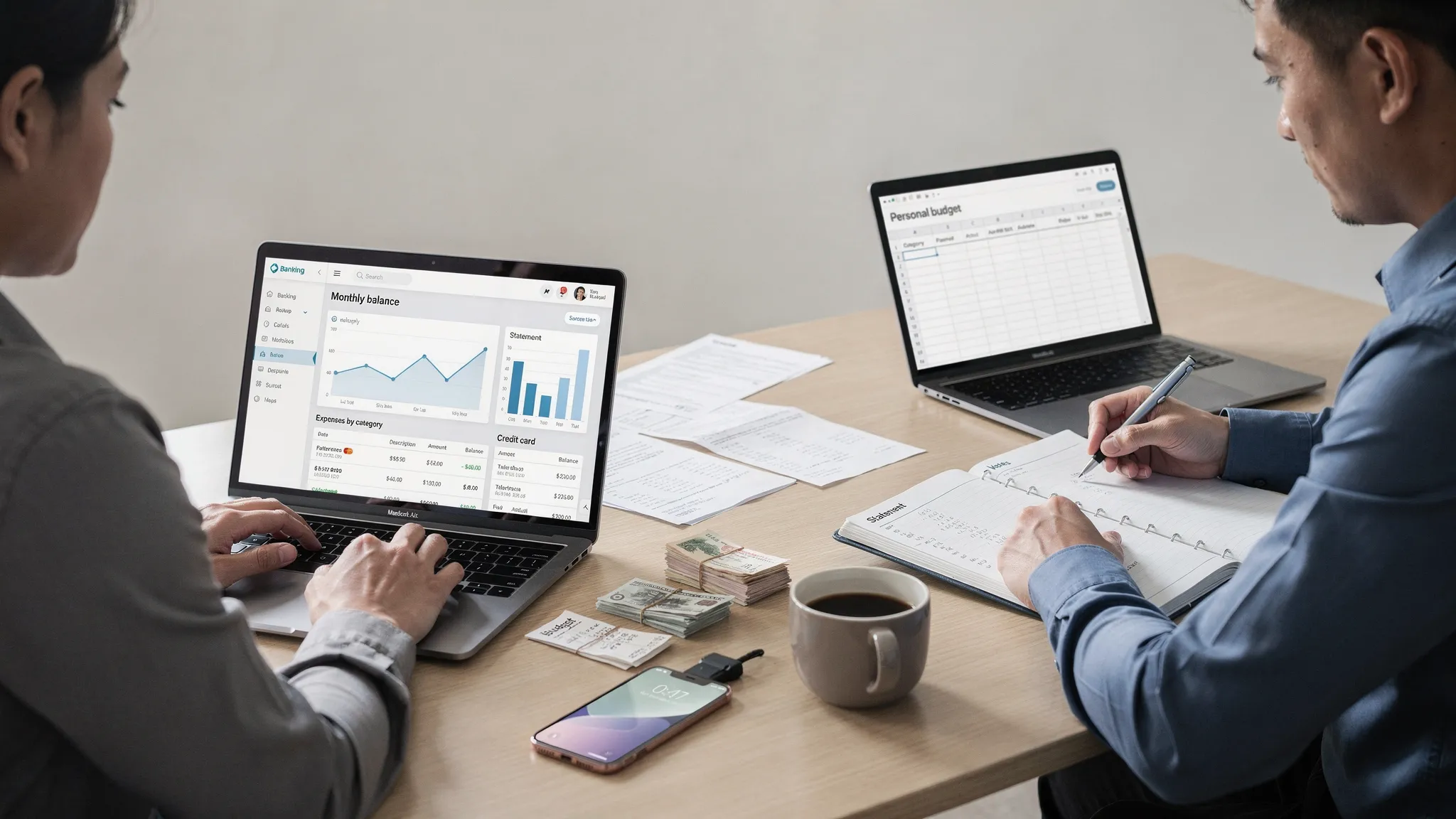
If you are searching for the best finance tracking app, one decision matters more than brand names or fancy charts: do you want bank sync, manual tracking, or a mix of both? That choice determines how accurate your data is, how much time you spend updating it, and how quickly you spot problems like creeping subscriptions, cash flow gaps, or unexpected fees.
This guide breaks down bank sync vs manual tracking in practical terms, including where each approach shines, where it fails, and how to pick the best setup for your life.
What “finance tracking” actually means (so you don’t optimize the wrong thing)
Most people say they want to “track finances,” but they often mean one of three different goals:
- Spend awareness: Where is my money going each week?
- Cash flow control: Will my balance cover bills before payday?
- Net worth and progress: Am I reducing debt and growing savings or investments over time?
Bank sync tends to win for speed and broad visibility across accounts. Manual tracking tends to win for intentionality and category accuracy, especially for cash and shared expenses. The best finance tracking app is the one that supports the goal you actually have.
Bank sync (automatic account linking): what it is and what it does well
Bank sync (also called account aggregation) connects your checking, savings, credit cards, loans, and sometimes investments so transactions flow in automatically.
Strengths of bank sync
You get a full picture fast. If your goal is visibility across multiple accounts, syncing is hard to beat. Within minutes, you can typically see:
- Current balances
- Recent transactions
- Spending patterns across merchants
- Bills and recurring charges (depending on the app)
It reduces “tracking fatigue.” A common reason people quit budgeting is the manual effort. Automation lowers the friction, which usually increases consistency.
It helps you catch issues sooner. When transactions arrive daily, you notice problems earlier: duplicate charges, surprise subscription renewals, unusually high spending, or bank fees.
Weak points of bank sync (the things that surprise people)
Categories are not always correct. Merchants can be messy, especially with payment processors (Square, Stripe), big marketplaces, or travel. An app can guess a category, but you may still need to review.
Pending transactions can distort reality. Credit card pending charges can show up and disappear or post differently.
Cash spending is invisible. If you withdraw $200 and spend it over a week, bank sync sees the withdrawal, not the reality.
Split transactions and shared expenses require review. If you buy groceries and household items together, or you share costs with a partner or roommates, automation needs your help.
Occasional connection issues happen. Even excellent aggregations can face MFA changes, bank maintenance, or temporary credential errors.
Manual tracking: what it is and why it still matters in 2026
Manual tracking means you log transactions yourself, either as they happen or in daily or weekly batches. That could be a spreadsheet, a notes app, or a finance app with manual entry.
Strengths of manual tracking
It is precise when your life is complex. Manual input shines when you routinely need:
- Split categories on a single receipt
- Custom categories (for example, “kid activities,” “medical therapy,” “client meals”)
- Shared expense tracking
- Cash-heavy tracking
It changes behavior faster. The act of recording a purchase creates a pause. That pause is often what builds better habits.
It is resilient. No broken connections, no missing banks, no waiting for a transaction to post.
Weak points of manual tracking
It demands discipline. If you miss two days, the backlog grows, and people tend to abandon it.
It is easy to make “silent errors.” A skipped entry or a mis-typed amount can throw off your monthly picture.
It can be incomplete. Many people manually track the “daily” spending but forget irregular bills, annual renewals, interest charges, or reimbursements.
Bank sync vs manual tracking: a clear comparison
| Factor | Bank sync (automatic) | Manual tracking |
|---|---|---|
| Setup time | Low to moderate | Low (but ongoing effort) |
| Ongoing time | Low | Medium to high |
| Accuracy of raw amounts | High (pulled from institutions) | Medium (depends on you) |
| Accuracy of categories | Medium (needs review) | High (you decide) |
| Handles cash well | Weak | Strong |
| Handles split transactions well | Medium (if app supports splits and you edit) | Strong |
| Behavior change impact | Medium | High |
| Best for | Busy households, multi-account visibility, faster insights | Cash-heavy, high-detail budgets, shared spending, strict habit building |
The hybrid approach (often the real “best” answer)
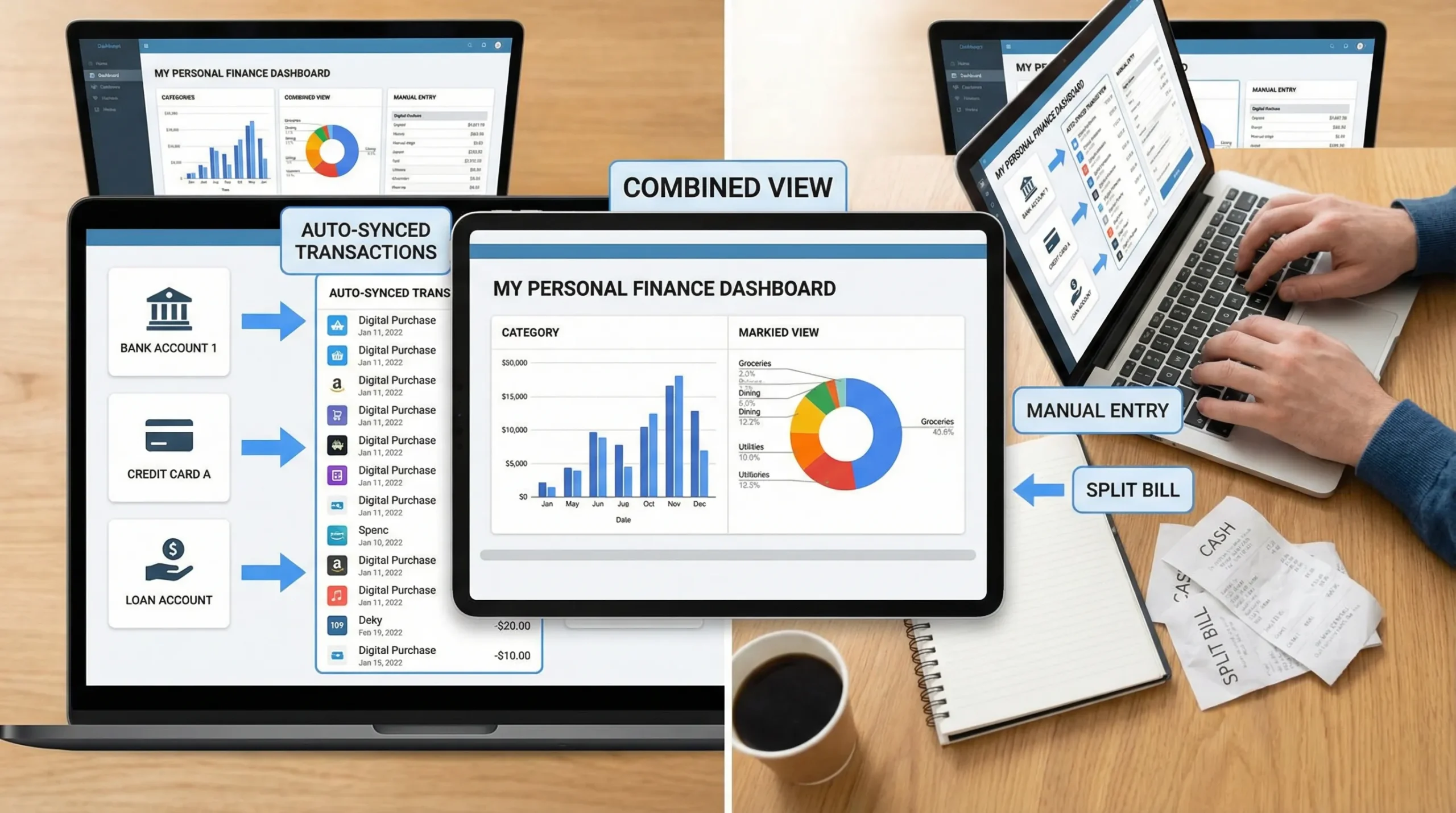
For most people, the best finance tracking app is one that supports a hybrid workflow:
- Sync accounts for completeness (so balances and transactions are captured).
- Manually correct what automation cannot know (cash spending, splits, custom categories).
This gives you the best of both worlds: high coverage with enough control to make the numbers meaningful.
How to decide which method fits you (use cases that actually matter)
Choose bank sync if you relate to these scenarios
You will likely benefit most from syncing if:
- You have multiple credit cards and bank accounts and want one consolidated view.
- You want to reduce time spent tracking while still getting reliable trends.
- You are focused on net worth, debt payoff, and overall spending patterns, not perfect receipt-level categorization.
- You tend to quit tools that require daily data entry.
Choose manual tracking if these are your pain points
Manual tracking tends to win if:
- You spend a lot in cash, tips, allowances, or informal payments.
- Your budget requires tight category control (for example, a strict grocery cap).
- You routinely need split transactions (one store, many categories).
- You are managing shared spending and need clarity for reimbursements.
Choose hybrid if you want accuracy without burning out
Hybrid is typically best if:
- You want automation, but you also care about category integrity.
- You need cash to “count,” but you do not want a spreadsheet lifestyle.
- You want monthly reports you can trust, without spending hours building them.
What to look for in the best finance tracking app (beyond the sync toggle)
Bank sync vs manual tracking is foundational, but the best finance tracking app also needs to help you use the data, not just collect it.
1) Reconciliation and data trust
If transactions duplicate, go missing, or categories drift, you stop trusting the dashboard. Look for an app that supports reconciliation or review workflows (even lightweight ones) so your reports match reality.
2) Alerts that prevent problems, not just notify you
Good alerts are practical. Examples that matter:
- Large or unusual transaction alerts
- Bill reminders
- Low balance warnings
- Budget threshold alerts
The goal is to reduce expensive mistakes (overdrafts, late fees, surprise renewals), not to flood you with noise.
3) Reporting that matches your decisions
Pretty charts are not the same as decision support. Useful reports typically answer:
- What changed from last month?
- Which categories are consistently over plan?
- What is my true “fixed cost” baseline?
- How much is available for goals after essentials?
4) Coverage across account types
Many people track checking and credit cards but forget loans, investments, or credit score monitoring. If your goal includes net worth and long-term planning, coverage matters.
5) Privacy and security basics (what you can verify)
Any time you connect accounts, you should be thoughtful. Practical checks include:
- Use of encrypted connections and secure authentication flows
- Clear explanations of how data is used and stored
- The ability to disconnect institutions
For general consumer guidance on avoiding fraud and monitoring accounts, the FTC’s identity theft resources are a solid starting point: IdentityTheft.gov.
How to make bank sync work better (so the data becomes “budget-ready”)
If you choose syncing, your success usually depends on setting a few rules up front.
Create a simple category system you will stick to
Many people overbuild categories and then stop maintaining them. A simpler structure often works better, for example:
- Essentials (housing, utilities, groceries, transportation)
- Financial (debt payments, savings, investing)
- Lifestyle (dining, shopping, entertainment)
- Health (medical, pharmacy, fitness)
Then you can add a small number of custom categories that reflect your real pressure points.
Review a small cadence, not a huge one
Instead of a monthly clean-up marathon, do a short review 2 to 3 times a week. This keeps merchant recoding manageable and improves report accuracy.
Watch for the “false savings” trap
Syncing makes it easy to see spending, but not always easy to see whether that spending is sustainable. Pair spending trends with:
- Bill due dates
- Income timing
- Debt payoff schedules
That is where many budgets fail: not spending, but timing.
How to make manual tracking sustainable (and not a second job)
Manual tracking works when it is lightweight and routine.
Track the minimum that changes your decisions
If your goal is to stop overspending, you may only need to track:
- Daily discretionary spending
- Grocery spending
- One “problem category” (for example, online shopping)
Let bank statements handle the rest if you are doing hybrid, or keep monthly fixed bills as a recurring template.
Batch entry beats “perfect” real-time entry
If real-time logging fails for you, do a 10-minute batch each evening. Consistency matters more than precision.
Use receipts strategically
Receipts help with split categories, reimbursements, and returns. You do not need every receipt forever, you need them for the items that change your budget decisions.
Where MoneyPatrol fits (if you want an all-in-one finance dashboard)
MoneyPatrol is built around the idea that finance tracking should be comprehensive, not fragmented. If you want a tool that supports a bank-sync workflow while still giving you the ability to stay in control, MoneyPatrol includes:
- Expense tracking and budgeting tools
- Bill and debt tracking
- Income management
- Investment tracking and credit score monitoring
- A personal finance dashboard with alerts, insights, and connectivity to thousands of financial institutions
- Account reconciliation and detailed financial reports
If you want to compare it to other approaches, you can also read MoneyPatrol’s overview of what makes a strong free budgeting tool: best free budgeting app.
Bottom line: the best finance tracking app is the one you will maintain
- If you need speed, coverage, and lower effort, bank sync usually wins.
- If you need cash accuracy, split-level precision, and habit change, manual tracking can be better.
- If you want reliable numbers without burnout, hybrid is often the strongest long-term setup.
The best finance tracking app is the one that makes your next decision easier: spend less without guessing, avoid late fees, stay ahead of bills, and make steady progress toward savings, debt payoff, and net worth growth.
When you are ready to put the approach into practice, you can explore MoneyPatrol here: MoneyPatrol.


 Our users have reported an average of $5K+ positive impact on their personal finances
