

If you are searching for the best family accounting software, you probably do not want “business accounting” with invoices and inventory. You want a clean, shared system that helps a busy household answer practical questions fast:
- Where is our money going each week?
- Which bills are due, and did they get paid?
- Are we saving enough for the next big expense?
- Can both partners see the same numbers without arguing over whose spreadsheet is “right”?
The right tool feels less like accounting homework and more like a household operating system: it pulls accounts together, categorizes spending, flags issues early, and makes the monthly money check-in quick.
What “family accounting software” really means (and why it is different from business accounting)
Most families need three things at the same time:
- Day-to-day tracking (transactions, categories, cash flow)
- Planning (budgets, sinking funds, goals, bill schedules)
- Oversight (net worth, debt progress, investment accounts, alerts)
Business accounting platforms are built for compliance and bookkeeping workflows (for example, invoicing clients, paying vendors, reconciling a business ledger). That is useful if you run a business, but it is often overkill for a household.
Family-focused “accounting” is really personal finance management plus collaboration: multiple accounts, multiple decision makers, and lots of recurring bills.
The real problems busy homes need software to solve
A family money system breaks down for predictable reasons, not because people are careless.
Too many moving parts
Most households juggle multiple checking and savings accounts, several credit cards, at least one loan, and a growing list of subscriptions. The problem is not the math, it is the fragmentation.
Timing problems, not income problems
Many “we overspent” moments happen because bills hit at different times, income arrives on a different schedule, and a few annual expenses sneak up (insurance, car registration, school fees, travel).
Shared visibility without shared stress
Couples and co-parents often need a shared view, but not everyone wants to manage the details. Good family accounting software supports different levels of involvement (and reduces the mental load on the default “family CFO”).
Category arguments and inconsistent tracking
If one person categorizes everything as “Shopping” and the other wants “Kids, Groceries, Home, Health,” your reports become noise. The best tools make categorization easier and consistent.
Must-have features in the best family accounting software
Not every household needs every feature, but the best family accounting software typically wins on visibility, automation, and accountability.
Here is a practical checklist you can use to evaluate any app or platform.
| Feature | Why it matters for families | What to look for when comparing tools |
|---|---|---|
| Secure account connectivity | One dashboard is only useful if it stays up to date | Connections to major banks and card issuers, stable syncing, clear error handling |
| Multi-account view | Families rarely use one account for everything | Aggregation across checking, savings, credit cards, loans, investments |
| Expense tracking and categorization | Categories are the backbone of budgets and reports | Editable categories, rules/automation, ability to split transactions when needed |
| Budgeting tools | Budgeting makes tradeoffs visible before money is spent | Monthly budgets, category limits, rollover or “carryover” support if needed |
| Bill and debt tracking | Avoid late fees and surprises | Due date reminders, recurring bills, debt visibility (balances, payoff progress) |
| Income management | Families often have multiple income sources | Paycheck tracking, irregular income handling, basic cash flow visibility |
| Alerts and reminders | Automation prevents small issues becoming big ones | Custom alerts for large transactions, low balances, bills due |
| Reports | A clear summary reduces money meetings from 60 minutes to 15 | Spending trends, category breakdowns, cash flow, net worth snapshots |
| Account reconciliation | Trust matters, especially with shared finances | Ability to verify transactions and balances, flag duplicates or missing items |
| Data portability | Your data should not be trapped | CSV export or downloadable reports for taxes, sharing, or switching tools |
| Security and privacy | Family accounts are high-value targets | Multi-factor authentication, encryption, transparent privacy practices |
Security note (worth taking seriously)
When you connect financial accounts to any app, prioritize providers that clearly document their security approach and user controls. For general consumer guidance on protecting financial accounts, see the FTC’s identity theft resources and enable multi-factor authentication wherever possible.
How to choose the best family accounting software for your household
Instead of asking “Which app is best?”, start with “Which workflow do we need?” The best tool is the one your family will actually use.
1) Decide what “success” looks like in your home
Pick 2 to 4 outcomes you want over the next 90 days. Examples:
- Never miss a bill
- Cut discretionary spending by a set amount
- Build an emergency fund
- Reduce credit card balances
- Track net worth monthly
When you know your outcomes, you can ignore features that do not move the needle.
2) Match the tool to your family’s collaboration style
Different households need different levels of sharing.
- If both partners manage money together, prioritize shared dashboards and simple reporting.
- If one person does the day-to-day and the other prefers high-level visibility, prioritize fast summaries, alerts, and easy monthly reports.
- If you have older teens, you may want “view only” sharing or limited visibility rather than full access.
(Exact sharing and permissions options vary by provider, so confirm this during your trial.)
3) Check that it supports your real account mix
Before you commit, list your financial “surface area”:
- Banks and credit unions
- Credit cards
- Loans (auto, student, mortgage)
- Investments
Then confirm the software can connect to those institutions reliably. A beautiful interface is not helpful if it cannot keep your core accounts current.
4) Make sure it handles the “annoying” family transactions
Families have patterns that stress-test tools:
- Split transactions (one Target run includes groceries, household items, and kids needs)
- Reimbursements (school trips, shared medical bills)
- Big irregular expenses (holidays, camps, home repairs)
If the app makes these painful, you will stop using it.
5) Prefer clarity over complexity
Busy homes do best with:
- Automation where it is trustworthy (sync, categorization rules, alerts)
- Manual control where it matters (budgets, bill lists, category naming)
- Reports that answer questions quickly
If you find yourself “managing the tool” more than managing money, it is the wrong fit.
Common types of family accounting software (pros and cons)
Most options fall into a few buckets. Knowing the tradeoffs helps you choose faster.
Spreadsheets (DIY)
Spreadsheets are flexible and cheap, but they are manual and fragile. They work best for families who enjoy hands-on tracking and have consistent habits.
Business accounting tools
These can be powerful, but they are not designed around household budgeting, shared spending decisions, and personal goals. Unless you truly need business workflows, many families find them too heavy.
Budgeting-first apps
These emphasize assigning dollars to categories and controlling spending. They can be excellent if your goal is behavior change and you will actively maintain the budget.
All-in-one personal finance dashboards
These focus on aggregation, tracking, insights, and reporting across accounts, often with budgeting and bill tracking included. They can be a strong fit for busy families who want visibility and fewer manual steps.
A simple setup that actually sticks (60 minutes to a working family system)
The best family accounting software still needs a setup that matches real life. This approach is intentionally simple.
Step 1: Connect the core accounts first
Start with the accounts that drive most decisions:
- Primary checking
- Primary savings
- Main credit cards
Add loans and investments after you have stable day-to-day tracking.
Step 2: Create a “family category map” you both agree on
Keep categories broad enough to stay consistent. Many families do well with 10 to 15 categories. The goal is clarity, not perfection.
Step 3: Turn on the alerts that prevent surprises
A small set of alerts often delivers most of the value:
- Large transaction alerts
- Low balance alerts
- Bill due reminders
Step 4: Add bills and debt payments as recurring items
When bills are visible in one place, you reduce late fees and avoid the “double pay” mistake.
Step 5: Do a 10-minute weekly check-in
Pick a day and time. Review:
- Last week’s spending
- Bills due before the next paycheck
- Any unusual transactions
Step 6: Do a monthly close
Once per month, review reports and reconcile any mismatches. This is where you build trust in the numbers.

What to look for if you want a free option (without feeling “limited”)
Many “free” tools are either heavily restricted or push you into paid tiers for basics like reports, alerts, or account connections. If cost is a priority, focus on whether the free version still supports the essentials:
- Expense tracking that stays accurate
- Budgeting that is not locked behind paywalls
- Bill reminders and visibility
- Reports that help you make decisions
A free tool that gives you a complete picture can be better than a paid tool you never fully set up.
Where MoneyPatrol fits for family accounting
MoneyPatrol is a free personal finance and budgeting app built to help you organize household finances in one place. If your definition of “family accounting” is getting a shared, accurate view of spending, bills, accounts, and progress toward goals, it aligns well with the core needs most busy homes have.
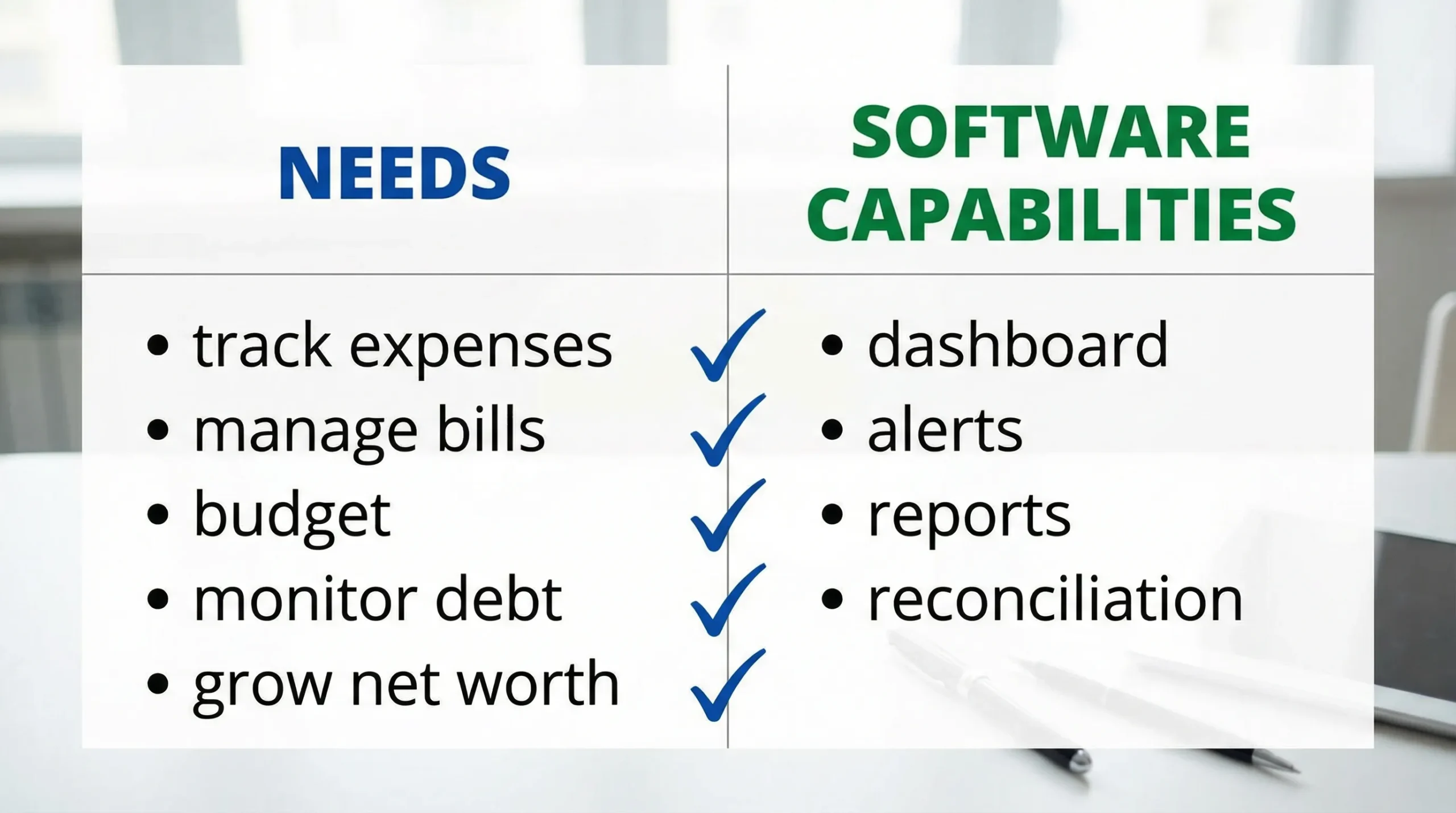
Based on MoneyPatrol’s published feature set, it supports:
- Expense tracking
- Budgeting tools
- Bill and debt tracking
- Income management
- Investment tracking
- Credit score monitoring
- A personal finance dashboard
- Customizable alerts and reminders
- Account reconciliation
- Detailed financial reports
If you want to explore whether it matches your household workflow, you can start from the main site and review how the dashboard and tracking work: MoneyPatrol.
Frequently Asked Questions
What is the best family accounting software? The best family accounting software is the one that fits your household workflow: it reliably connects your accounts, tracks spending by category, supports budgets and bill reminders, and produces clear reports that both partners trust.
Do families need accounting software or just a budgeting app? Many families benefit from a tool that combines budgeting with broader tracking, including bills, debt, investments, alerts, and net worth. If your only goal is strict spending control, a budgeting-first app may be enough.
What features matter most for busy households? Account syncing, accurate categorization, bill tracking with reminders, simple reports, and alerts that prevent surprises are usually the highest-impact features for busy homes.
Is it safe to connect bank accounts to a personal finance app? It can be, but you should verify the provider’s security practices, use strong unique passwords, enable multi-factor authentication, and monitor account activity. For general guidance, review the FTC’s identity theft prevention tips.
How can we stop arguing about categories and spending reports? Use fewer categories, agree on category definitions up front, and pick software that makes edits and splits easy. A short weekly check-in helps catch misunderstandings before they become month-end fights.
How long does it take to set up a family accounting system? A usable setup can often be done in about an hour if you start with only your core accounts, a simple category list, and a small set of alerts. You can refine over the next 2 to 4 weeks.
Try a simpler way to run your household finances
If you want an all-in-one, family-friendly way to track expenses, manage budgets, stay on top of bills, and monitor progress across accounts, try MoneyPatrol’s free platform: Start tracking with MoneyPatrol.


 Our users have reported an average of $5K+ positive impact on their personal finances
