
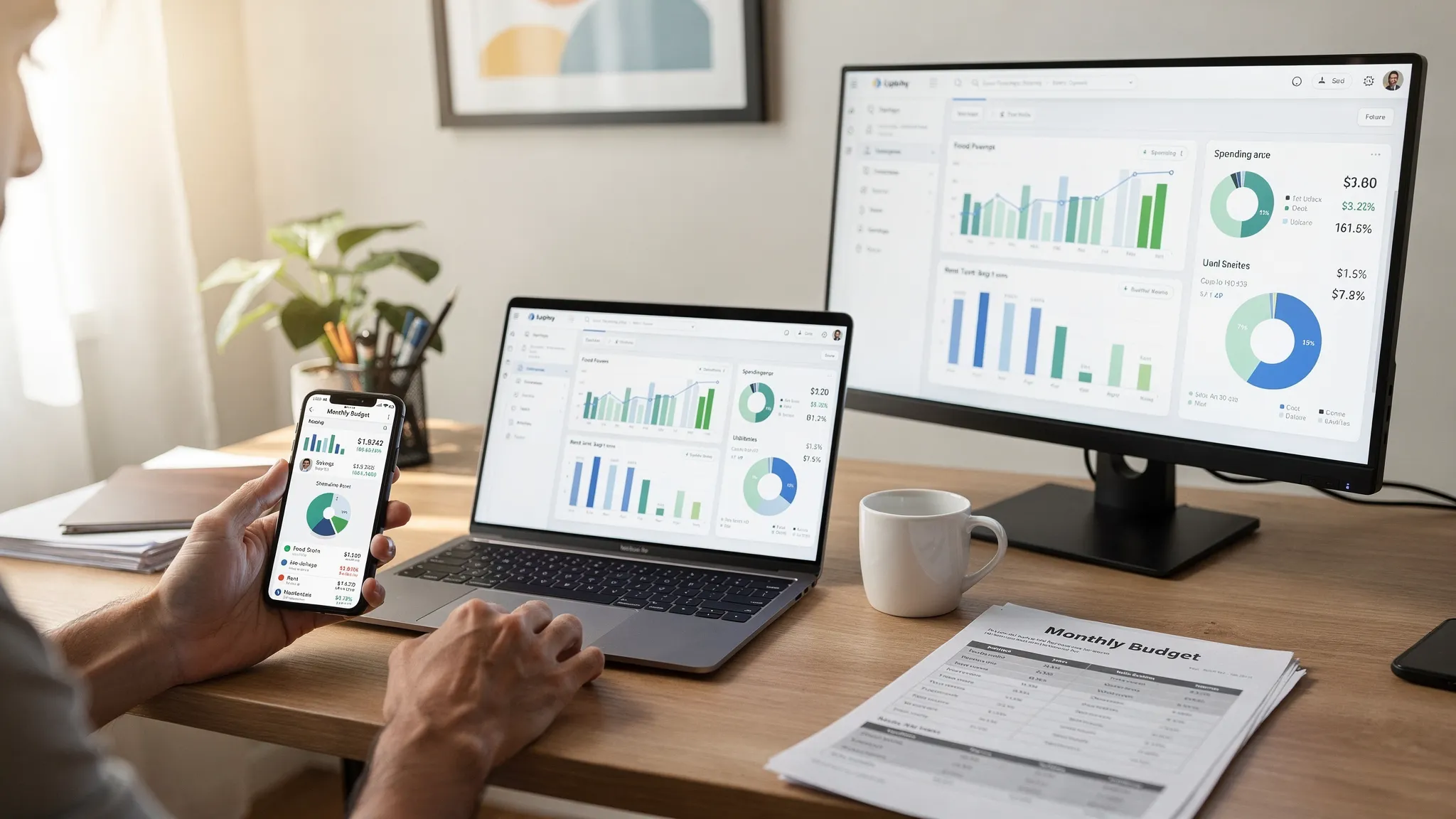
Choosing the best budgeting software is less about a single “top app” and more about picking the right format for how you actually manage money: on your phone, on a computer, or in a browser. In 2026, budgeting tools can do far more than track spending, they can monitor bills, debt, investments, and credit, but the platform you choose affects convenience, privacy, automation, and how likely you are to stick with it.
This guide compares app vs desktop vs web budgeting software, with clear trade-offs, a selection checklist, and practical recommendations for different households and work styles.
What “budgeting software” should handle in 2026
Before comparing platforms, it helps to define what “good” looks like. Most people are not just trying to build a monthly budget, they are trying to run a complete personal finance system.
A strong budgeting tool typically supports:
- Expense tracking with reliable categorization and merchant details
- Budgeting tools (monthly, category-based, or goal-based)
- Bill and debt tracking so upcoming obligations do not surprise you
- Income management for paychecks, irregular income, reimbursements, and side gigs
- Investment tracking for a clearer net worth picture
- Credit score monitoring (optional, but increasingly common)
- Alerts and reminders (low balance, bill due, unusual spend)
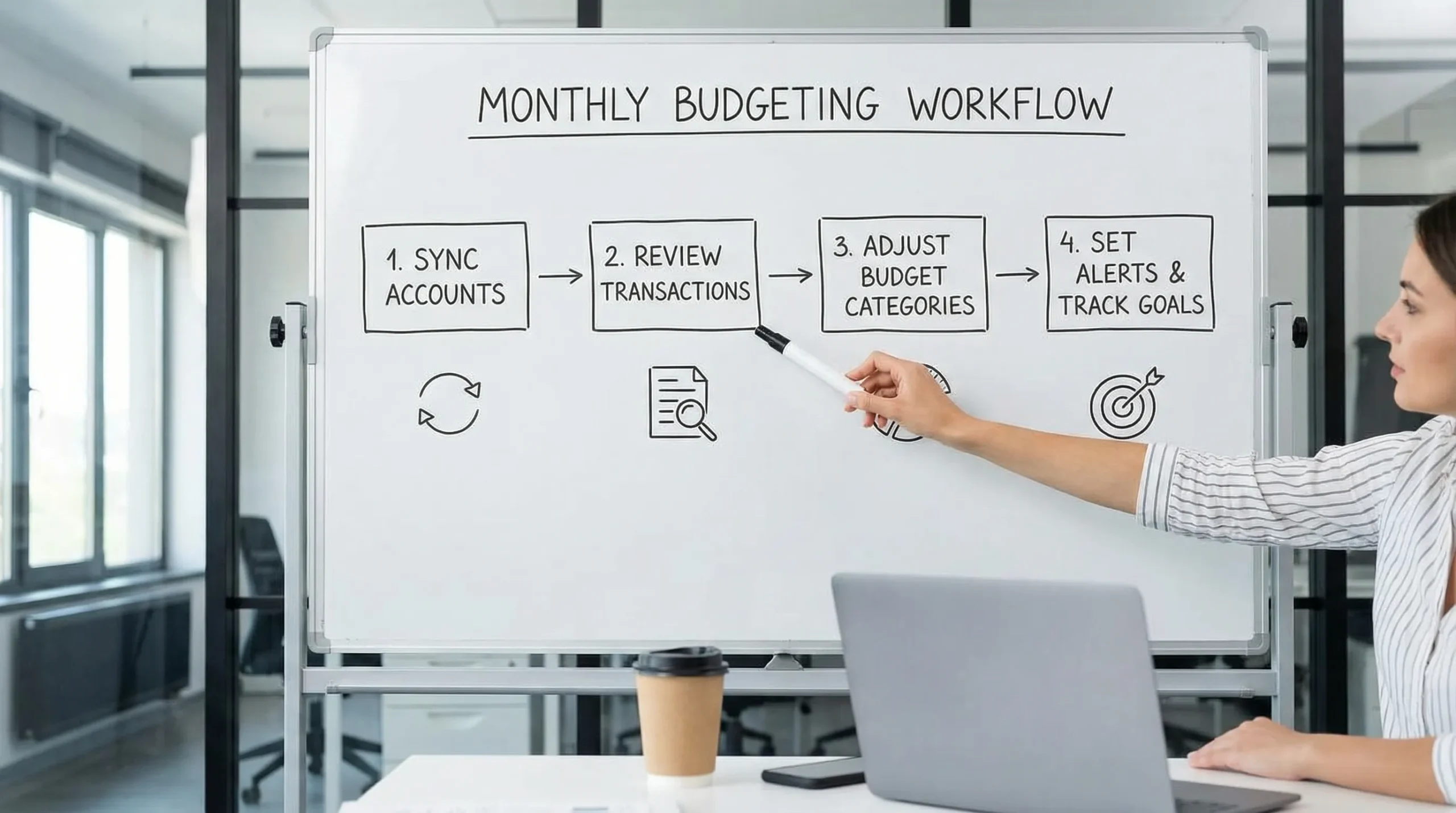
- Account reconciliation and review workflows to keep data accurate
- Detailed reports you can export for taxes, planning, or troubleshooting
The “best” platform depends on which of these you value most, and whether you want automation (like account syncing) or maximum control (like offline files).
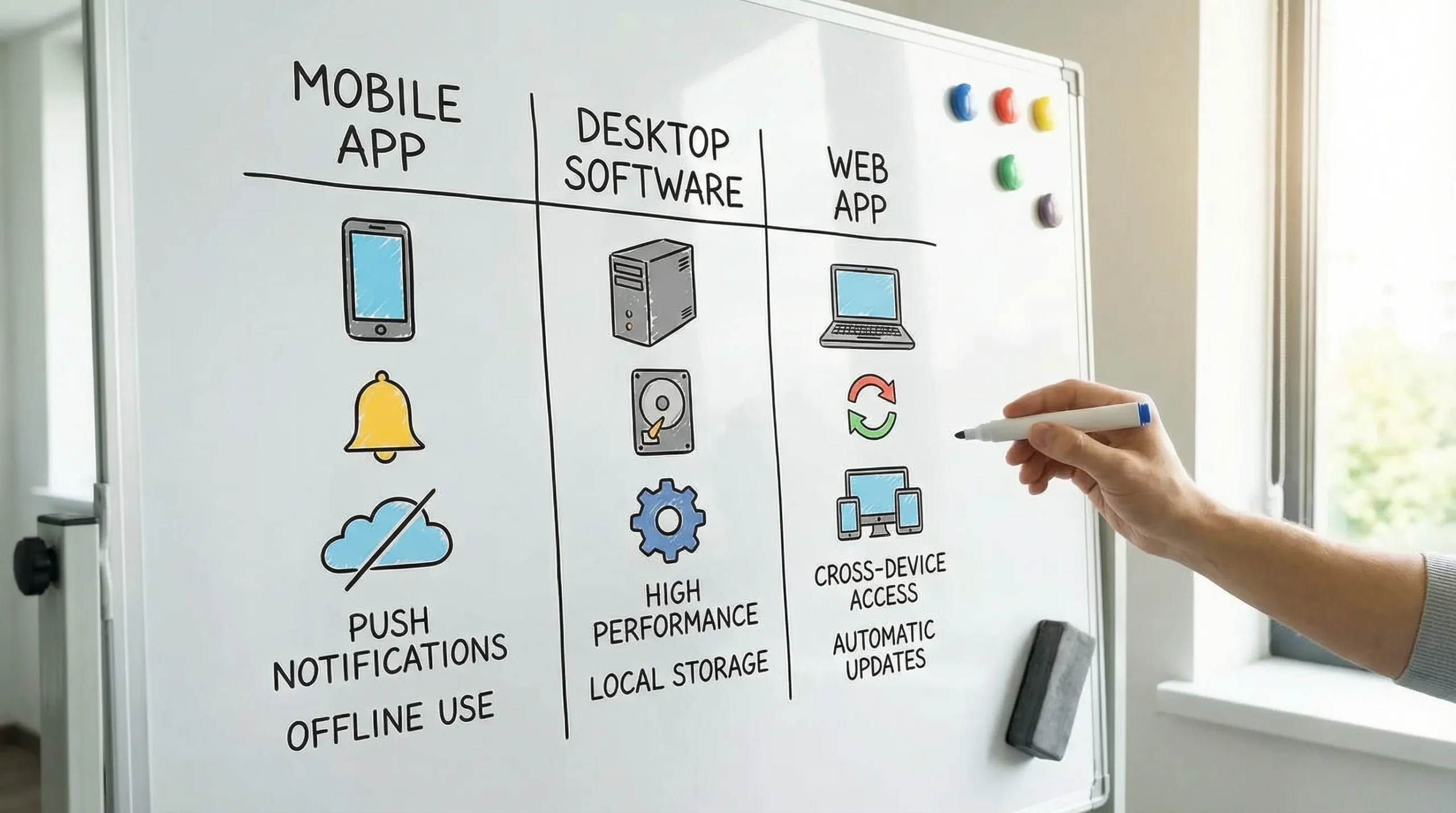
Budgeting apps (mobile): best for daily habits and real-time awareness
If you want budgeting to become a habit, mobile apps have a structural advantage: your phone is already where your day happens.
Where mobile budgeting apps shine
Mobile apps are usually the best choice when your priority is consistency.
- Fast capture of everyday spending (especially for cash, tips, or small purchases)
- Push notifications for bills due, large transactions, or low balances
- Anytime access during errands, travel, or commutes
- Receipt storage and notes (common in many finance apps)
If your goal is to stop “budget drift” mid-month, mobile-first workflows are often the quickest path because you can check categories before spending.
Common limitations of mobile budgeting
Mobile apps can still be the wrong fit if you need deep analysis or prefer big-screen review.
- Small screen = shallow review for complex reports, category rules, and reconciliations
- Harder collaboration for couples or households if one person becomes the “budget operator”
- Variable offline experience (some apps need connectivity for up-to-date data)
In practice, mobile apps are strongest when paired with a web dashboard for monthly reviews.
Desktop budgeting software: best for control, offline access, and power users
Desktop budgeting software is the classic choice for people who want their budget “file” to live locally and remain usable even without an internet connection.
Where desktop tools shine
Desktop software can be a great fit if you value ownership and precision.
- Offline access (useful for travel, privacy preferences, or limited connectivity)
- Local data control (depending on the product’s storage model)
- Comfortable workflows for heavy review (large monitor, keyboard shortcuts)
- Strong manual reconciliation for those who like to verify every line
If you have complex finances, multiple accounts, or you like to audit your money like a bookkeeper, desktop tools can feel more “serious” because they encourage deliberate review.
Common limitations of desktop budgeting
Desktop tools can be less convenient for modern, always-on lifestyles.
- Less on-the-go visibility unless there is a companion mobile app
- More manual work (especially if bank syncing is limited or not offered)
- Update and compatibility burdens across operating systems over time
Desktop can be the right choice when you are committed to a weekly “money date” at your computer, but it is less ideal for people who need reminders and real-time guardrails.
Web-based budgeting software: best for automation, cross-device access, and shared visibility
Web budgeting software (browser-based, often with mobile access as well) has become the default for many households because it balances convenience and capability.
Where web budgeting shines
Web apps are often the most flexible for modern budgeting, especially if you use multiple devices.
- Cross-platform access (open your finances anywhere you can log in)
- Automatic updates without installing new versions
- Central dashboards that consolidate accounts and trends
- Easier collaboration for couples or families who want shared visibility
- Account connectivity to many financial institutions (varies by provider)
If you want your budget to reflect reality with minimal manual entry, web-based tools usually win.
Common limitations of web budgeting
The biggest trade-off is dependence on connectivity and the provider.
- Internet reliance for live data and syncing
- Comfort level with cloud data (even with strong security practices)
- Provider dependency for uptime, integrations, and long-term access
For many people, these are acceptable in exchange for automation and ease.
App vs desktop vs web: the core differences (quick comparison)
Here is a platform-level view that helps you decide without getting lost in brand names.
| Criteria | Mobile app | Desktop software | Web app (browser-based) |
|---|---|---|---|
| Best for | Daily spend awareness, quick checks | Deep review, offline work, detailed control | All-in-one visibility, automation, shared access |
| Setup effort | Low | Medium to high | Low to medium |
| On-the-go use | Excellent | Weak to fair | Good to excellent |
| Bank/account syncing | Often available | Sometimes limited | Often available |
| Offline access | Sometimes limited | Strong | Limited |
| Reporting and analysis | Fair to good | Good to excellent | Good to excellent |
| Collaboration | Fair | Fair | Good |
| Update burden | Low | Medium | Low |
| Best “stick with it” potential | High (habit-friendly) | Medium (routine-dependent) | High (balanced) |
If you only remember one thing: mobile is habit, desktop is control, web is balance.
Which platform is the best fit for you?
Different money situations reward different setups. Use the scenarios below to choose your shortest path to consistency.
If you are starting from scratch
If you are new to budgeting, friction is the enemy. A web app with mobile access is usually the easiest way to build confidence because you can review comfortably on a larger screen, then check progress anywhere.
If you live paycheck to paycheck (or you are trying to stop overdrafts)
Choose a mobile-first experience that emphasizes alerts and frequent check-ins. The goal is not perfect reporting, it is preventing surprises.
If you manage finances as a couple or household
A web-based tool typically works best because it supports shared visibility and reduces “budget gatekeeping” where one person controls the whole system. Even if only one person does reconciliation, both people can see the plan.
If you are a freelancer or have variable income
Look for strong income tracking, sinking funds (set-asides), and reporting you can export. Platform-wise, web and desktop both work, depending on your preference for automation.
Also consider how you will handle taxes. If your work involves niche obligations like excise taxes (for certain fuel, communications, environmental, or retail activities), you may need tools beyond budgeting software to stay compliant. For filing, an IRS-authorized option like Form 720 online filing can simplify the process, while your budgeting system helps you set aside the cash ahead of time.
If you are privacy-first and want maximum offline access
Desktop software is often the cleanest fit, particularly if you are comfortable with manual imports and reconciliation. The main question is whether you will actually keep it updated and reviewed consistently.
If you want “one place” to see spending, bills, debt, investments, and credit
A web dashboard (often paired with mobile) tends to be the most practical because it is designed for consolidation and ongoing monitoring.
A simple checklist for evaluating the best budgeting software
Once you pick a platform direction, compare products using criteria that affect real-life success, not just feature lists.
Data and tracking
- Can you track spending across all accounts you use (checking, credit cards, loans, investment accounts)?
- Are categories customizable, and can you split transactions when needed?
- Is there a clear workflow for reviewing and correcting transactions (reconciliation or review queues)?
Budgeting experience
- Can you budget by month and by category in a way that matches your habits?
- Does it support irregular income and rolling expenses (insurance, car repairs, gifts)?
- Can you set goals and monitor progress without building spreadsheets?
Bills, debt, and alerts
- Does it track bills and due dates, and can it remind you?
- Can you monitor debt balances and payoff trends?
- Are alerts customizable and actually useful (not noisy)?
Reporting and portability
- Are reports understandable, actionable, and exportable?
- Can you download your data if you switch tools later?
Security and trust
- Is there a clear security and privacy posture (encryption, account protections, transparent policies)?
- Are there controls that reduce mistakes, like notifications for unusual transactions?
A budgeting system only works if you trust it and can verify it.
The most effective setup for many people: combine mobile + web
A lot of “app vs desktop vs web” debates assume you must choose only one. In reality, many users get the best results with a hybrid workflow:
- Mobile for daily awareness and quick categorization
- Web for weekly reviews, budgeting adjustments, bill planning, and reports
Desktop-only tends to work best for users who truly enjoy manual review and prefer offline control. Everyone else usually benefits from the convenience of web and mobile together.
Where MoneyPatrol fits in the app vs desktop vs web decision
MoneyPatrol is designed as an all-in-one personal finance and budgeting app with a dashboard approach. If your goal is to track expenses, manage income, monitor accounts, and stay on top of bills and debt in one place, a dashboard-based tool is typically the easiest format to maintain.
MoneyPatrol supports key personal finance needs such as:
- Expense tracking and budgeting tools
- Bill and debt tracking
- Income management
- Investment tracking
- Credit score monitoring
- Customizable alerts and reminders
- Account reconciliation and detailed financial reports
If you are comparing platforms, MoneyPatrol is a strong match for people who want ongoing visibility (not just a monthly spreadsheet ritual) and prefer a consolidated view across accounts.
You can also read MoneyPatrol’s perspective on choosing a free budgeting experience here: best free budgeting app.
Frequently Asked Questions
Is web budgeting software better than a budgeting app? Web tools are often better for review, reports, and shared visibility. Apps are often better for daily habits and real-time awareness. Many people do best with both.
Is desktop budgeting software still worth it in 2026? Yes, especially if you want offline access and maximum manual control. The trade-off is convenience and, in some cases, reduced automation.
How do I choose the best budgeting software for couples? Prioritize shared visibility, clear categories, and a review workflow both partners can understand. Web-based dashboards are often the smoothest for collaboration.
What should I look for if I have irregular income? Focus on income tracking, flexible budgeting, and reports you can export. You want a tool that helps you plan around variable pay and set aside money for taxes and large periodic bills.
Is bank syncing safe? It depends on the provider’s security practices and your own account protections. Use strong unique passwords, enable multi-factor authentication where available, and regularly review transactions and alerts.
Can I switch budgeting tools without losing everything? Often yes if the software supports data export (like CSV) and your new tool supports import or manual mapping. Before committing, check export options and keep periodic backups of key reports.
Try a free, all-in-one budgeting dashboard
If you want budgeting software that goes beyond categories and spreadsheets, MoneyPatrol offers a free way to track expenses, budgets, bills, debt, income, investments, and credit in a single dashboard.
Explore MoneyPatrol and start organizing your finances at moneypatrol.com.

 Our users have reported an average of $5K+ positive impact on their personal finances
