

Most couples do not struggle because they chose the “wrong” budgeting app. They struggle because they set up a good app in a way that guarantees confusion: half-synced accounts, mismatched categories, unclear rules, and alerts that get ignored.
If you are searching for the best budget app for couples, treat setup like you would treat moving in together: agree on what “shared” means, decide who owns which tasks, and make the system easy to maintain.
Below are the most common setup mistakes couples make (and exactly how to avoid them), plus a practical checklist you can use the first time you open any budgeting app.
First, define what success looks like for both of you
Before you touch categories, decide what you are trying to accomplish together. Couples who skip this tend to argue about tactics (coffee, groceries, Amazon) because they never agreed on the outcome.
A quick way to align is to answer these three questions out loud:
- What are our top 1 to 3 shared goals for the next 12 months (pay down debt, build an emergency fund, save for a trip, buy a home)?
- What does “financial peace” look like week to week (no overdrafts, bills always paid early, spending without guilt)?
- How much freedom do we each need for personal spending?
When you set up the app, your goals should become visible targets, not vague intentions.
The 10 setup mistakes that break budgeting for couples
Mistake 1: Treating the app like a replacement for communication
A budgeting app is a shared system, not a mind reader. If one partner “runs the app” and the other partner feels monitored, the budget will fail even if the math is perfect.
Fix: Schedule a weekly 20 minute money check-in (same day and time). Use the app during that meeting to review what happened, not to litigate every purchase.
Mistake 2: Not agreeing on “shared vs personal” money rules
Couples often blend accounts, but they do not blend expectations. That is why the same purchase can feel “reasonable” to one person and “irresponsible” to the other.
Fix: Pick one shared rule set and write it down (in a note, shared doc, or inside your budgeting categories). For example:
- Shared expenses: housing, utilities, groceries, kid expenses, joint subscriptions
- Personal expenses: gifts, hobbies, personal care, lunches at work
- Threshold rule: anything over $X gets a quick heads-up first
You can keep finances separate, combined, or hybrid, but you cannot keep the rules unstated.
Mistake 3: Linking only one bank account (or “the easy ones”)
If you only sync checking but ignore credit cards, buy now pay later, or loans, your budget will look healthy while your actual cash flow bleeds.
Fix: During setup, link every account that drives real spending and obligations.
| Account type to include | Why it matters for couples | Common symptom if missing |
|---|---|---|
| Checking | Day-to-day cash flow and bill payments | Surprise low balance, missed payments |
| Credit cards | Most discretionary spending happens here | “We stayed on budget” but card balance rises |
| Savings | Emergency fund and sinking funds tracking | Goals feel impossible, savings gets raided |
| Loans (student, auto, personal) | Required payments and payoff plans | Debt payoff stalls, interest costs creep |
| Investments (optional) | Net worth and long-term goals | You optimize spending but ignore wealth building |
MoneyPatrol, for example, is designed to connect to thousands of financial institutions and bring accounts into a single personal finance dashboard. Whatever app you choose, completeness is the difference between a budget and a guess.
Mistake 4: Importing transactions but never cleaning up categories
Auto-categorization is helpful, but it is not marriage counseling. If “Target” sometimes lands in Groceries, sometimes Shopping, and sometimes Misc, you cannot trust the reports, and couples stop believing the budget.
Fix: Agree on a simple category map you can both understand. Start small and expand later.
A practical starter set:
- Housing
- Utilities
- Groceries
- Transportation
- Dining out
- Subscriptions
- Debt payments
- Savings goals
- Personal spending (Partner A)
- Personal spending (Partner B)
If your app supports account reconciliation or review workflows, use them early. The goal is to make sure the data matches reality, so your conversations stay factual.
Mistake 5: Copying a “perfect” budget template from the internet
Percentage rules can be useful, but couples have different income timing, debt loads, childcare costs, and priorities. A copied template often creates unnecessary shame.
Fix: Use last month’s real spending as the baseline, then adjust.
If you have detailed financial reports in your app, pull a 30 to 90 day view and use that as your setup foundation. You will get more accuracy, and fewer arguments.
Mistake 6: Building a monthly budget when your income is not monthly
Many couples have biweekly pay, commissions, freelance income, or irregular bonuses. A rigid “first of the month” budget can create artificial scarcity and mid-month panic.
Fix: Pick a budget rhythm that matches your cash flow:
- Biweekly: align categories to paychecks
- Variable income: set a “baseline budget” and treat extra income as goals funding
- Seasonal income: create a buffer category (sometimes called a holdback) during strong months
A good app should let you track income management alongside expenses, not just spending.
Mistake 7: Forgetting sinking funds (the reason budgets “randomly” break)
Car repairs, annual insurance, holiday gifts, school fees, and travel do not happen every month, but they are not surprises.
Fix: Create sinking fund categories and contribute a small amount each month.
Examples:
- Auto maintenance
- Medical and dental
- Home repairs
- Gifts and holidays
- Travel
- Annual subscriptions
This one change often turns budgeting from restrictive to relieving.
Mistake 8: Setting bill reminders too late (or not at all)
Couples rarely miss bills because they “do not care.” They miss bills because responsibility is fuzzy or due dates are scattered.
Fix: During setup, enter recurring bills and set reminders that match how you actually pay.
If your budgeting app includes bill and debt tracking plus customizable alerts and reminders, use them for:
- Due date reminders (early, not same-day)
- Low balance alerts
- Large transaction alerts
The right alerts reduce conflict because they prevent emergencies.
Mistake 9: Turning on every notification and then ignoring all of them
Over-alerting is a fast path to alert blindness. Then the one alert that matters (fraud, overdraft risk, missed bill) gets missed too.
Fix: Start with a minimal alert set, then expand after two weeks.
A strong default set for couples:
- Upcoming bill reminders
- Unusually large transactions
- Spending over budget in 1 to 2 categories you both care about (often dining out and shopping)
Mistake 10: Trying to make the budget “fair” instead of sustainable
Fairness is not always 50/50. If one partner earns more, carries more childcare load, has different debt, or has different medical costs, a rigid split can breed resentment.
Fix: Choose a model you can explain in one sentence.
Common sustainable models:
- Proportional split based on income
- Shared bills paid from a joint pool, personal spending kept separate
- One partner pays specific fixed bills, the other funds goals and variable categories
The best budget app for couples is the one that supports your real life and reduces friction.
A quick setup checklist you can do in under an hour
Use this the first day you set up a couples budget.
Step 1: Decide the operating system
Agree on:
- Your budget period (monthly, per paycheck)
- Your meeting cadence (weekly is easiest)
- Your “shared vs personal” boundary
Step 2: Connect accounts and confirm the full picture
Sync or add the accounts you actually use. Then verify that recent transactions look complete.
If your app supports alerts or insights, wait until your accounts are stable before turning on too many rules.
Step 3: Create categories that match decisions you argue about
Do not over-engineer. Categories are there to guide behavior, not win a spreadsheet contest.
A good test: if a category will never change what you do, you do not need it.
Step 4: Set 1 to 3 goals and fund them first
Even $25 to $100 per paycheck toward an emergency fund changes how couples feel about money. Many apps (including MoneyPatrol) are built to help you track goals as part of a broader dashboard.
Step 5: Turn on only the alerts that prevent pain
Bills, low balances, large transactions. Add more later.

What to look for when choosing a budget app as a couple
Since the headline question is “best budget app for couples,” here is what tends to matter most specifically for couples, not solo budgeting:
| Must-have capability | Why couples benefit | What it prevents |
|---|---|---|
| Reliable expense tracking | Less arguing about “where the money went” | Mistrust and guessing |
| Budgeting tools with clear categories | Shared expectations and tradeoffs | Category chaos |
| Bill and debt tracking | Shared accountability for due dates | Missed payments |
| Alerts and reminders | Catch issues before they become fights | Late fees, overdrafts |
| Reports and trends | Objective reviews during money meetings | Personal blame |
| Reconciliation or transaction review | Data accuracy when both people are involved | “The app is wrong” disputes |
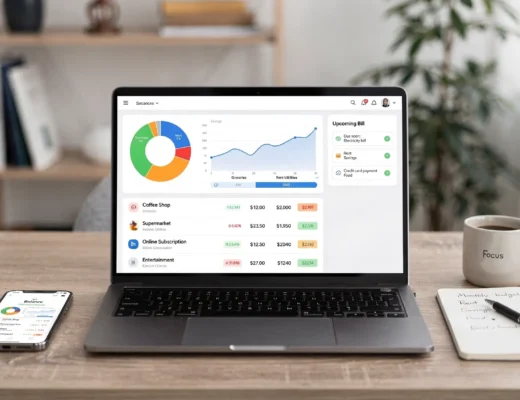
MoneyPatrol positions itself as an all-in-one personal finance and budgeting app (expenses, budgeting, bills and debt, income, investments, credit score monitoring, reports, and alerts). That “single dashboard” approach is often helpful for couples because it reduces tool sprawl and prevents each person from tracking a different version of reality.
A real-life moment where shared systems matter: planning events
Couples often start budgeting seriously when planning something meaningful: a wedding, milestone birthday, family reunion, or a big trip with friends. Those moments reveal a truth: shared experiences go smoother when the system is simple for everyone.
For photos, an example is using instant event photo sharing with QR codes so guests can contribute without friction. For money, the equivalent is choosing a budgeting workflow that makes it easy for both partners to participate consistently, without turning it into a daily burden.
Frequently Asked Questions
What is the best budget app for couples? The best budget app for couples is the one that makes your shared spending visible, supports clear categories, tracks bills and debt, and provides alerts and reports you will actually review together.
Should couples combine finances to use a budgeting app? No. Many couples budget successfully with separate accounts. The key is agreeing on what is shared, how goals are funded, and how bills are handled, then tracking those consistently.
How do we stop fighting about small purchases in the app? Set personal spending categories for each partner and agree on a “no questions asked” limit. Then use your weekly check-in to focus on trends and goals, not individual transactions.
Why does our budget look fine but we still feel broke? Usually because credit cards, irregular expenses, or annual bills were not fully included. Link all spending accounts and add sinking funds for predictable non-monthly costs.
How often should couples review their budget? Weekly is ideal for most couples. Keep it short and consistent, and use app reports to make the conversation objective.
Try MoneyPatrol as your shared money dashboard
If you want a free way to track expenses, manage budgets, stay on top of bills and debt, and monitor your accounts in one place, MoneyPatrol is built for that kind of complete view. You can use it to keep your transactions organized, set alerts and reminders, and review detailed reports during your weekly money check-in.
Explore MoneyPatrol here: MoneyPatrol and, if you want a deeper overview of its budgeting approach, you can also read its guide on choosing a free budgeting app: best free budgeting app.


 Our users have reported an average of $5K+ positive impact on their personal finances
