

Expense tracking is supposed to reduce stress, but for many people it does the opposite. The pattern is predictable: you download an app for expenses, log everything for a week, miss a day, feel “behind,” and eventually stop.
The fix is not more willpower. It is a simpler system. One that accepts imperfection, reduces the number of decisions you make, and uses automation and short reviews to keep you on track.
Why logging purchases feels exhausting (and how to design around it)
Burnout usually comes from three friction points:
- Too many decisions. Every purchase becomes a mini tax return: category, subcategory, notes, split, tags.
- Perfection pressure. If you believe every transaction must be perfectly categorized, one missed day feels like failure.
- No “close the loop” moment. Logging without a quick review can feel pointless, like you are collecting data that never changes anything.
A sustainable expense log does the opposite: fewer decisions, clear defaults, and a short weekly checkpoint where the data becomes action.
Pick a “good enough” logging level (the one you will actually maintain)
Not everyone needs the same level of detail. If your system demands more effort than the value you get from it, burnout is inevitable.
Here is a practical way to choose your baseline.
| Logging level | What you track | Best for | Why it prevents burnout | What you trade off |
|---|---|---|---|---|
| Lightweight | Broad categories only (Needs, Wants, Bills, Savings) | People restarting after falling off | Minimal decisions, easy to catch up | Less insight on specific leaks |
| Standard | 10 to 15 categories (Groceries, Dining, Gas, Utilities, Subscriptions, etc.) | Most households | Enough clarity to budget without obsessing | Some edge cases will be messy |
| Detailed | Many categories, tags, splits, notes | Variable income, reimbursements, business use | High precision for specific goals | High effort, easiest to abandon |
If you are unsure, start with Standard. You can always add detail later, but starting too detailed is the fastest way to quit.
Set up your “low-friction” system in one hour
Burnout is often a setup problem, not a discipline problem. Spend one focused hour to reduce future effort.
Step 1: Create category defaults (so you stop deciding every time)
Aim for categories that are:
- Mutually exclusive enough that most purchases have an obvious home
- Emotionally neutral (avoid categories that make you feel judged)
- Comparable month to month
A simple standard set many people can maintain is: Groceries, Dining, Transportation, Housing, Utilities, Subscriptions, Shopping, Health, Kids/Pets, Travel, Giving, and Misc.
Then add one intentional “pressure valve” category:
Misc is allowed. Your goal is consistency, not proving you can categorize a $3.47 charge forever.
Step 2: Decide what you will not track manually
Manual entry is the most common source of burnout. Reduce it on purpose.
Common examples:
- Recurring bills: track them as recurring and review them monthly
- Small cash purchases: batch them daily as one line item (more on that below)
- Work reimbursements: tag them consistently and review them when you file
Step 3: Pick a review schedule, not a logging schedule
This is a mindset shift: the goal is not “log perfectly every day.” The goal is “review often enough to stay aware.”
A sustainable cadence for most people:
- Light touch daily: 2 to 5 minutes
- Real cleanup weekly: 15 to 20 minutes
- Bigger decisions monthly: 30 to 45 minutes (subscriptions, goal adjustments)
Research on habit formation suggests that habits take time to become automatic, commonly cited work estimates an average of about 66 days, with wide variation by person and behavior (Lally et al., 2009). Designing for low effort is what helps you last long enough to get there.
The 3-minute daily routine (that does not require motivation)
Daily logging works best when it is tiny and anchored to something you already do.
Use an anchor you never skip
Pick one:
- After lunch
- After dinner
- When you plug in your phone to charge
- Right after you brush your teeth
Then follow the same micro-script:
- Open your app for expenses.
- Handle only what is new (uncategorized, recent cash, or anything you forgot).
- Stop when the timer ends (3 minutes is enough).
This prevents the “I need 30 minutes to catch up” feeling that leads to avoidance.
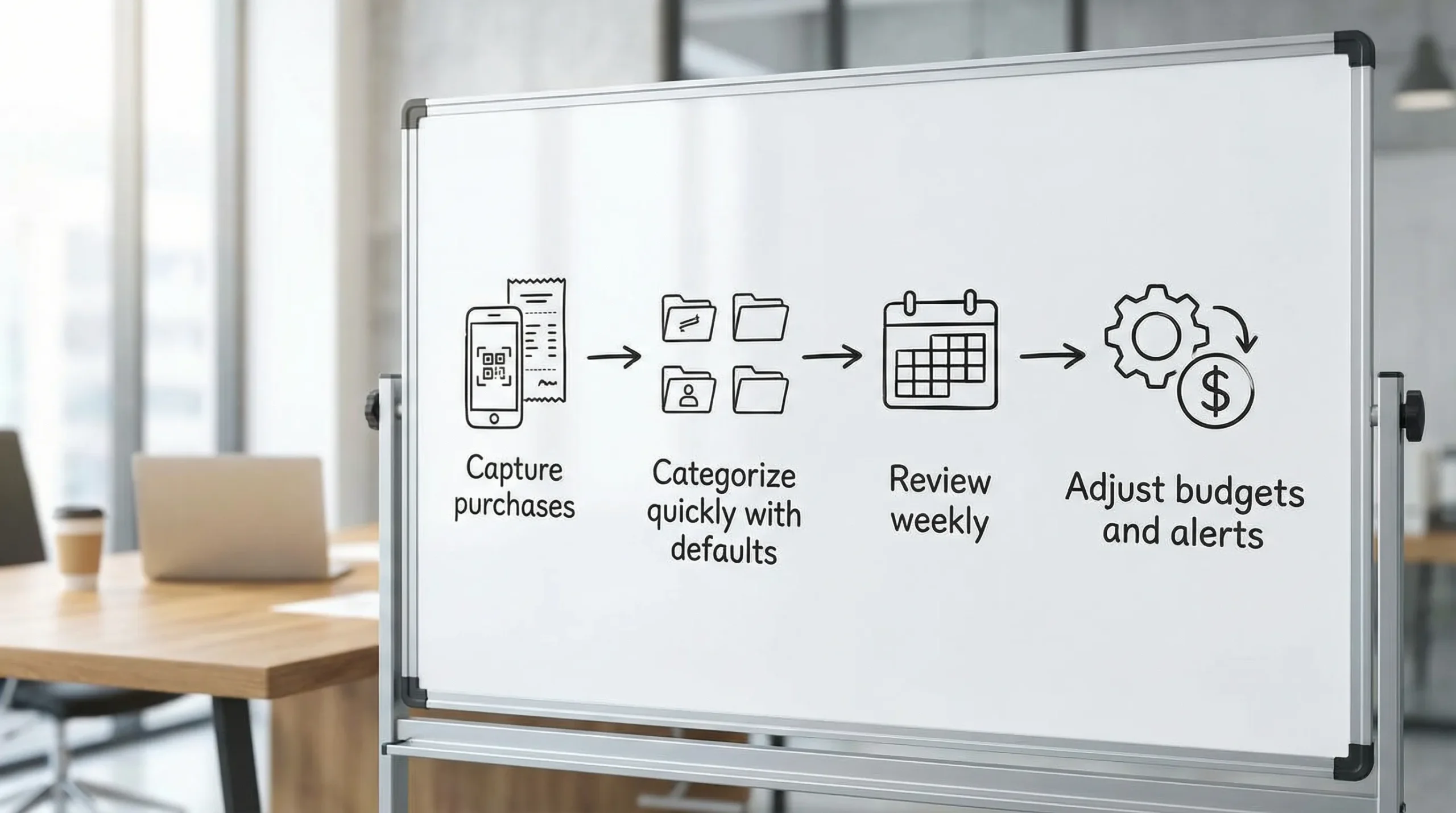
Stop trying to remember, start capturing
Burnout increases when you rely on memory. Replace “remember later” with “capture now.”
Two capture methods that tend to stick:
- Receipt photo rule: if it is not a card transaction (cash, split bill, reimbursement), snap a photo immediately.
- One-line cash rule: keep a running note like “Cash today: $18” and log it once.
If you want the simplest version, log cash as a single daily transaction in a “Cash spending” category. You lose some detail, but you gain consistency.
Make shared spending and “split” purchases painless
Expense logs break when life gets social: shared groceries, group dinners, family spending, and reimbursements.
Use rules that reduce debate later:
- One shared card for household purchases when possible (even if you still keep separate accounts)
- A single tag for reimbursements (for example, “Work” or “FriendPayback”) so you can filter later
- Only split transactions when it changes a decision (if splitting the Costco run does not affect your budget choices, do not split it)
The point is not to build a perfect ledger. It is to make your spending understandable enough to manage.
Let automation do the heavy lifting (but keep a human review)
Most people quit because manual entry is too much. If your expenses app can connect to your accounts, that can remove a huge amount of effort.
Automation is most useful for:
- Importing card transactions instead of typing them
- Detecting recurring charges (subscriptions, memberships)
- Sending alerts when something looks off (unusual spending, low balance, upcoming bill)
A quick note on safety: when you connect financial accounts to any app, use strong unique passwords, enable multi-factor authentication with your bank, and understand what permissions are being granted.
The weekly review: where the system actually works
If you only do one thing consistently, make it the weekly review. It is the moment where “tracking” turns into “control.”
A simple 15-minute weekly review looks like this:
- Categorize anything uncategorized and move on
- Scan for surprises: duplicates, refunds, unusually large purchases
- Check your top 3 categories (the ones most likely to drift)
- Adjust one thing: a budget limit, an alert, or a spending plan for the week
This keeps you from obsessing daily while still preventing the slow creep that wrecks budgets.
A no-shame protocol for when you fall behind
Everyone falls behind. The difference between people who succeed and people who quit is what they do next.
Here is a recovery approach that works even if you missed weeks:
- Do not backfill perfectly. Start with the last 7 to 14 days.
- Bulk-categorize the rest into broad categories.
- Make one insight-based change (cancel a subscription, lower a category cap, set a reminder).
Common failure modes and fixes:
| What derails you | What it feels like | Fix that reduces burnout |
|---|---|---|
| Too many categories | “I never know where things go” | Cut your categories by 30% and keep a “Misc” bucket |
| Inconsistent cash spending | “My totals never match” | Log cash once per day or once per week as a batch |
| Skipping the review | “I track but nothing changes” | Put a 15-minute recurring calendar block every week |
| Guilt after overspending | “I do not want to look” | Review with one question: “What is the next best action?” |
What to look for in an app for expenses (so it supports the habit)
If your goal is to log purchases without burnout, prioritize features that reduce effort and close the loop.
Look for:
- Fast capture and clean categorization (including a clear uncategorized queue)
- Budgeting tools that make it easy to see where you are this month
- Bill and debt tracking so recurring obligations are not forgotten
- Alerts and reminders that prevent issues before they snowball
- Account reconciliation and reports so you can trust the numbers and use them
MoneyPatrol is built around this “all-in-one” approach, combining expense tracking, budgeting, bill and debt tracking, income management, investment tracking, credit score monitoring, alerts, account reconciliation, and detailed reports in a single personal finance dashboard. If you want to reduce manual work while staying aware of your full financial picture, you can explore MoneyPatrol on the MoneyPatrol homepage or see how it compares in this guide to the best free budgeting app.
The mindset that keeps you consistent
The most sustainable rule is simple: you are not building a perfect record, you are building a repeatable habit.
If you only log 80 percent of purchases but you review weekly and adjust your spending, you will outperform the person who logs 100 percent for two weeks and then quits.
Start with the smallest version you can maintain, automate what you can, and let the weekly review do the real work.


 Our users have reported an average of $5K+ positive impact on their personal finances
